44 Edge 605/705 Owner’s Manual
data ManaGeMent
daTa ManaGeMenT
You can use the Edge as a USB
mass storage device, and you can
purchase a separate microSD card for
additional external memory.
NOTE: The Edge is not
compatible with Windows
®
95, 98, Me, or NT. It
is also not compatible
with Mac
®
OS 10.3 and
earlier. This is a common
limitation of most USB
mass storage devices.
Loading Files
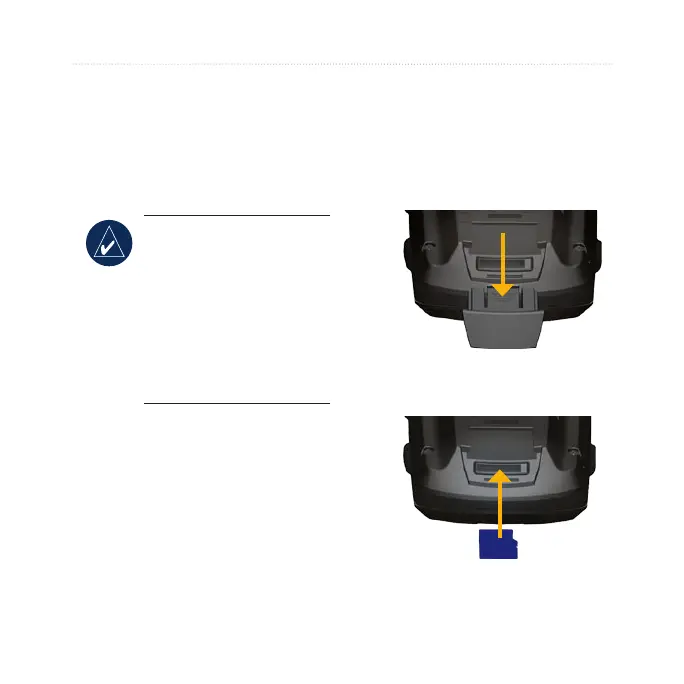
Step 1: Insert a MicroSD
�ard (Optional)
1. Remove the microSD card
door on the back of the Edge.
2. To insert the card, press it in
until it clicks.



 To Next Page