Edge 605/705 Owner’s Manual 47
SettinGS
seTTinGs
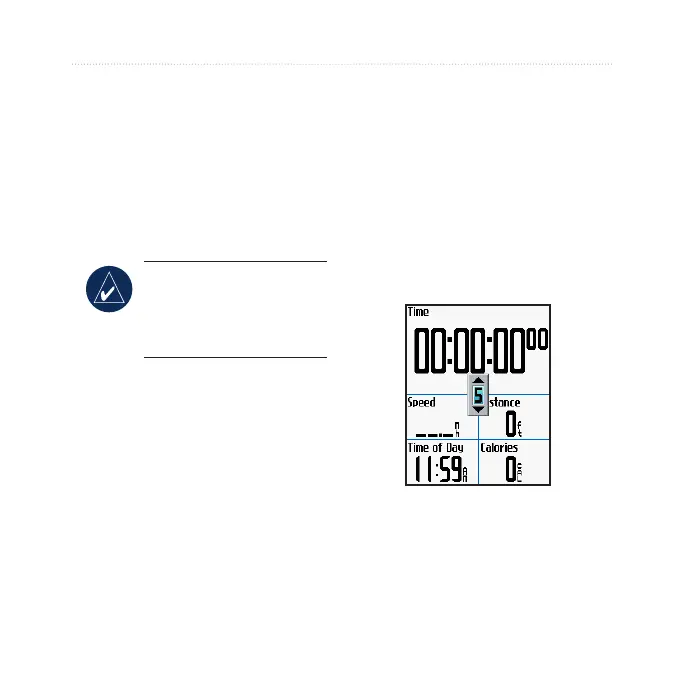
You can customize data elds, map
settings, routing, bike and user
proles, training zones, display,
units, time, data recording, and
wireless setup. Press menu > select
Settings.
NOTE: When nished
selecting options or
entering values, press
mode to exit.
Custom Data Fields
You can set up custom data elds for
the following Edge pages:
Bike Computer 1
Bike Computer 2
Map
Workouts
Courses
•
•
•
•
•
For a list of available data elds, see
pages 48–52.
To set data elds:
1. Press menu > select Settings
> Data Fields.
2. Select one of the pages listed.
3. Select the number of data
elds you want to see on this
page.
4. Use the thumb stick to change
the data elds. Press mode
when done.
5. Repeat for each page you
wish to customize.



 To Next Page