Edge 605/705 Owner’s Manual 59
aPPendix
GS� 10 Battery
The GSC 10 contains a user-
replaceable CR2032 battery.
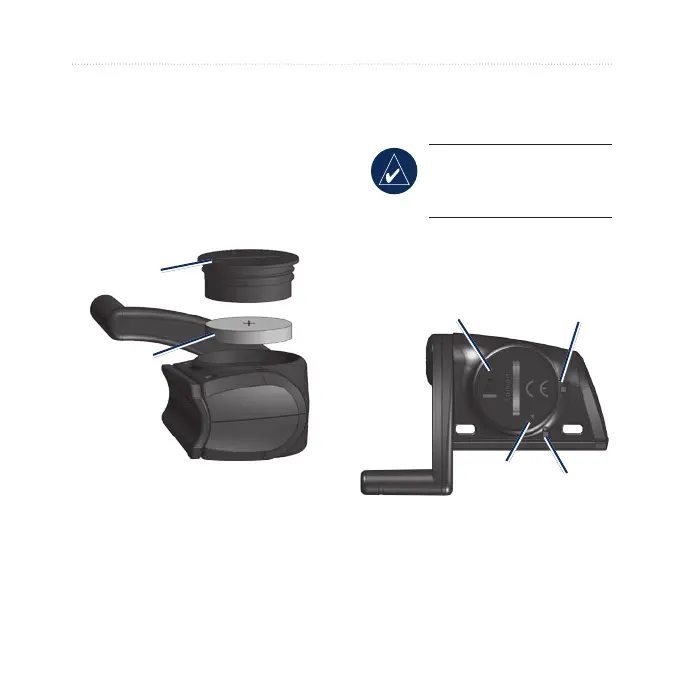
To replace the battery:
1. Locate the circular battery
cover on the side of the
GSC 10.
Battery
cover
CR2032
battery
2. Use a coin to twist the cover
counter-clockwise until it
is loose enough to remove
(arrow points to unlocked).
3. Remove the cover and
replace the battery with the
positive side facing up.
NOTE: Be careful not to
damage or lose the O-ring
gasket on the cover.
4. Use a coin to twist the cover
back into place (arrow points
to locked).
Arrow
Locked
Unlocked
Battery
cover



 To Next Page