Edge 605/705 Owner’s Manual 35
USinG acceSSorieS
create a strong connection
between your chest and the
transmitter.
3. Wrap the strap around your
chest and attach it to the other
side of the heart rate monitor.
NOTE: The Garmin logo
should be right-side up.
4. Turn on the Edge and bring
it within range (3 m) of the
heart rate monitor. The
heart rate icon appears on the
menu page.
5. To customize data elds, see
page 47.
6. If heart rate data does not
appear or if you have erratic
heart rate data, you may
have to tighten the strap on
your chest or warm up for
5–10 minutes. If the problem
persists, you may have to pair
the sensors. See page 57.
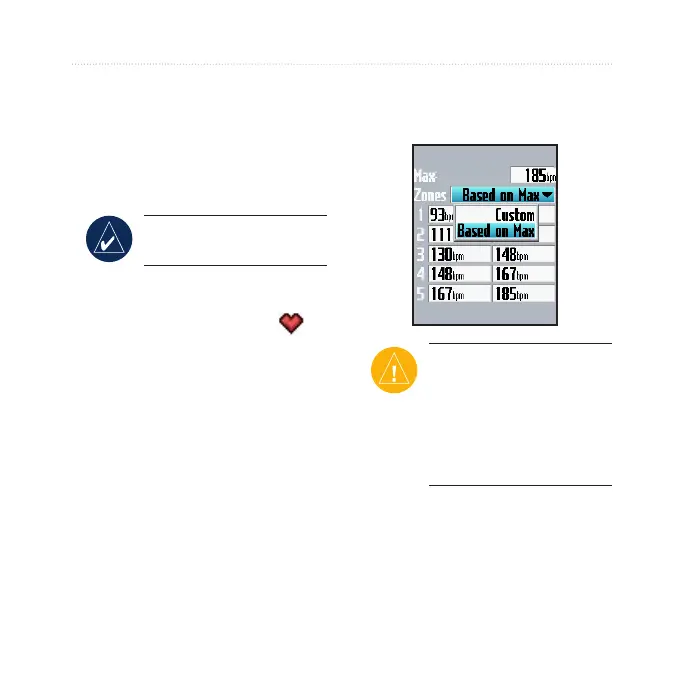
Heart Rate Zones
Press menu > select Settings >
Prole & Zones > HR Zones.
CAUTION: Consult your
physician to specify heart
rate zones/targets that
are appropriate for your
tness level and health
condition.
Many athletes are using heart rate
zones to measure and increase their
cardiovascular strength and improve
their level of tness. A heart rate
zone is a set range of heartbeats per



 To Next Page