Forerunner 405CX Quick Start Manual 5
Step 2: Charge the
Battery
Your Forerunner ships with the
power off to conserve the battery.
Charge the Forerunner for at least
three hours before using it.
NOTE: To prevent corrosion,
thoroughly dry the charging
contacts and surrounding area
before charging.
TIP: The Forerunner will
not charge when outside the
temperature range of 32°F–122°F
(0°C–50°C).
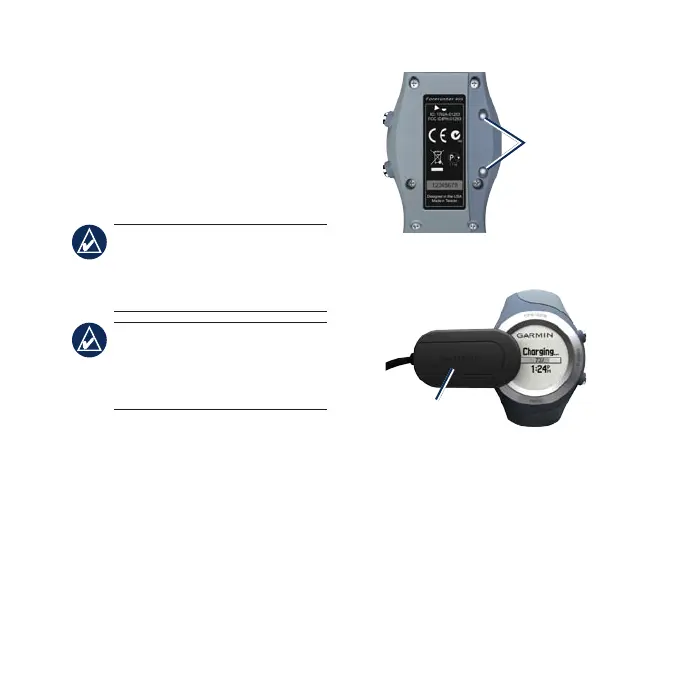
To charge the Forerunner:
1. Plug the USB connector on the
charging clip cable into the AC
adapter.
2. Plug the AC adapter into a
standard wall outlet.
3. Align the charging clip posts with
the contacts on the back of the
Forerunner.
Contacts
4. Clip the charger securely over the
face of the Forerunner.
Charging
clip
The length of time a fully charged
battery will last depends upon usage.
A fully charged battery can run the
Forerunner with GPS on for up to 8
hours. See the owner’s manual for
more information.















 To Next Page