EasyManua.ls Logo

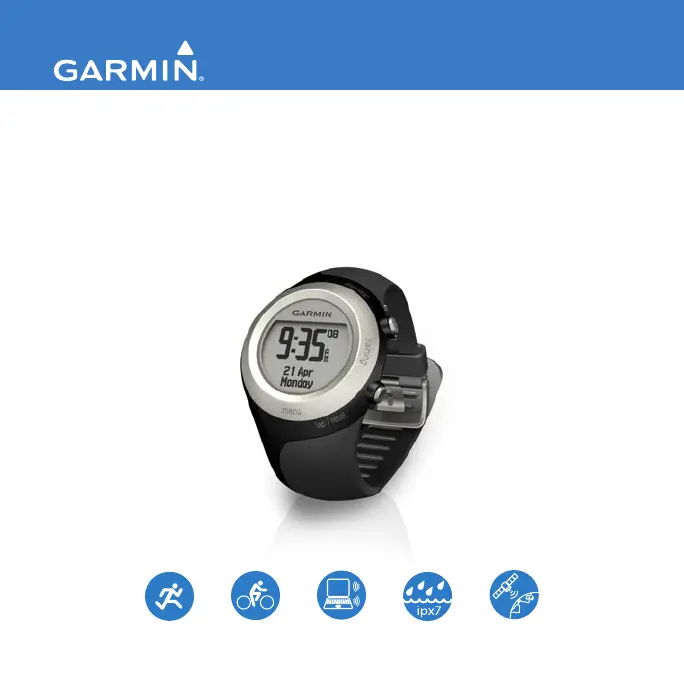
Garmin Forerunner 405 - User Manual

Garmin Forerunner 405
56 pages
Print Icon
To Next Page IconTo Next Page
Loading...
F O R E R U N N E R
®
4 0 5
owners manual
GPS-ENABLED SPORTS WATCH WITH WIRELESS SYNC

Other manuals for Garmin Forerunner 405

Questions and Answers

  • J
    Joshua WellsJul 25, 2025
    What to do if the heart rate monitor, foot pod, or GSC 10 will not pair with the Garmin Watch Forerunner?
    • B
      Bradley SalazarJul 26, 2025
      If you're having trouble pairing your heart rate monitor, foot pod, or GSC 10 with your Garmin Forerunner watch: * Stay 10 meters away from other ANT+ accessories. * Ensure the Forerunner is within 3 meters of the sensor. * Restart the scan for the accessory. * Make sure the accessory is sending data (for example, you need to be wearing the heart rate monitor). If the problem persists, try replacing the battery in the accessory.
  • W
    waltondeannaJul 31, 2025
    Why does the battery gauge on my Garmin Watch not seem accurate?
    • K
      Kimberly GutierrezJul 31, 2025
      If the battery gauge on your Garmin Forerunner watch seems inaccurate, allow the device to fully discharge completely, and then fully charge it without interrupting the charging cycle.
  • P
    Philip WilsonAug 5, 2025
    What to do if my Garmin Forerunner 405 Forerunner never gets satellite signals?
    • J
      Jennifer SampsonAug 5, 2025
      If your Garmin Forerunner watch isn't acquiring satellite signals, try the following: Touch and hold GPS to ensure it is turned on. Then, go outside, away from tall buildings, and stay still for a few minutes to allow it to connect.
  • L
    Lisa FreemanAug 10, 2025
    How to fix a Garmin Watch bezel that is not responding?
    • H
      hyatesAug 10, 2025
      If the bezel on your Garmin Watch isn't responding to taps, try these steps: Unlock the bezel by pressing enter and quit simultaneously. Ensure you are pressing firmly on the bezel, tapping the outer ring instead of the inner ring near the watch face. You may also need to adjust the sensitivity setting.
  • C
    Cynthia WheelerAug 14, 2025
    What to do if some of my data is missing from my Garmin Watch Forerunner?
    • L
      lauren28Aug 14, 2025
      If you're missing data from your Garmin Forerunner watch, it's likely because the device overwrites the oldest detailed data if you don't transfer it to your computer. To avoid data loss, transfer your data regularly.
  • B
    bjonesAug 19, 2025
    How to fix a Garmin Forerunner 405 Watch when the bezel is not responding to my taps?
    • J
      Justin RiversAug 20, 2025
      If the bezel on your Garmin watch isn't responding to taps, try these steps: Unlock the bezel by pressing enter and quit simultaneously. Ensure you're pressing firmly on the bezel and tapping the outer ring, not the inner ring near the watch face. Also, consider adjusting the sensitivity setting.

Summary

Getting Started with Forerunner 405

Using the Touch Bezel

Learn how to use the watch's touch bezel for navigation and making selections.

Charging the Battery

Instructions on how to properly charge the Forerunner's battery before initial use.

Configuring Your Forerunner

Steps to set up your Forerunner for the first time, including pairing accessories.

Acquiring Satellite Signals

Guide to obtaining GPS satellite signals for accurate time and location tracking.

Pairing Heart Rate Monitor

Instructions for pairing an optional ANT+ heart rate monitor with your Forerunner.

Pairing Computer and Forerunner

Steps to connect your Forerunner to a computer using the USB ANT Stick.

Transferring Data to Computer

Instructions for transferring workout data from your Forerunner to your computer.

Training Mode Operations

Workout Types and Creation

Creating and performing various types of workouts: simple, interval, heart rate, and advanced.

GPS Mode Functionality

Back To Start Navigation

Using the Back To Start feature to navigate back to your starting point.

Managing Your History Data

Device Settings and Customization

Customizing Data Fields

Customizing the data fields displayed on the training pages.

User Profile Setup

Setting up your personal profile for accurate calorie calculation and personalized settings.

ANT+ Computer Pairing

Steps to pair your Forerunner with a computer for data transfer via ANT+.

Using Accessories with Forerunner

Pairing ANT+ Accessories

Connecting ANT+ accessories like heart rate monitors and foot pods to your Forerunner.

Heart Rate Monitor Usage

Information on using and troubleshooting the heart rate monitor, including tips and zones.

Appendix and Support

Troubleshooting Common Issues

Solutions to common problems encountered with the Forerunner's features and accessories.

Garmin Forerunner 405 Specifications

General IconGeneral
Sustainability certificatesRoHS
Product colorBlack
Market positioningSport watch
Weight and Dimensions IconWeight and Dimensions
Weight60 g

Related product manuals