EasyManua.ls Logo

Garmin Forerunner 410 - User Manual

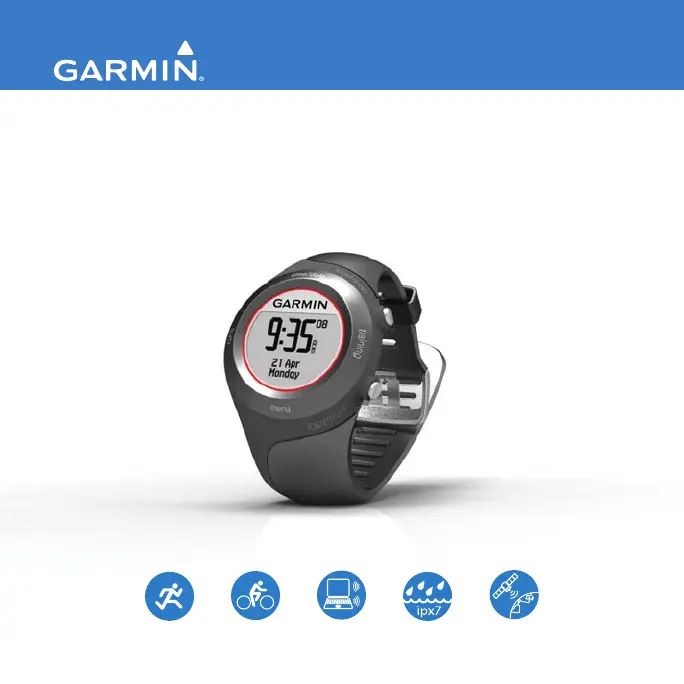
Garmin Forerunner 410
52 pages
Print Icon
To Next Page IconTo Next Page
Loading...
F O R E R U N N E R
®
4 1 0
owners manual
GPS-ENABLED SPORTS WATCH WITH WIRELESS SYNC

Other manuals for Garmin Forerunner 410

Questions and Answers

  • M
    michaelajohnsonJul 26, 2025
    What to do if Garmin Forerunner 410 heart rate monitor won’t pair?
    • H
      haynesmasonJul 26, 2025
      If the heart rate monitor, foot pod, or GSC 10 will not pair with your Garmin Watch: 1. Stay 10 m away from other ANT+ accessories while pairing. 2. Bring the device within range (3 m) of the sensor while pairing. 3. Restart the scan for the accessory. 4. Make sure the accessory is sending data (for example, you need to be wearing the heart rate monitor). 5. If the problem persists, remove the battery. Wait 30 seconds, and insert the new battery.
  • K
    Kimberly GibbsAug 5, 2025
    Why does my Garmin Forerunner 410 battery gauge seem inaccurate?
    • D
      David KnightAug 5, 2025
      If the battery gauge on your Garmin Watch does not seem accurate, allow the device to fully discharge, and then fully charge it without interrupting the charge cycle.
  • B
    Brendan EdwardsAug 14, 2025
    What to do if my Garmin Watch never gets satellite signals?
    • M
      Michael JacksonAug 14, 2025
      If your Garmin Watch never gets satellite signals: * Touch and hold GPS. * Make sure GPS is set to On. * Take your device outside and away from tall buildings. * Remain stationary for several minutes.

Summary

Introduction and Basic Operation

Contacting Garmin and Product Registration

Get product support and register your device for better assistance.

Device Care, Water Resistance, and Bezel Navigation

Learn how to clean, store, and use the touch bezel interface.

Charging, Initial Setup, and Satellite Acquisition

Charge the battery, configure the device, and acquire GPS signals.

Pairing Accessories and Data Transfer

Connect ANT+ devices and upload workout data.

Training and GPS Features

Time Settings and Training Modes

Configure time settings and explore sport modes like running and biking.

Auto Features and Workout Setup

Configure Auto Pause, Auto Lap, and create custom workouts.

Virtual Partner and Course Navigation

Use Virtual Partner and follow training courses.

GPS Operations and Navigation

Use GPS for location saving, navigation, and satellite status.

History, Settings, and Accessories

Managing Workout History

Review, delete, and view past activities and totals.

Device Settings and Data Fields

Customize settings like data fields, alarms, and time format.

ANT+ Accessories and Sensor Calibration

Connect and calibrate accessories like heart rate monitors and foot pods.

Appendix and Troubleshooting

Device Maintenance and Software Updates

Reset, clear data, update software, and battery information.

Troubleshooting Common Issues

Solutions for frequent problems, including heart rate and GPS issues.

Garmin Forerunner 410 Specifications

General IconGeneral
Display size (HxV) (imperial)1.06 x 1.06 \
CalendarYes
Clock mode12h/24h
Vibrating alertNo
Compatible operating systemsWindows XP\\r Mac OS X
Lap history1000
Product colorBlack
Market positioningSport watch
Protection featuresWater resistant
Battery life8 h
Display resolution124 x 95 pixels
Weight and Dimensions IconWeight and Dimensions
Weight60 g
Dimensions (WxDxH)48 x 71 x 16 mm

Related product manuals