2 Forerunner 405 Owner’s Manual
Getting Started
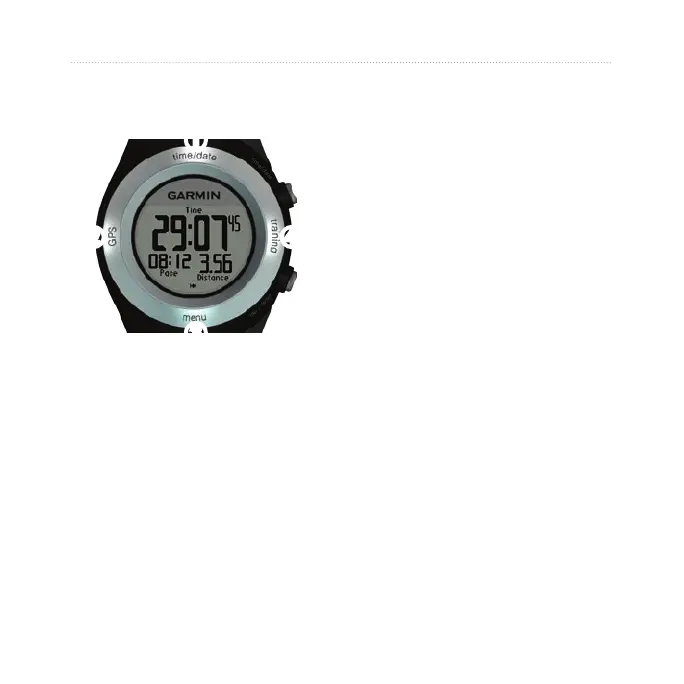
Touch Bezel Areas and
Buttons
➊
➋
➏
➍
➌
➎
➊
time/date: touch and hold to
enter time/date mode.
➋
GPS: touch and hold to enter
GPS mode.
➌
menu: touch and hold to open
the menu page.
➍
training: touch and hold to enter
training mode.
➎
start/stop/enter:
Press to start/stop the timer in
training mode.
Press to make a selection.
Press to exit power save mode.
➏
lap/reset/quit:
Press to create a new lap in
training mode.
Press and hold to reset the timer
in training mode.
Press to exit a menu or page.
Press to exit power save mode.
•
•
•
•
•
•
•















 To Next Page