5
➊
➋
➍
➌
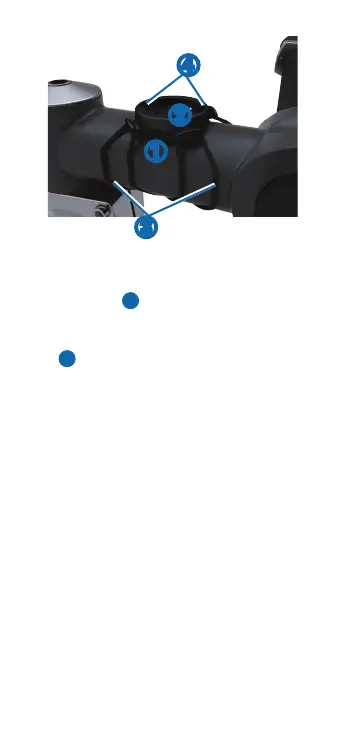
Placethebikemountonthebikestem�
Attachthebikemountsecurelyusingthe
twobands➌�
Alignthetabsonthebackofthe
Forerunnerwiththebikemountnotches
➍�
Pressdownslightly,andturnthe
Forerunneruntilitlocksintoplace�
• UseEthylenePropyleneDieneMonomer
(EPDM)replacementbandsonly�
• Gotohttp://buy�garmin�com,orcontact
yourGarmindealer�
Garmin’sstandardlimitedwarrantyappliesto
thisaccessory�Formoreinformation,goto
www�garmin�com/support/warranty�html�















 To Next Page