Need help?
Do you have a question about the Garmin Fusion BB100 and is the answer not in the manual?
Crucial safety advice including warnings, cautions, and notices for installation and operation.
Steps for selecting a location and drilling pilot holes for the BB100 black box.
Diagram and table identifying the ports on the stereo and their connections.
Detailed breakdown of wire functions, colors, numbers, and their corresponding connections.
Identification of components and cables used in the NMEA 2000 system.
Technical specifications for the stereo, including dimensions, water resistance, and performance.
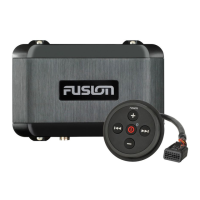
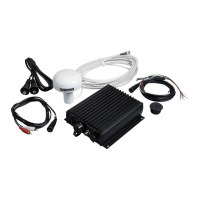
The Fusion BB100 Black Box Entertainment System with Wired Remote Control is a marine audio device designed to provide entertainment on a vessel. It integrates with various audio sources and offers control through a wired remote.
The core function of the BB100 is to serve as a central hub for audio entertainment on a boat. It allows users to connect to AM/FM radio, USB-compatible media devices, and auxiliary input sources. For an enhanced listening experience, it can also connect to a Fusion DAB module for digital audio broadcasting where available. The system is designed to power speakers and can be expanded with external amplifiers and subwoofers for a more robust sound system.
One of the key usage features is its wired remote control, which provides convenient access to the stereo's functions from a separate location. This is particularly useful in a marine environment where the main black box unit might be hidden away for protection or space-saving. The remote control allows users to manage audio playback, adjust volume, and switch between different input sources. The system also supports integration with an NMEA 2000 network, allowing it to interface with compatible chartplotters or other NMEA 2000 remotes for additional control options. This network integration enhances the user experience by centralizing control within the vessel's existing electronic systems.
The BB100 is designed with considerations for the marine environment, featuring water resistance for both the black box stereo and the remote control. The black box unit itself is intended to be mounted in a location that is not submerged and has adequate ventilation to ensure optimal performance and heat dissipation. The remote control, on the other hand, can be mounted in a more accessible location, even outside the cabin, provided it is well above the waterline and protected from physical damage.
For power management, the stereo should be connected through the ignition or another manual switch, allowing users to easily turn the system on and off. It also includes an amplifier-on wire to automatically activate external amplifiers when the stereo is powered on. The mute function, when connected to a compatible hands-free mobile kit, can automatically mute audio or switch to an auxiliary input when a call is received, enhancing safety and convenience.
The system supports USB-compatible media devices, including USB flash drives, and is compatible with iAP2 Apple devices and Android devices that support the Android Open Accessory (AOA) protocol. This broad compatibility ensures that users can connect a wide range of personal devices to play their favorite music. For USB drives, specific formatting (FAT32) and file types (MP3) are required, with a limit of 250 MP3 files per folder, which helps in organizing and accessing media efficiently.
Maintenance features primarily revolve around software updates. For optimal performance and compatibility with other Fusion devices, it is recommended to update the software in all Fusion devices at the time of installation. These updates can be performed using a USB flash drive, with instructions available on the manufacturer's support website. This ensures that the system remains current with the latest features and bug fixes, contributing to its longevity and reliable operation.
Installation of the BB100 involves careful consideration of mounting locations for both the black box and the remote control. The black box should be mounted on a vertical surface with connectors pointing downward for optimal water ingress protection and heat sink cooling. The remote control requires a cutout in the mounting surface and should be secured with a mounting nut, with marine sealant optionally applied for added protection. Proper routing of cables, away from sources of interference, is also crucial for optimal performance. When drilling pilot holes, especially in fiberglass, using a countersink bit to clear the gel-coat layer is recommended to prevent cracking.
The wiring harness provides clear connections for power, speakers, subwoofers, and auxiliary devices, making the installation process straightforward for those familiar with marine electronics. The system's design emphasizes ease of connection and integration, allowing for a customized audio setup that meets the specific needs of the vessel and its users. Overall, the Fusion BB100 is a versatile and robust entertainment system designed for the demanding marine environment, offering a rich audio experience and convenient control options.
 General
| Weight | 160 g (5.6 oz) |
|---|---|
| Power Input | 10.8-16 V DC |
| Water Resistance | IPX7 |
| Channels | 4 |
| Speaker Impedance | 4 Ohms |
| Waterproof Rating | IPX7 |
| Operating Temperature | 0 to 50°C |
| Bluetooth Wireless Range | 10 m |
| ANT Wireless Range | 10 m |
| Audio Format | MP3, AAC |
| Power Output | 50 W x 4 |
| Dimensions (WxHxD) | 84 mm x 84 mm x 45 mm (3-5/16" x 3-5/16" x 1-3/4") |
| Dimensions | 84 mm x 84 mm x 45 mm (3-5/16" x 3-5/16" x 1-3/4") |


 To Next Page