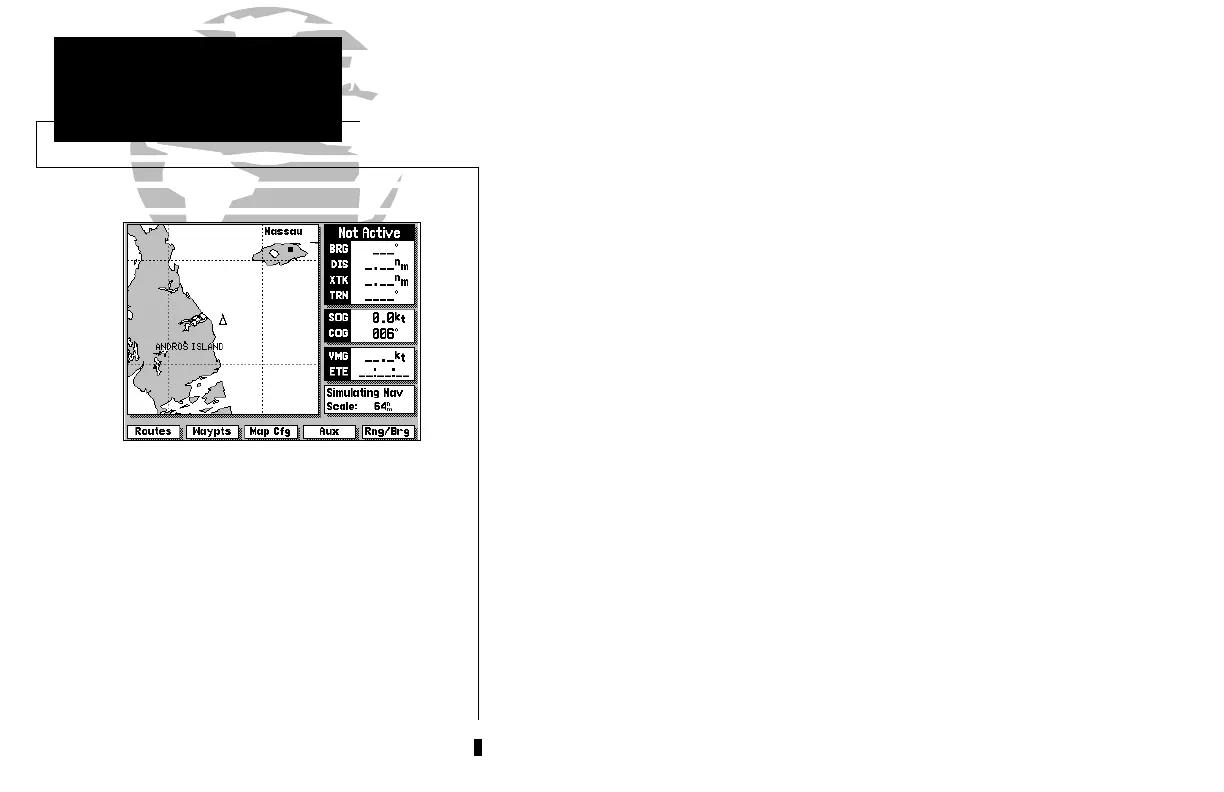
The GPSMAP system uses a set of on-screen
‘softkeys’ Mto perform route, waypoint
and setup functions. These softkeys allow you
to perform many navigation functions and
custom setups right from the map display.
viii
L The ZOOM key changes the map display scale to one of 16 avail-
able settings, or the highway display scale to one of five settings.
A The CTR key eliminates the cursor and centers your vessel
on the screen.
K
The ARROW KEYPAD controls the movement of the cursor and is
used to select screen options and positions.
C The ENTER key is used to confirm data entry and execute various
on-screen function prompts.
E The MAPS key returns the display to the map page and/or displays
the outlines of chart coverage in use.
I The PAGE key scrolls through the main screen pages in sequence.
B The DATA key turns the data window on or off in map mode and
toggles the displayed data on other pages.
G The MENU key turns the softkey menu on or off in map mode.
F The MARK key captures present position for storage as a waypoint.
H The MOB key marks your present GPS position and instantly pro-
vides a return course with steering guidance.
D The GOTO key lets you select a waypoint or target cursor position
as a destination and sets a course from your present position.
J The POWER key turns the GPSMAP on and off and adjusts the
screen backlight level.
INTRODUCTION
Keypad Usage
215225manb.qxd 4/27/00 9:22 AM Page viii













 To Next Page