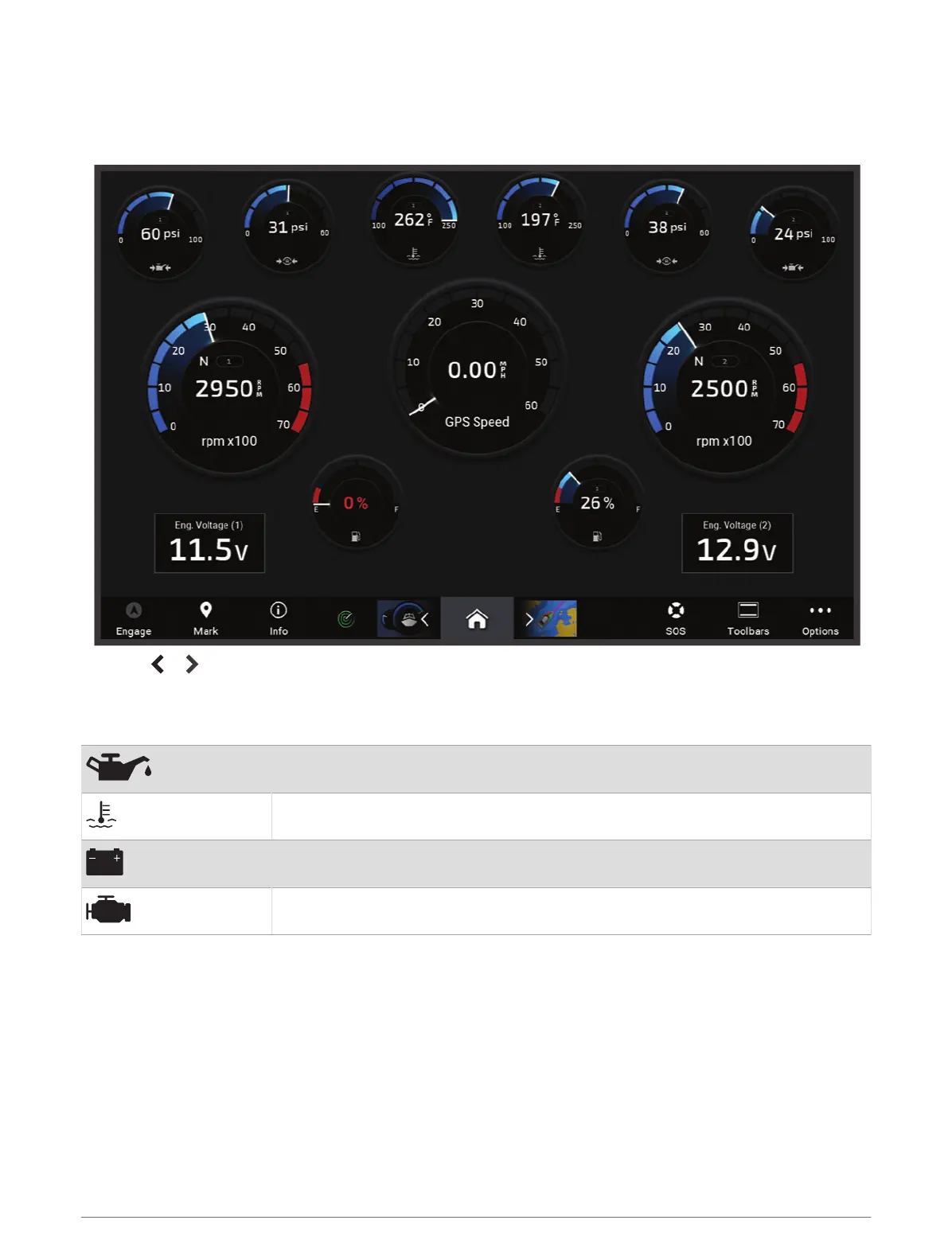
Viewing the Gauges
1 Select Vessel.
2 Select a gauge, such as Vessel.
3 Select or to view a different gauge page, if applicable.
Engine Alert Icons
If an icon lights up on the gauges page, it indicates an issue with the motor.
Low oil level or oil pressure alert
Temperature alert
Battery voltage alert
Check engine alert
Changing the Data Shown in a Gauge
1 From a gauges screen, hold a gauge.
2 Select a gauge to edit.
3 Select Replace Data.
4 Select a data type.
5 Select the data to display.
122 Gauges and Graphs




 To Next Page