OTHER NOTES
• If no buttons are pressed for 20 seconds, the device will lock. It will still be tracking (if you set
up tracking) as long as the device has power, but locks the screen to save battery.
• When in doubt, press the cancel/return key to return to the main menu
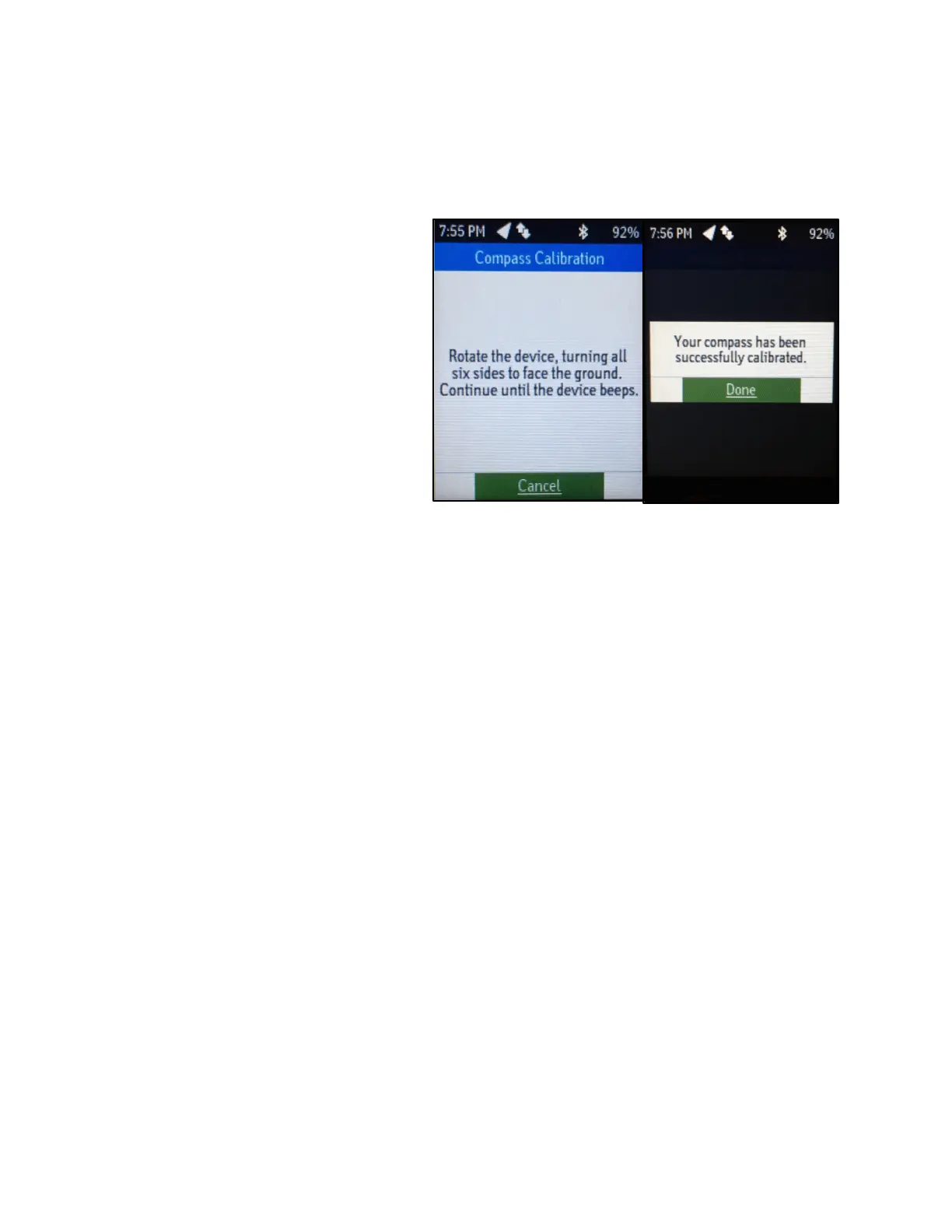
• Occasionally the device will beep
and ask you to calibrate its
compass by rotating the device.
This is easy, but feels silly. To do
so, slowly turn the device in your
hands until it beeps again.
• Sending messages directly through
the device has the benefit of
sending quickly, but the drawback
of taking a long time to type letter
by letter using the cursor and
select button. Likewise, sending
messages through the Earthmate
app on your iPhone has the benefit
of being quick to type up, but the
drawback of taking longer to send (due to the Bluetooth link between the device and your
iPhone)
• All messages sent on the device will appear in it Messages app, including ones sent prior to you.
Additionally, all messages you send may be reviewed later by Ryan Petterson, who manages the
devices
• This device is waterproof, so long as both the SOS key and micro-USB port are covered.
Regardless, try to retrieve it quickly if it falls into water.




 To Previous Page