2
INTRODUCTION
BlueChart is Garmin’s exclusive marine cartography, which works with compatible
Garmin units. BlueChart’s detailed electronic nautical charts look like paper charts
when displayed on your Garmin unit or on your PC. BlueChart data is available in
three formats:
Preprogrammed Garmin data card
or microSD™ card—contains detailed
maps based on map coverage regions. Garmin cards work only with compatible
Garmin units.
MapSource software
—contains detailed maps that you can load onto
Garmin data cards, microSD cards, or SD™ cards; or you can load directly to
compatible Garmin units. This offers more flexibility in choosing specific maps
within a coverage area.
For information about purchasing BlueChart cards, see page 16 of this guide.
For information about transferring MapSource maps to a card or a Garmin unit, see
the MapSource Help file.
Understanding BlueChart Data
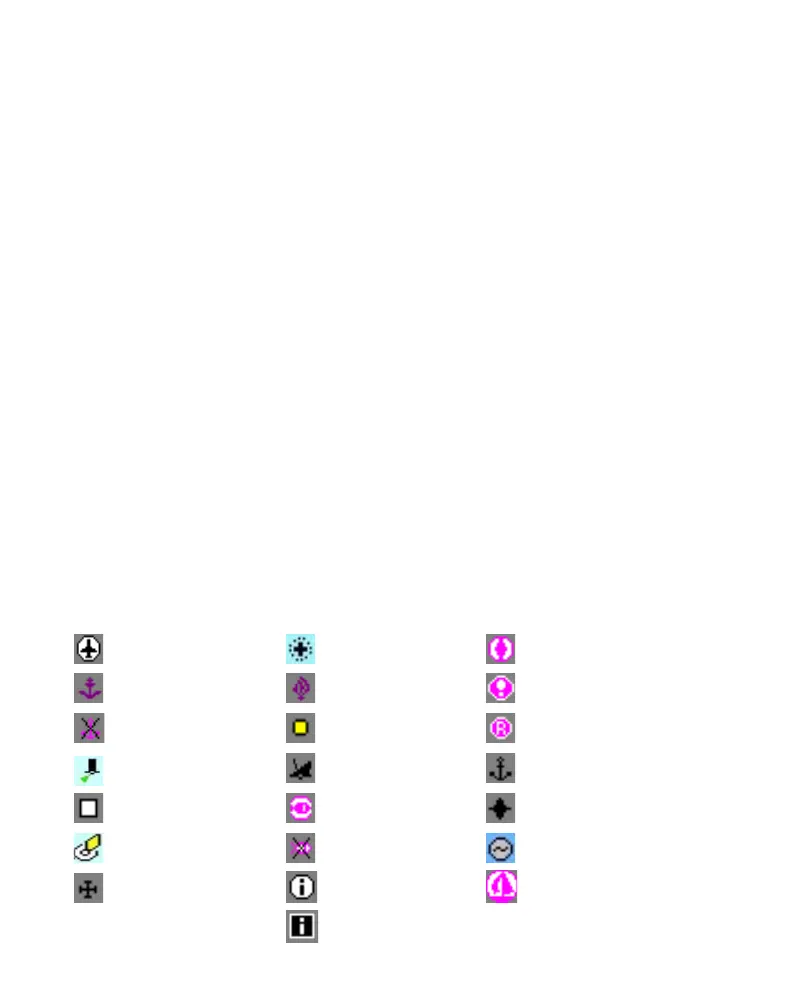
BlueChart electronic charts use graphic symbols to denote map features. Some
common symbols you might see include, but are not limited to, the following:
Airport/Seaplane Base Dangerous Rock Pilot Boarding Area
Anchorage Berth Explosive Precautionary Area
Anchoring Prohibited Exposed Rock Radio Report Point
Beacon Exposed Wreck Recommended Anchorage
Building Fishing Harbor Rescue Station
Buoy Fishing Prohibited Tide Station
Church Information Yacht Harbor
Marina Information



 To Next Page