Viewing Tides and Marine Services Information
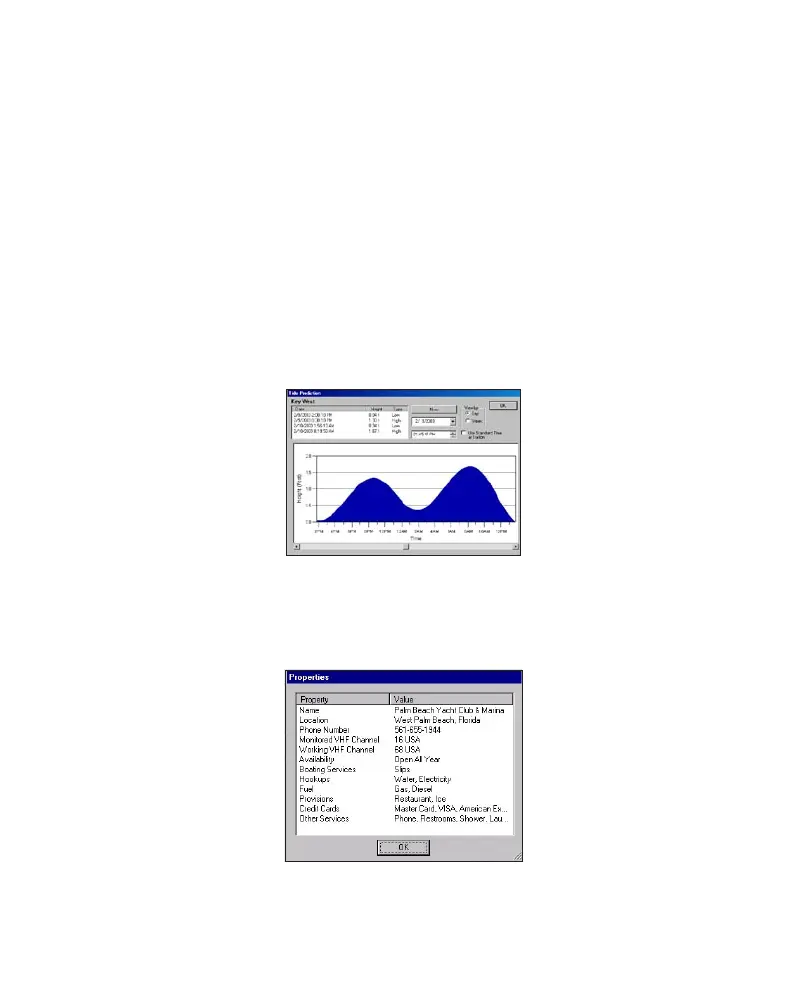
MapSource BlueChart provides tide prediction. Because of overlapping charts and
duplicate symbols, MapSource separates the tides and marine services information
from the rest of the BlueChart data for easier viewing on your PC screen. Many
Garmin units can display tide information. See your Garmin unit’s owner’s manual
for compatibility and instructions on viewing tide information on your unit.
To view tide or marine services information using MapSource:
1. Go to View, then Region, and then select Tides and Marine Services.
2. With the Selection Tool (press S on the keyboard), right-click the mouse on a
Tide Station symbol, and select Predict Tides to see the tidal information for
that area. A Tide Prediction screen appears.
To view details about marine services:
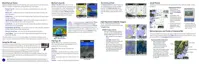
1. Right-click the mouse on a Marina Information symbol.
2. Select Feature Properties. A Properties window appears.
11



 To Next Page