Need help?
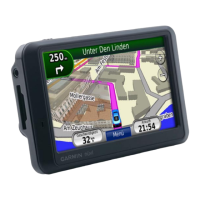
Do you have a question about the Garmin nuvi 760 and is the answer not in the manual?
Instructions on how to securely attach the nüvi device to its cradle.
Guidance on powering on and performing initial setup for the nüvi.
Steps to ensure the nüvi acquires GPS satellite signals for navigation.
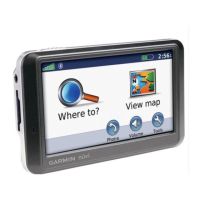
Overview of the nüvi's main interface and basic navigation functions.
Steps to connect your phone to the nüvi via Bluetooth for hands-free functionality.
Setting up a PIN and security location for device protection.
 General
| Auto | Yes |
|---|---|
| Marine (chartplotters, sounders) | No |
| Routes quantity | 10 |
| Number of waypoints | 500 |
| Form factor | Fixed |
| Certification | RoHS |
| Product color | Black |
| Display diagonal | 4.3 \ |
| Display resolution | 480 x 272 pixels |
| Display size (HxV) (imperial) | 3.81 x 2.25 \ |
| Map storage | Internal storage |
| Map view options | 2D |
| Compatible memory cards | SD |
| USB 2.0 ports quantity | 1 |
| Compatible operating systems | Windows XP Mac OS X 10.4 |
| Battery life (max) | 5 h |
 Weight and Dimensions
| Depth | 20 mm |
|---|---|
| Width | 122 mm |
| Height | 76 mm |
| Weight | 176 g |

 To Next Page