EasyManua.ls Logo

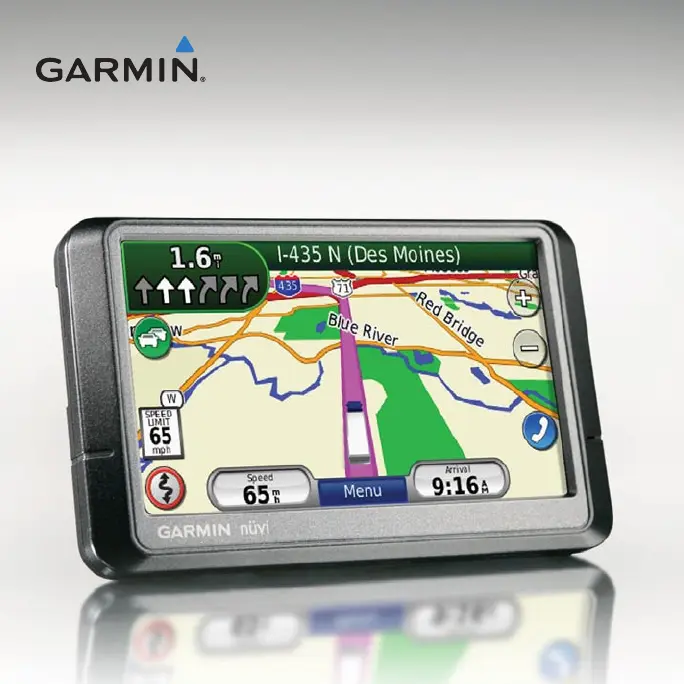
Garmin Nuvi 465 - User Manual

Garmin Nuvi 465
60 pages
Print Icon
To Next Page IconTo Next Page
Loading...
nüvi
®
465
owners manual
nüvi
®
465
owners manual

Table of Contents

Other manuals for Garmin Nuvi 465

Questions and Answers

  • S
    Sandra AndersonJul 26, 2025
    How to improve battery life on Garmin Car Navigation system?
    • T
      tunderwoodJul 26, 2025
      To maximize battery life between charges on your Garmin Car Navigation system, reduce the backlight brightness. Go to Tools > Settings > Display > Brightness to adjust it.
  • N
    nicholas00Jul 31, 2025
    What to do if my computer never senses Garmin Car Navigation system?
    • B
      Breanna GravesJul 31, 2025
      If your computer isn't detecting your Garmin Car Navigation system, unplug the USB cable, turn off the device, and then plug the USB cable directly into a USB port on your computer (not a USB hub). The device should turn on automatically in USB mass storage mode. Ensure your device is connected to a USB port and not a USB hub.
  • A
    Ann MillerAug 5, 2025
    How to fix Garmin Car Navigation system battery gauge?
    • J
      jeremy05Aug 5, 2025
      To improve the accuracy of the battery gauge on your Garmin Car Navigation system, allow the unit to fully discharge and then fully charge it without interruption.
  • J
    Janice MoodyAug 9, 2025
    Why my Garmin Car Navigation system is not charging in the car?
    • M
      marygrahamAug 10, 2025
      If your Garmin Car Navigation system isn't charging in your car, check the fuse in the vehicle power cable. Also, make sure your car is on and providing power to the outlet. The device only charges between 32°F and 140°F (0°C and 60°C). Avoid direct sunlight or hot environments, as this can prevent charging.
  • W
    William KellerAug 15, 2025
    How to fix Garmin Car Navigation system that never gets satellite signals?
    • M
      Mr. Richard LopezAug 15, 2025
      If your Garmin Car Navigation system isn't getting satellite signals, move it out of parking garages and away from tall buildings and trees. Stay still for a few minutes to allow it to acquire a signal.
  • D
    Dr. Haley Young MDAug 20, 2025
    What to do if my phone will not connect to Garmin Car Navigation system?
    • J
      jhamiltonAug 20, 2025
      If your phone won't connect to your Garmin Car Navigation system, go to Tools > Settings > Bluetooth and make sure Bluetooth is enabled. Ensure your phone is on and within 10 meters (about 33 feet) of the device.

Summary

Getting Started

Using Your nüvi

Explains basic operations and icons on the nüvi interface.

Setting Up Your nüvi

Instructions for attaching the adhesive disk and mounting base to your dashboard.

Mounting Your nüvi

Steps for properly mounting the nüvi device in the vehicle.

Entering Your Truck Profile

Guide to creating and configuring a custom truck profile for routing.

Finding Your Destination

Overview of the 'Where To?' menu and destination search options.

Adding a Truck Profile

Detailed steps for creating a new truck profile.

Where To? Navigation

Finding an Address

Steps to locate destinations by entering street and address numbers.

Setting a Home Location

How to define your home address for quick navigation.

Going Home

Instructions to start navigation to your pre-set home location.

Changing Your Home Location

Methods to update or set your home location.

Editing Your Home Location

Steps to modify an existing home location entry.

Finding Trucking Points of Interest

Locating truck stops, weigh stations, and repair services.

Finding a Place by Spelling the Name

Using the on-screen keyboard to search for destinations by name.

Searching Near Another Location

Finding destinations relative to current location or a specific route.

Finding and Managing Places

Covers finding recent places, using favorites, saving locations, and editing entries.

Finding a Place Using the Map

Browsing the map interface to select destinations.

Using the Map Pages

Making Hands-Free Phone Calls

Pairing Your Phone

Connecting your mobile phone to the nüvi via Bluetooth.

Pairing Using Phone Settings

Steps to pair the phone using the nüvi's Bluetooth settings.

Pairing Using nüvi Settings

Detailed steps for pairing a phone through the nüvi's menu.

Using Your Phone Book

Accessing and calling contacts from the phone book.

Placing Calls Using Voice Dial

Making calls by speaking the contact's name.

Managing Files

Loading Files

Steps for transferring files to the nüvi via memory card or computer.

Understanding Traffic

Receiving Traffic Information

Conditions required for the nüvi to receive traffic data.

Traffic in Your Area

How traffic icons indicate road conditions and severity.

Traffic on Your Route

How the nüvi uses traffic data to optimize routes and reroute.

Viewing Traffic Map and Delays

Displaying traffic flow, incidents, and detailed delay information.

Customizing the nüvi

Changing System Settings

Adjusting system-wide preferences like units, keyboard, and software info.

Changing Navigation Settings

Setting route preferences, avoiding road types, and restoring defaults.

Changing Security Settings

Configuring Garmin Lock and Safe Mode for device security.

Setting Bluetooth Technology Options

Configuring Bluetooth connections, pairing, and friendly name.

Appendix

Resetting Your nüvi

How to perform a soft reset on the nüvi device.

Updating the Software

Steps to download and install software updates using WebUpdater.

Troubleshooting

Troubleshooting: No Satellite Signals

Solutions for the nüvi failing to acquire satellite signals.

Troubleshooting: Charging Issues

Solutions for the nüvi not charging in the vehicle.

Troubleshooting: Touch Screen Unresponsive

Solutions for an unresponsive touch screen, including calibration.

Garmin Nuvi 465 Specifications

General IconGeneral
BrandGarmin
ModelNuvi 465
CategoryGPS
LanguageEnglish

Related product manuals