EasyManua.ls Logo

Garmin SL40 - Software Version

Garmin SL40
38 pages
Print Icon
To Next Page IconTo Next Page
To Previous Page IconTo Previous Page
Loading...
Serial Data
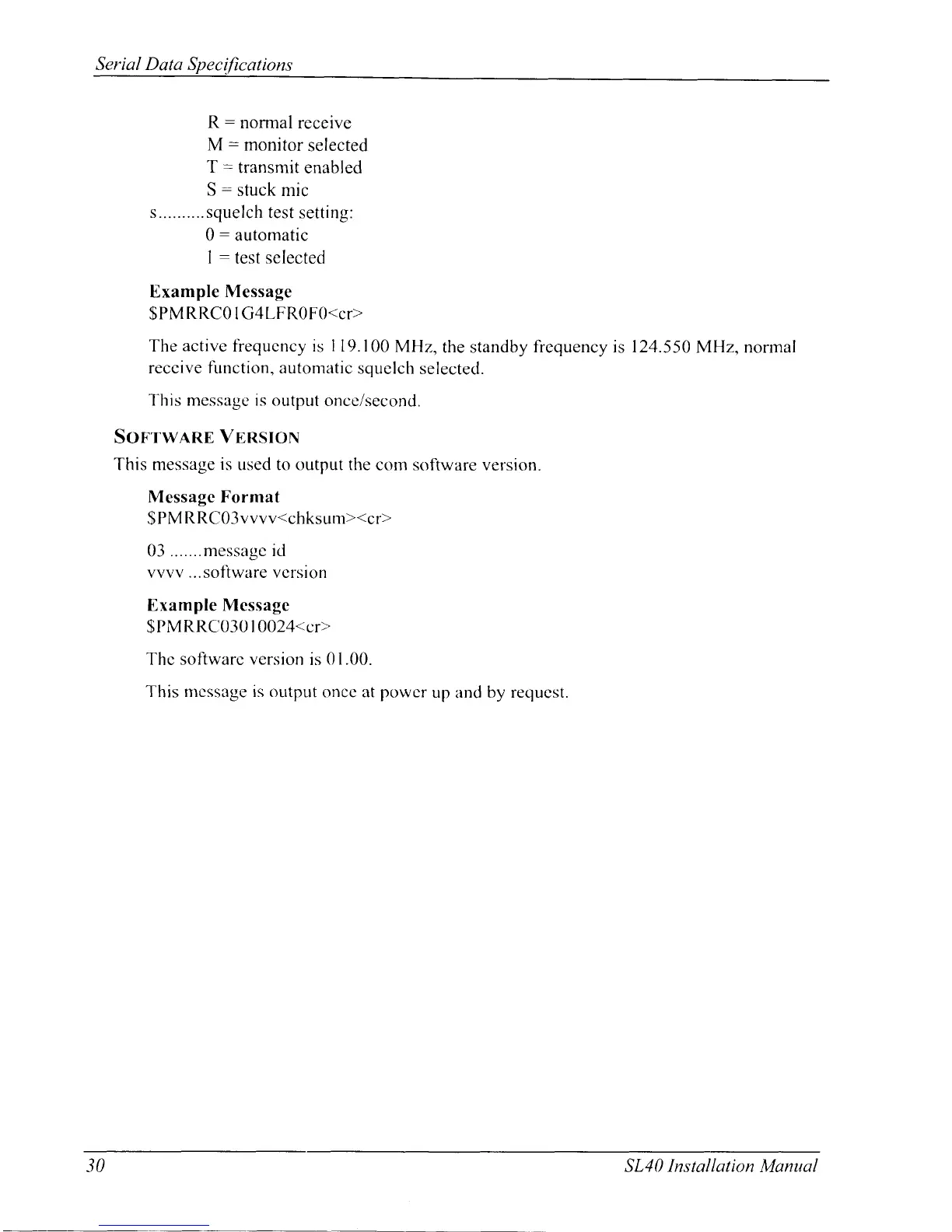
R:
normal
receive
M
:
monitor
selected
T
:
transmit
enabled
S
:
stuck mic
s.......... squelch
test setting:
0: automatic
I
:
test selected
Example
Message
$PMRRC0IG4LFR0FO<cr>
The
active
fiequcncy is
I
19.100
MHz,
the standby
frequency
is
124.550
MH4 nonnal
reccive function, automatic
squelch
selectecl.
This message is output
once/second.
Son'rwnRE
VERSToN
This message
is
used to output the
conr s<lftware version.
Message Format
$
PM
RRC03vvvv<chksLrm><cr>
03 .......messagc
id
vvvv ...soliware vcrsion
Example Message
SPM
RItC030l0024<cr>
Thc
softwarc version
is
01.00.
This rncssage is output
oncc at
porvcr
up
and
by rec';ucst.
30 SL40
Installation
Manual

Other manuals for Garmin SL40

Related product manuals