Configuration and Service
Configuring the Pump for an Unbalanced Cylinder
NOTICE
To avoid damage to the pump, keep all parts clean and free of dust and debris while configuring the pump for
an unbalanced-cylinder steering system.
If you remove the check valves after bleeding the hydraulic system, you must bleed it again. Reconfiguring the
check valves may introduce air into the hydraulic system.
If the boat has an unbalanced cylinder steering system, you must configure the pump to work properly with the
steering system.
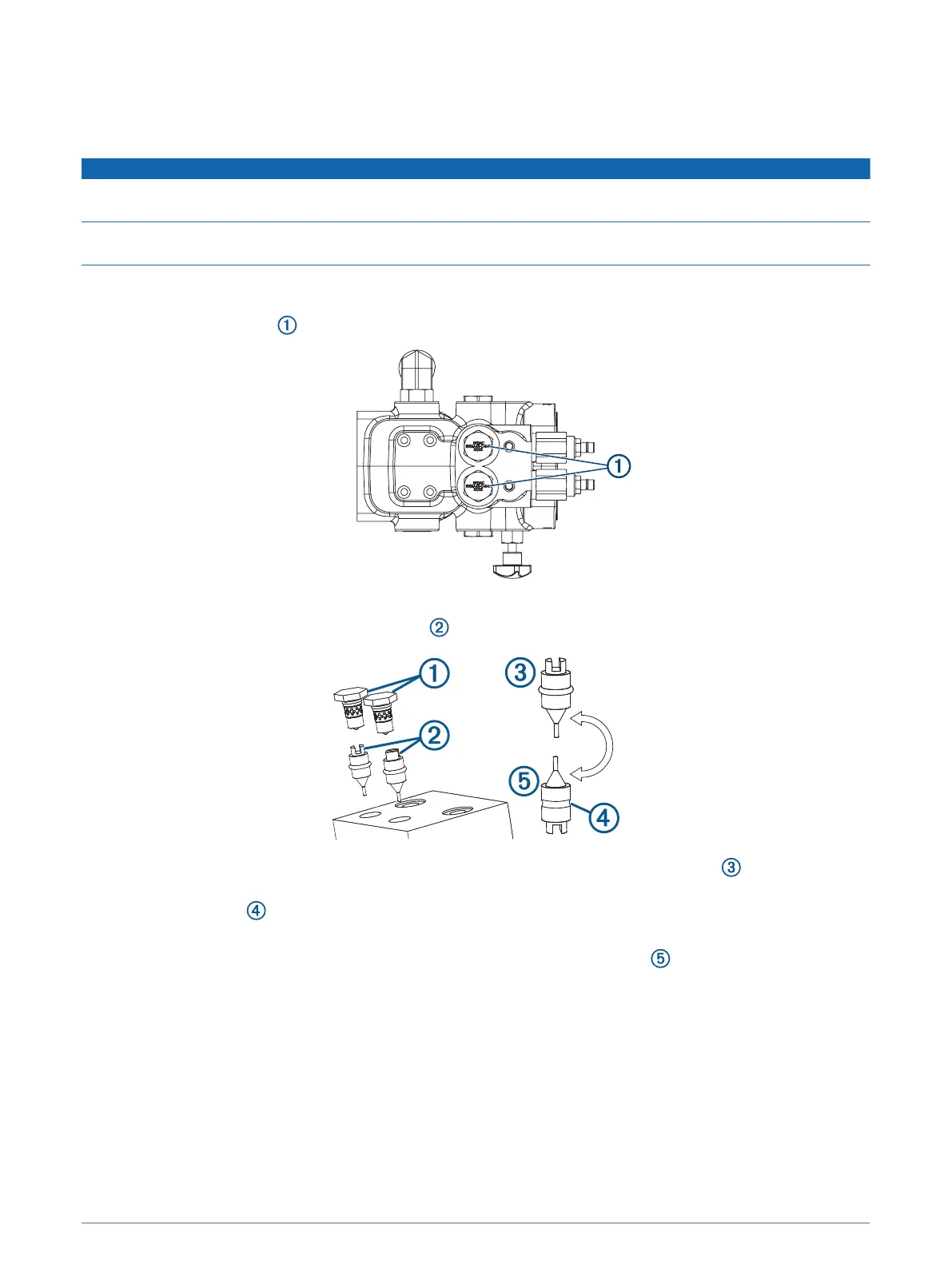
1 Locate the check valves on the pump manifold.
Depending on the model of pump, the check valves are located on either the side or top of the manifold.
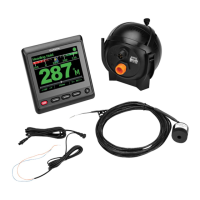
2 Remove the check valves and pull the pistons out of the pump manifold.
The pump is configured from the factory with the pistons in the balanced configuration , where the tip of
the piston is pointing into the pump manifold.
3 Remove the O-rings from the pistons and discard them.
If you cannot easily pull the o-rings from the pistons, you may need to cut them.
4 Re-insert the pistons into the pump manifold in the unbalanced configuration , where the tip of the piston
is pointing out of the manifold.
5 Insert the check valves into the pump manifold, and tighten them to 25 lbf-ft (34 N-m).
11


 To Next Page