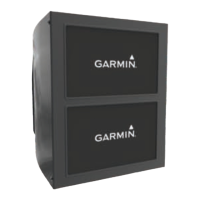
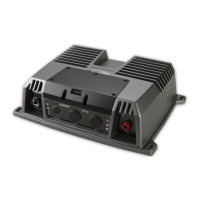
GARMIN SPECTRA
™
LED CONTROL MODULE
INSTALLATION INSTRUCTIONS
Important Safety Information
WARNING
See the Important Safety and Product Information guide in the product box for product warnings and other
important information.
Failure to install this device according to these instructions could result in personal injury, damage to the vessel
or device, or poor product performance.
CAUTION
To avoid possible personal injury or damage to the device and vessel, disconnect the vessel's power supply
before beginning to install the device.
To avoid possible personal injury, always wear safety goggles, ear protection, and a dust mask when drilling,
cutting, or sanding.
NOTICE
When drilling or cutting, always check what is on the opposite side of the surface to avoid damaging the vessel.
You must read all installation instructions before beginning the installation. If you experience difficulty during
the installation, go to support.garmin.com.
Tools and Supplies Needed
• 16AWG (1.3mm
2
) wire to connect the wiring harness to power
• Inline fuse apporpriately-rated for the power source and connected LEDs (Connecting to Power, page4).
• 20AWG (0.5mm
2
) wire to connect the wiring harness to lighting
You can purchase marine LED cable from your Fusion
®
or Garmin
®
dealer in 100m (328ft.) lengths
(010-13386-00).
• #2 Phillips screwdriver
• Appropriately sized marine-grade connectors for connecting the wiring harnesses to the speaker wire
• Wire cutters
• Drill and 2 mm (
3
/
32
in.) drill bit for mounting the LED control module
Getting Started
The Garmin Spectra LED control module allows you to control connected LED lights using compatible Garmin
chartplotters and compatible Fusion stereos connected to the same NMEA 2000
®
network. You can also control
connected LED lights using the ActiveCaptain
®
app.
The Garmin Spectra LED control module is designed for controlling only LED lighting. You must not use this
device to control navigation lights, non-LED lighting, or other devices.
This manual contains instructions for installing and performing the initial configuration for the Garmin Spectra
LED control module using a Garmin chartplotter or ActiveCaptain app. For complete instructions on using the
Garmin Spectra LED control module with a connected chartplotter or Fusion stereo, see the latest chartplotter or
stereo owner's manual.
GUID-6A3E1D9B-1E17-4069-BF5C-3C82F2202A9B v1
July 2024

 Need help?
 General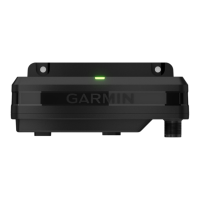

 To Next Page