Need help?
Do you have a question about the Garmin VARIA RCT716 and is the answer not in the manual?
Overview of installation and setup tasks for the Varia RCT716 device.
Guidance on mounting the Varia RCT716 for optimal light visibility and radar detection.
Steps to pair the Varia RCT716 device with the Varia app on your phone via Bluetooth.
How to view radar information on the Varia app during a ride.
Steps to pair the Varia RCT716 with an Edge 1030 series device via ANT+.
How to view radar information on compatible Edge devices.
Explanation of audible alerts for approaching vehicles on the Edge device.
Instructions for pairing the Varia RCT716 with compatible Edge cycling computers.
Instructions for pairing the Varia RCT716 with compatible Garmin smartwatches.
Procedure for charging the Varia RCT716 using a wall outlet or computer USB port.
Recommendations for safely and effectively charging the Varia RCT716.
Technical specifications for the Varia RCT716 radar device.
How to reset the Varia RCT716 if it stops responding.
Procedure for updating Varia RCT716 software using the Varia app.
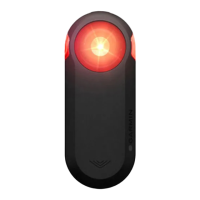
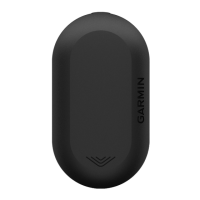
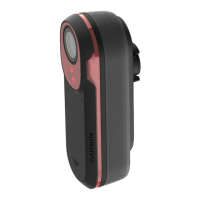
The Varia RCT716 is a rear-facing radar and tail light device designed to enhance cyclist situational awareness by detecting approaching vehicles. It integrates a tail light with a micro radar and a camera, allowing cyclists to see, record, and be seen by vehicles from behind. The device can be used independently or paired with compatible Garmin devices, such as Edge cycling computers, Garmin watches, or a smartphone running the Garmin Varia app.
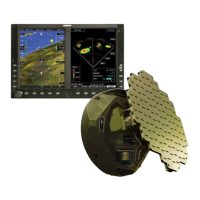
The primary function of the Varia RCT716 is to detect approaching vehicles from up to 140 meters away and alert the cyclist. When paired with a compatible display device (Edge, Garmin watch, or Varia app), the radar information is presented visually. On Edge devices and the Varia app, vehicles are represented as moving icons on a column, indicating their relative position and proximity. A colored banner or LED changes color to reflect the threat level: green for no detected vehicles, amber for approaching vehicles, and red for vehicles advancing at a high rate of speed. Tone alerts can also be configured on compatible Edge devices, providing distinct sounds for the first detected vehicle and when the threat is cleared.
Beyond radar detection, the Varia RCT716 features a built-in camera that records video and takes photos. By default, the camera is off when the device powers on, but it can be enabled to record continuously, during radar activity, or turned off entirely. The device records video in a circular loop, overwriting the oldest unsaved footage when the memory card is full. Users can manually save video clips or photos by pressing the camera button on the device or selecting the corresponding option on a paired Edge device or the Varia app. The device also includes an incident recording feature that automatically saves video footage before, during, and after a detected incident, stamping it with time, date, and location data. Audio recording is also supported via an integrated microphone, which can be toggled on or off.
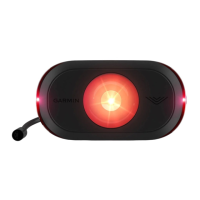
The tail light component of the Varia RCT716 offers different modes and intensities, such as "Solid (default)" and "Standby." In "Solid" mode, the light operates at high intensity, and the radar actively detects vehicles. In "Standby" mode, the light is off, and the radar does not detect vehicles. The tail light modes can be switched by pressing the device button.
The Varia RCT716 offers flexible usage options depending on the cyclist's preference and existing Garmin ecosystem.
Pairing with a Smartphone (Varia App): Cyclists can download the Garmin Varia app to their phone and pair the RCT716 via Bluetooth. The app provides a visual display of radar information, including vehicle positions and threat levels, and allows access to device and camera settings. Through the app, users can view and download saved videos and photos, delete files, format the memory card, and customize camera settings like recording mode, video quality, audio recording, video clip length, incident recording, and data overlay. The app also allows for customization of alert settings, including vibration alerts on the phone. Software updates for the device can also be managed through the Varia app.
Pairing with Garmin Edge Devices: For cyclists using Garmin Edge 1030 series devices (and other compatible Edge models), the Varia RCT716 can be paired to display radar information directly on the Edge screen. This integration allows for remote control of the radar device and customization of settings. The Edge device shows vehicle positions, threat level indicators, and provides tone alerts. Users can access light network settings to enable/disable the light, change light modes, view device information, and remove paired lights. Radar alert settings, including how alerts sound and display, can also be customized on the Edge device.
Pairing with Garmin Watches: The Varia RCT716 can also be paired with compatible Garmin watches (e.g., Forerunner, fēnix, Venu, vívoactive series) to provide radar alerts directly on the watch. While not all Varia RCT716 features may be available on all watches, this offers a convenient way for runners or cyclists without an Edge device to receive radar notifications.
Connecting to a Computer: The device can be connected to a computer via USB to transfer videos and photos, or to install software updates using Garmin Express. Videos are stored in MP4 format and photos in JPG format, organized into folders for events, photos, manually saved videos, and unsaved footage.
Proper maintenance ensures the longevity and optimal performance of the Varia RCT716.
Charging: The device is powered by a built-in lithium-ion battery. It can be charged using a standard wall outlet with an AC adapter or a computer's USB port. The device status LED indicates charging status (flashing green while charging, solid green when fully charged). It's important to ensure the USB port and weather cap are thoroughly dry before charging to prevent corrosion. The device will not charge outside its approved temperature range.
Cleaning: To maintain optimal radar performance, it's crucial to keep the optical lens on the front of the device clean and free from scratches. Users should clear mud and dirt from the weather cap area and, with the weather cap closed, hold the device under running water for cleaning. After cleaning, the device should be allowed to dry completely. Chemical cleaners, solvents, sunscreen, and insect repellents should be avoided as they can damage plastic components and finishes.
Memory Card Replacement: The device uses a microSD memory card (8 to 128 GB, Class 10 or higher) for storing video and photo data. A memory card is included, but it has a limited life and should be replaced periodically. The manual provides instructions for opening the cover, sliding the card holder, and inserting a new memory card.
Software Updates: Software updates are available to improve device functionality and can be installed via the Garmin Varia app or the Garmin Express application on a computer. The device status LED provides feedback during the update process (alternating blue and green for uploading, flashing green for successful completion, flashing red for failure).
Troubleshooting: The manual provides guidance for common issues, such as the device not responding (checking temperature, turning off/on, checking battery), radar detection not working indoors (device is tuned for outdoor use), the device not turning on (checking temperature, charging), and status LED indications (flashing yellow for demo mode, red for charging/software update issues). It also addresses disconnection issues with Edge devices and the Varia app, recommending turning devices off/on and re-pairing if necessary.
 General
| Connectivity | Bluetooth, ANT+ |
|---|---|
| Camera | Yes |
| Water Rating | IPX7 |
| Radar Range | Up to 140 meters |
| Camera Resolution | 1080p |
| Storage | MicroSD card (not included) |
| Type | Radar with camera |
| Compatibility | Garmin Edge cycling computers, compatible smartphones |
| Features | Radar detection |

 To Next Page