EasyManua.ls Logo

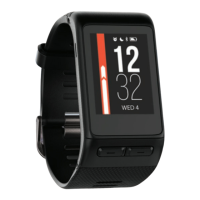
Garmin vivoactive - User Manual

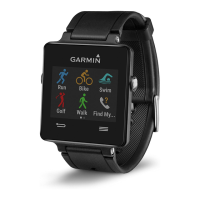
Garmin vivoactive
20 pages
Print Icon
To Next Page IconTo Next Page
Loading...
vívoactive
Owner’s Manual
February 2015 Printed in Taiwan 190-01749-00_0A

Table of Contents

Question and Answer IconNeed help?

Do you have a question about the Garmin vivoactive and is the answer not in the manual?

Summary

Garmin vívoactive Manual Introduction

Pairing Your Smartphone

Connect the vívoactive device to a smartphone via Bluetooth for app integration and data syncing.

Charging the Device

Instructions for charging the device using the USB cable and cradle, including safety precautions.

Starting and Stopping Activities

Steps to initiate, track, and save activities, including data screen viewing.

Navigating Back to Start

Using the device's navigation feature to guide the user back to their starting point.

Bluetooth Connected Features

LiveTrack Functionality

Sharing real-time activity and race progress with friends and family.

History and Garmin Connect

Garmin Connect Mobile Usage

Uploading and analyzing activity data using the Garmin Connect Mobile app.

ANT+ Sensors Setup and Usage

Pairing ANT+ Sensors

Steps to pair wireless ANT+ sensors like heart rate monitors or foot pods with the device.

Heart Rate Monitor Usage

Properly wearing the heart rate monitor and setting heart rate zones for training.

Foot Pod and Bike Sensor Calibration

Calibrating foot pods and speed/cadence sensors for accurate data.

Device Customization and Settings

Changing Watch Face and User Profile

Customizing the device's appearance and setting personal user profile details.

Device Information and Troubleshooting

Device Reset and Troubleshooting

Procedures for resetting the device and maximizing battery life.

Device Maintenance and Data Management

Summary

Garmin vívoactive Manual Introduction

Pairing Your Smartphone

Connect the vívoactive device to a smartphone via Bluetooth for app integration and data syncing.

Charging the Device

Instructions for charging the device using the USB cable and cradle, including safety precautions.

Starting and Stopping Activities

Steps to initiate, track, and save activities, including data screen viewing.

Navigating Back to Start

Using the device's navigation feature to guide the user back to their starting point.

Bluetooth Connected Features

LiveTrack Functionality

Sharing real-time activity and race progress with friends and family.

History and Garmin Connect

Garmin Connect Mobile Usage

Uploading and analyzing activity data using the Garmin Connect Mobile app.

ANT+ Sensors Setup and Usage

Pairing ANT+ Sensors

Steps to pair wireless ANT+ sensors like heart rate monitors or foot pods with the device.

Heart Rate Monitor Usage

Properly wearing the heart rate monitor and setting heart rate zones for training.

Foot Pod and Bike Sensor Calibration

Calibrating foot pods and speed/cadence sensors for accurate data.

Device Customization and Settings

Changing Watch Face and User Profile

Customizing the device's appearance and setting personal user profile details.

Device Information and Troubleshooting

Device Reset and Troubleshooting

Procedures for resetting the device and maximizing battery life.

Device Maintenance and Data Management

Garmin vivoactive Specifications

General IconGeneral
Battery life504 h
Battery technologyLithium
Market positioningSport watch
Display resolution205 x 148 pixels
BluetoothNo
Weight and Dimensions IconWeight and Dimensions
Depth38.5 mm
Width43.8 mm
Weight38 g
Thickness8 mm

Videos

How to Change Watch Face on Garmin Vivoactive 5

How to Customize your Garmin Vivoactive HR

How to Turn On Bluetooth On Garmin Vivoactive 4

How to Restart or Reset Garmin Vivoactive 4 - Factory Reset

How to Charge Garmin Vivoactive 5

How to Reset or Restart Garmin Vivoactive 3 - Factory Reset

Related product manuals