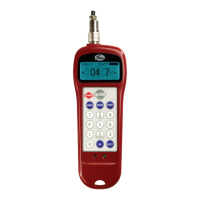
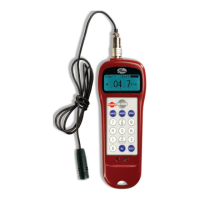
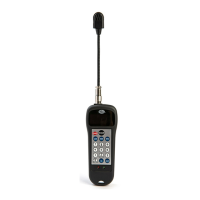
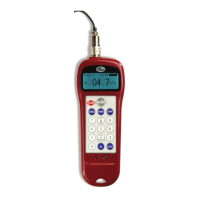
The Gates 350C Sonic Tension Meter is a handheld device designed for accurately measuring the resonant frequency of belts, which can then be used to determine belt tension. This manual provides comprehensive instructions for its operation, maintenance, and troubleshooting.
Function Description:
The primary function of the Gates 350C Sonic Tension Meter is to measure the resonant frequency of a belt span. By plucking or tapping a belt, the device's microphone head detects the resulting vibrations. It then displays the resonant frequency in Hertz (Hz). This frequency data is crucial for proper belt tensioning, ensuring optimal performance and longevity of belt-driven systems. The meter offers a more accurate and consistent method of tension measurement compared to traditional force/deflection or belt elongation methods.
Important Technical Specifications:
- Model: 350C
- Product No.: 7420-0350
- Measurement Range: The device supports three selectable frequency ranges:
- Low: 10-50 Hz
- Standard: 50-500 Hz (default setting)
- High: 500-5000 Hz
- Max Frequency: 5000 Hz
- Power Supply: 2 x AAA batteries. Fresh alkaline batteries provide approximately 15 hours of usage.
- Display: Backlit display, suitable for various light conditions.
- Certifications: CE, UKCA.
Usage Features:
- Intuitive Interface: The meter features a simple interface with three main buttons: POWER, MEASURE, and RANGE.
- Taking a Measurement:
- Press "MEASURE" to enter measurement mode.
- Position the microphone head less than 1cm from the center of the belt span, with the small holes on the rear directed towards the belt.
- Tap or pluck the belt to make it oscillate.
- The resonant frequency will appear on the display.
- Frequency Reading Area: Displays the measured value in Hz. "FLASHING BARS" indicate measurement mode (listening for resonance), while "SOLID BARS" indicate standby.
- Signal Strength Indicator: Three bars indicate the quality of the received signal. All bars filled signify the highest signal quality.
- Measurement Range Selection: The "RANGE" button cycles through the Low, Standard, and High frequency ranges, allowing the user to select the appropriate range for the belt being measured. Frequencies outside the selected range will not be reported.
- Flexible Gooseneck: Enables convenient and effective positioning of the microphone for measurement. The gooseneck should not be twisted more than 90 degrees or bent sharply within 20mm (3/4 inch) of either end.
- Automatic Shut-Off: The device automatically turns off after 5 minutes of inactivity to conserve battery life.
- Manual Shut-Off: The meter can be manually turned off by pressing and holding the "POWER" button for 1-2 seconds.
- Low Battery Indicator: An icon appears when approximately 1 hour of constant usage remains.
- Silicone Case: Supplied with the meter for a comfortable grip.
Maintenance Features:
- Battery Replacement: The battery compartment is located on the backside of the meter. Only use alkaline type batteries.
- Cleaning: Do not use water, solvent, or any other liquids to clean the unit. Avoid using volatile solvents.
- Storage: Do not leave the unit in hot places (e.g., a car in direct sunlight) or dusty environments.
- Handling: Avoid dropping the unit or subjecting it to impact, as this can cause damage. Do not pull hard on the sensor cord.
- Environmental Considerations: Do not use the unit in areas where sparks could cause an explosion. Avoid outdoor use during thunderstorms; turn off power and seek a safe place to prevent electric shock. Wind can adversely affect readings by creating excessive background noise.
- Consistent Readings: Take at least three readings to confirm consistency and avoid erroneous readings from background noise.
- Minimum Belt Span Length:
- Synchronous belts: Use spans more than 20 times the tooth pitch length to avoid higher readings due to belt cross-sectional stiffness.
- V-belts: Use spans more than 30 times the belt top width to avoid higher readings due to belt cross-sectional stiffness.
- Minimum Belt Tension: Avoid measuring tensions below recommended minimum values, as the meter may provide inaccurate results. If a reading cannot be obtained, increase belt tension and re-measure.
- New Belt Installation: Before measuring, turn the drive by hand for several revolutions to fully seat the belt and equalize tension. If tension changes significantly when the drive is rotated, determine low and high values and average them.
- Troubleshooting: The manual provides a detailed troubleshooting guide for common issues such as the meter not turning on, inability to obtain a reading, inconsistent readings, incorrect readings, and short battery life, along with corresponding corrective actions.
Warranty:
Gates warrants the meter to operate successfully for two years from the date of manufacture. Gates will repair or replace meters at no charge within this period, at their discretion. Damage due to misuse or abuse is not covered. For warranty replacement, contact an authorized Gates distributor and obtain an RMA (Return Materials Authorization) before returning the meter.



 To Next Page
 General