EasyManua.ls Logo

Gates 508C - User Manual

Gates 508C
28 pages
Print Icon
To Next Page IconTo Next Page
Loading...
gates.com/stm
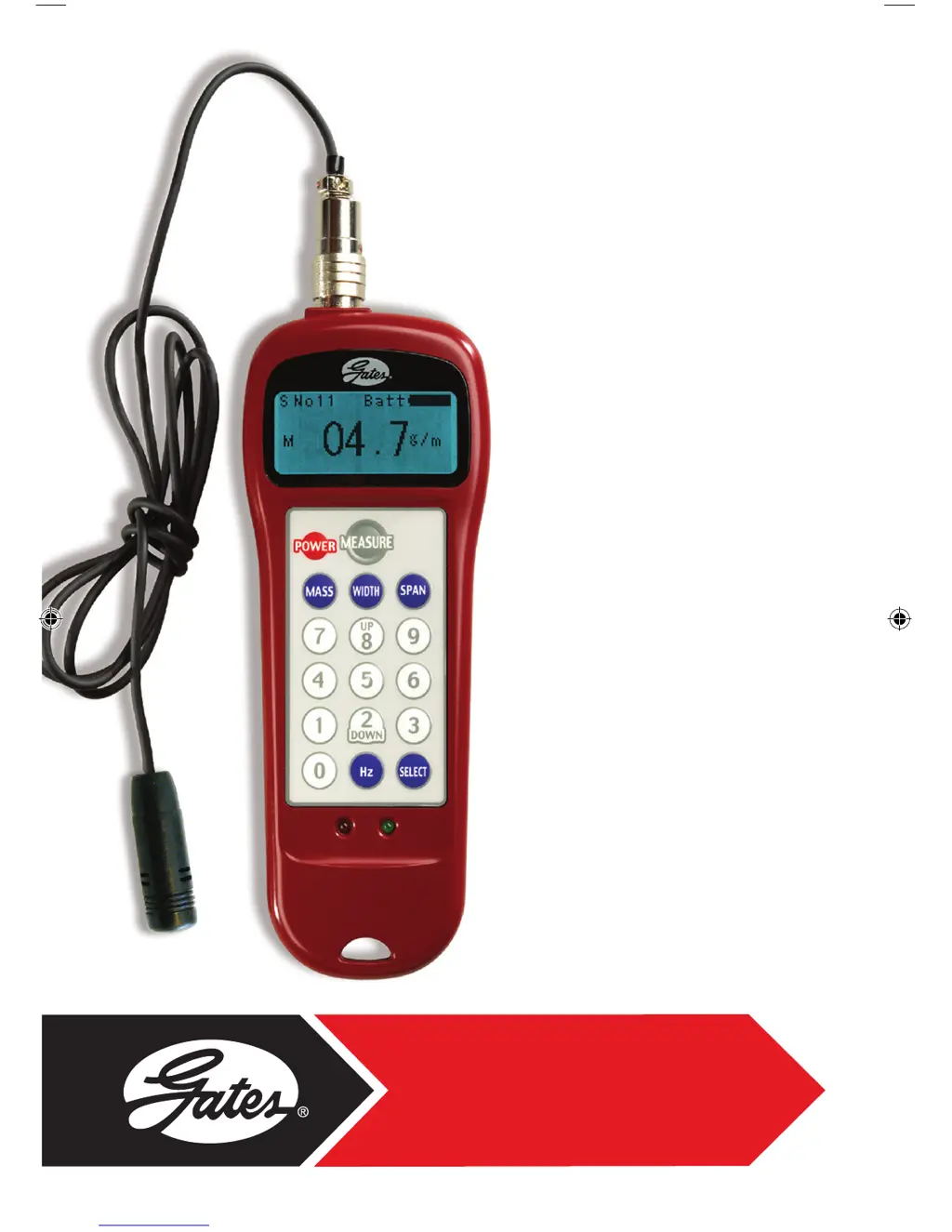
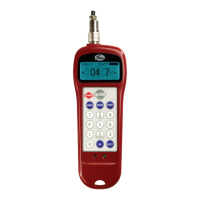
Model 508C
Sonic
Tension
Meter
Manual
SonicTensionMeter_Manual_4_14.indd 1 4/26/14 9:09 AM

Questions and Answers

  • M
    Michelle RamirezAug 18, 2025
    Why are multiple belt tension readings significantly different on my Gates Measuring Instruments?
    • J
      Jason MyersAug 18, 2025
      If multiple belt tension readings are significantly different on your Gates Measuring Instruments, try tightening the belt to see if the reading variation is reduced, especially if the belt tension is near the absolute minimum threshold. Keep in mind that it is normal for the meter to detect slightly different fundamental span frequencies. Take at least three tension readings and average the results. Ensure belts are fully seated on pulleys/sheaves and equalized for tension to stabilize. Pulley/shaft eccentricity can significantly change belt tension; establish minimum/average/maximum tension level limits and set belt tension accordingly.
  • K
    karenbullockAug 21, 2025
    How to fix a Gates 508C Measuring Instruments meter that won’t turn on?
    • M
      Matthew BurnsAug 21, 2025
      If your Gates Measuring Instruments meter won’t turn on, first, replace the batteries as they may be dead. If that doesn't work, clean the battery contacts, as they might be corroded, and then replace the batteries. If the issue persists, the meter may have sustained damage, consider meter repair or replacement. Alternatively, you can use Gates certification / evaluation / repair service.
  • C
    Craig SmithAug 25, 2025
    Why is the battery life so short on my Gates Measuring Instruments meter?
    • B
      brooksrandyAug 26, 2025
      If you are experiencing short battery life with your Gates Measuring Instruments meter, it could be due to heavy usage. Fresh alkaline batteries typically provide approximately 20-24 hours of continuous use. Ensure you are using only alkaline-type batteries, as they provide the full 1.5-volt output required by the meter. Non-alkaline batteries may cause reduced performance.
  • D
    Debbie WallaceAug 28, 2025
    Why are the readings on my Gates 508C Measuring Instruments meter incorrect?
    • K
      Kimberly LarsonAug 28, 2025
      If the readings on your Gates Measuring Instruments meter seem incorrect, ensure that you have entered the correct belt constants (mass, width, and span). You can press “Select” and toggle through data memory registers to select another data set. If you are measuring a non-Gates belt, the mass constants must be derived experimentally. Also, try temporarily eliminating noise or using low or high frequency settings to filter out background noise. Consider using an inductive sensor.
  • H
    Haley SanchezAug 31, 2025
    What to do if my Gates 508C Measuring Instruments meter displays 'Error'?
    • J
      Jennifer HamiltonAug 31, 2025
      If your Gates Measuring Instruments meter displays “Error” and the red light illuminates, confirm that the correct mass, width, and span constants have been entered. You can press “Select” and toggle through data memory registers to select another data set. Remember that non-zero constants must be entered even with the meter in the frequency-only mode. If an error has been made in reading the belt tension, take another reading.
  • J
    Jeremy PerrySep 3, 2025
    How to know what is the correct reading for belt drive on Gates 508C?
    • H
      hodgesadamSep 4, 2025
      If you don’t know what reading is correct for your belt drive with Gates Measuring Instruments, determine the correct belt tension level using the Design Flex Pro, Design Flex Mobile, or Design IQ applications. You can also determine the correct belt tension level from engineering equations in the Gates Drive Design Manual. Alternatively, establish the proper belt tension level based on your knowledge and experience. All Gates design tools are available at www.gates.com/drivedesign.
  • B
    Brittney CrossSep 7, 2025
    How to display belt span frequency on Gates 508C?
    • D
      danielle09Sep 7, 2025
      If you can’t see the belt span frequency on the display of your Gates Measuring Instruments, press “Hz” to display the belt span frequency. Press “Hz” again to display both belt span frequency and tension.
  • J
    Justin GonzalezSep 12, 2025
    How to change the units on my Gates 508C Measuring Instruments meter?
    • J
      jonesmichaelSep 12, 2025
      If your Gates Measuring Instruments meter displays tension in the wrong units, with the meter powered off, press “0”, “9”, and “Power” at the same time. Then, select the desired display unit (N / kg / lb) by pressing “SELECT”.
  • X
    Xavier RivasNov 14, 2025
    Why can't I get a belt tension reading on my Gates 508C Measuring Instruments?
    • J
      Jody SmithNov 14, 2025
      If you can't obtain a belt tension reading on your Gates Measuring Instruments, make sure the sensor is as close as possible to the belt surface without interfering with the vibrating belt span. If the belt is too loose, tighten it. If there is excessive background noise, try using the “Low” or “High” frequency settings to filter it out (press “0” for 1-2 seconds for menu), or temporarily eliminate the background noise. You can also try using an inductive sensor instead of a microphone. Ensure the meter is set to the correct frequency range; the “Standard” frequency range is generally best. With the meter on, press “0” for 2 seconds and select “Standard”, or the appropriate frequency range. If the belt span frequency is less than 30 Hz, microphone performance is reduced considerably, so us...

Summary

Important Warnings

Operating Instructions

Sensor Attachment and Power On

Instructions for connecting the sensor and powering on the meter.

Inputting Belt Data

Steps to enter belt mass and span length values into the meter.

Settings, Measurement, and Error Handling

Covers span formulas, data storage, frequency settings, measurement, and error handling.

Optional Sensors

Sonic Tension Meter Operating Theory

Belt Mass Constants

Belt Installation Tension

Tips for Accurate Measurements

Advice on achieving precise belt tension readings with the meter.

Measurement Best Practices

Covers span length, tension limits, installation, environment, and frequency mode.

Re-calibration for Non-Standard Belts

Summary of Features

A list of the key features and specifications of the Model 508C.

Optional Accessories

Information on additional accessories available for the tension meter.

Sonic Tension Meter Troubleshooting Guide

Power, Reading, and Constant Issues

Solutions for power, incorrect readings, and constant entry problems.

Measurement Acquisition and Display Problems

Troubleshooting for obtaining readings, display errors, and frequency issues.

Reading Consistency, Units, and Battery Life

Addresses varying readings, wrong units, battery issues, and sensor needs.

Unit Conversion Formulas

Span Length Formula

The formula for calculating span length based on pulley dimensions.

Warranty, Service, and Certification

Gates 508C Specifications

General IconGeneral
BrandGates
Model508C
CategoryMeasuring Instruments
LanguageEnglish

Related product manuals