8
www.gateway.com
FPD 1830 and FPD 1930
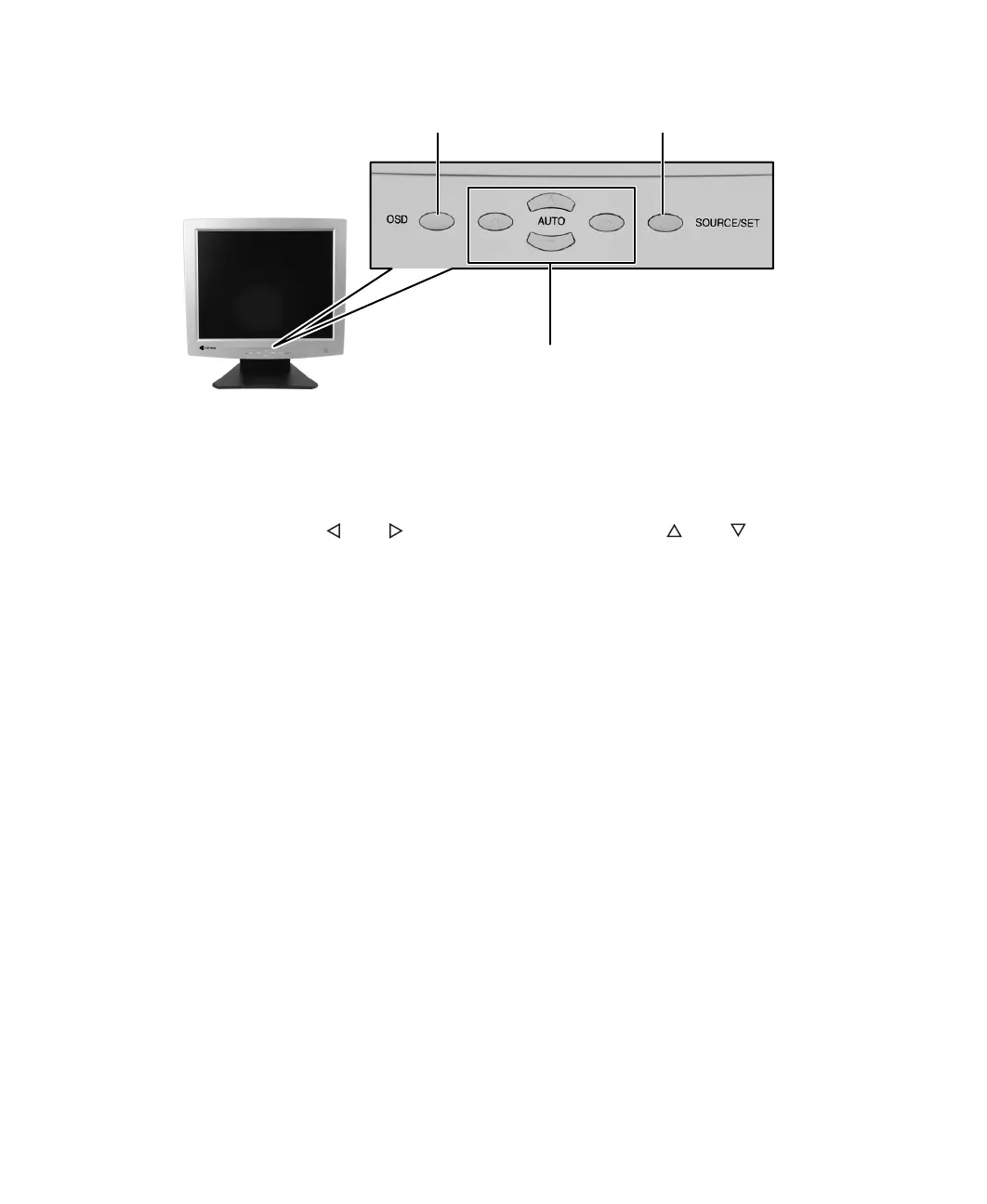
■ OSD.
Press to open the OSD. Press again to exit.
■ Arrows.
OSD active: Press to select or adjust OSD options.
OSD inactive: Press and to adjust the contrast. Press and to adjust the
brightness. If your monitor is connected to an analog video port, press the up arrow
button (
AUTO) to automatically optimize your display's position, clock, and phase.
■ SOURCE/SET.
OSD active: Press to enter a selection in the OSD.
OSD inactive: Press to view the source signal or switch between computers if you have
two computers connected to the monitor.
Menu selection arrows
Up arrow also AUTO button
OSD button
SOURCE/SET button



 To Next Page