2
www.gateway.com
Connecting the monitor
To connect the monitor:
1 Position your computer and the monitor so you can easily reach the back panel of
each.
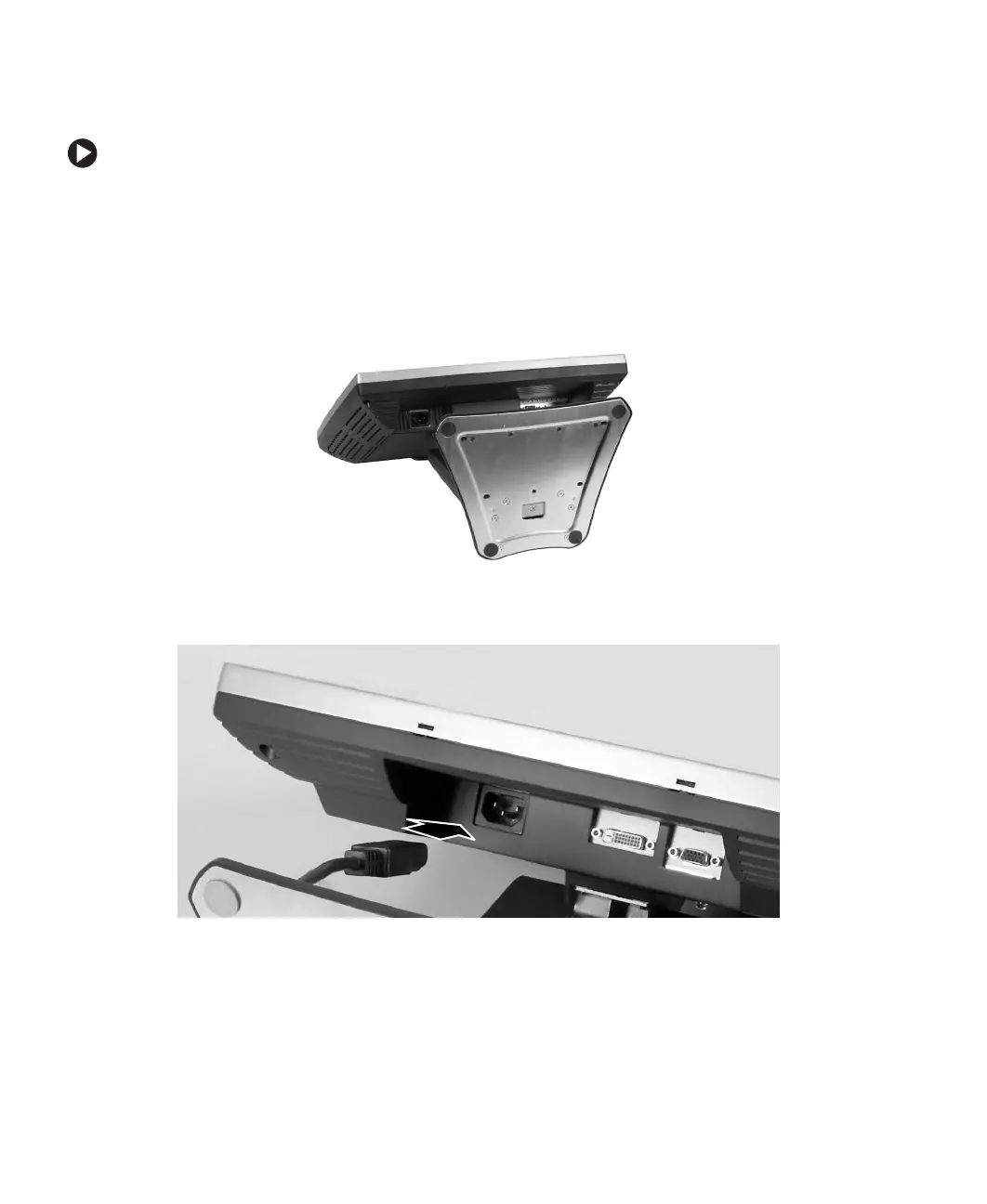
2 Set the monitor upright, then feed the power cable and the attached video cable
through the hole in the stand.
3 Lay the monitor on its back.
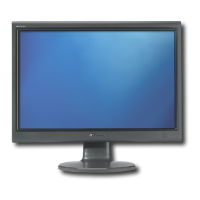
4 Connect the power cord to the power connector under the bottom of the screen.



 To Next Page