Setting up the optional stand www.gateway.com
6
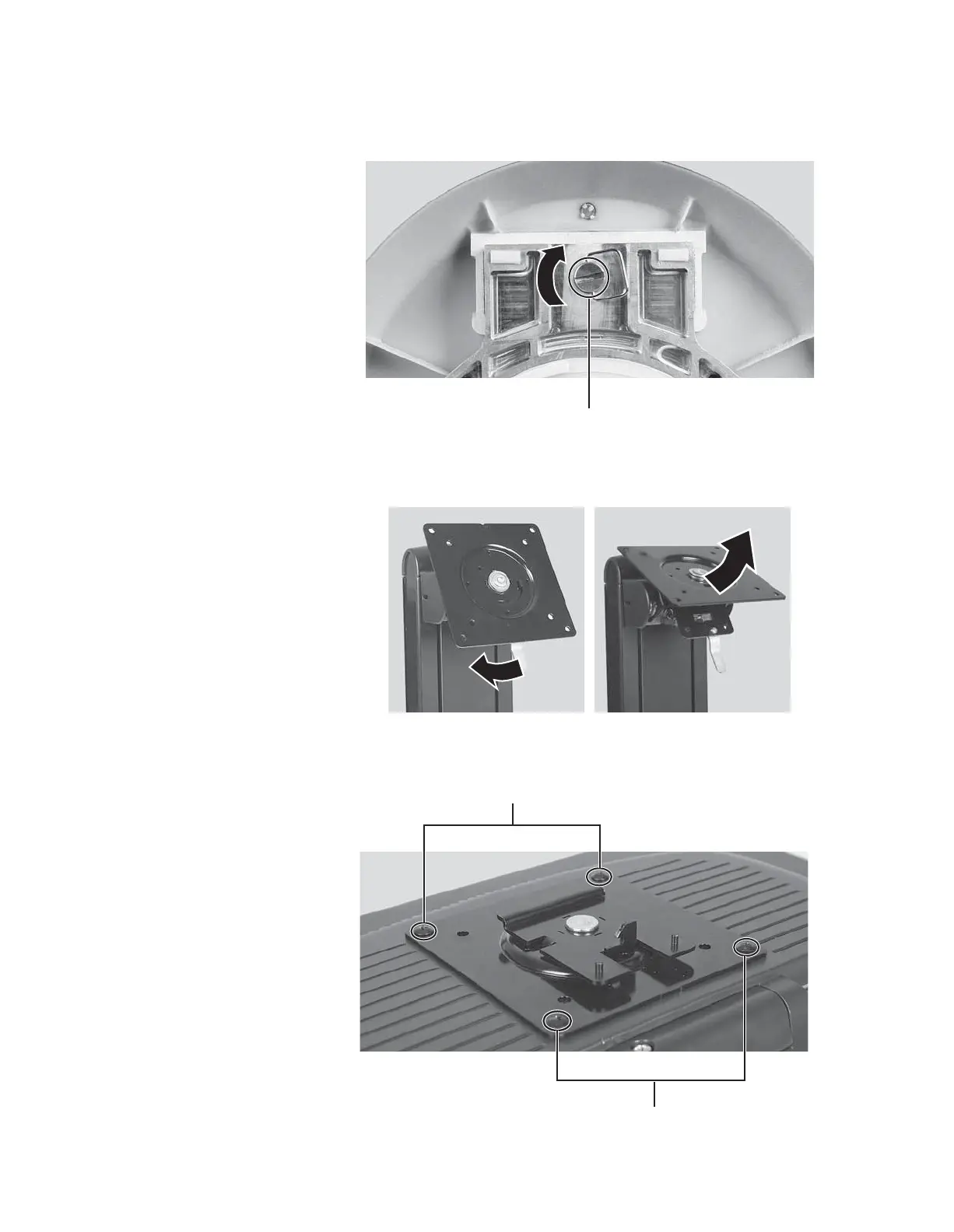
9 Tighten the thumbscrew with your fingers (or a flat screwdriver) under the
base to secure the neck into place.
10 With the stand facing you, press the mounting bracket lever to the left and
hold it, then remove the bracket from the stand.
11 Attach the bracket to the LCD panel using the four screws you removed
previously.
Thumbscrew
Screws
Screws
8511654.book Page 6 Monday, July 24, 2006 11:00 AM


 To Next Page