CHAPTER 2: Checking Out Your Computer
6
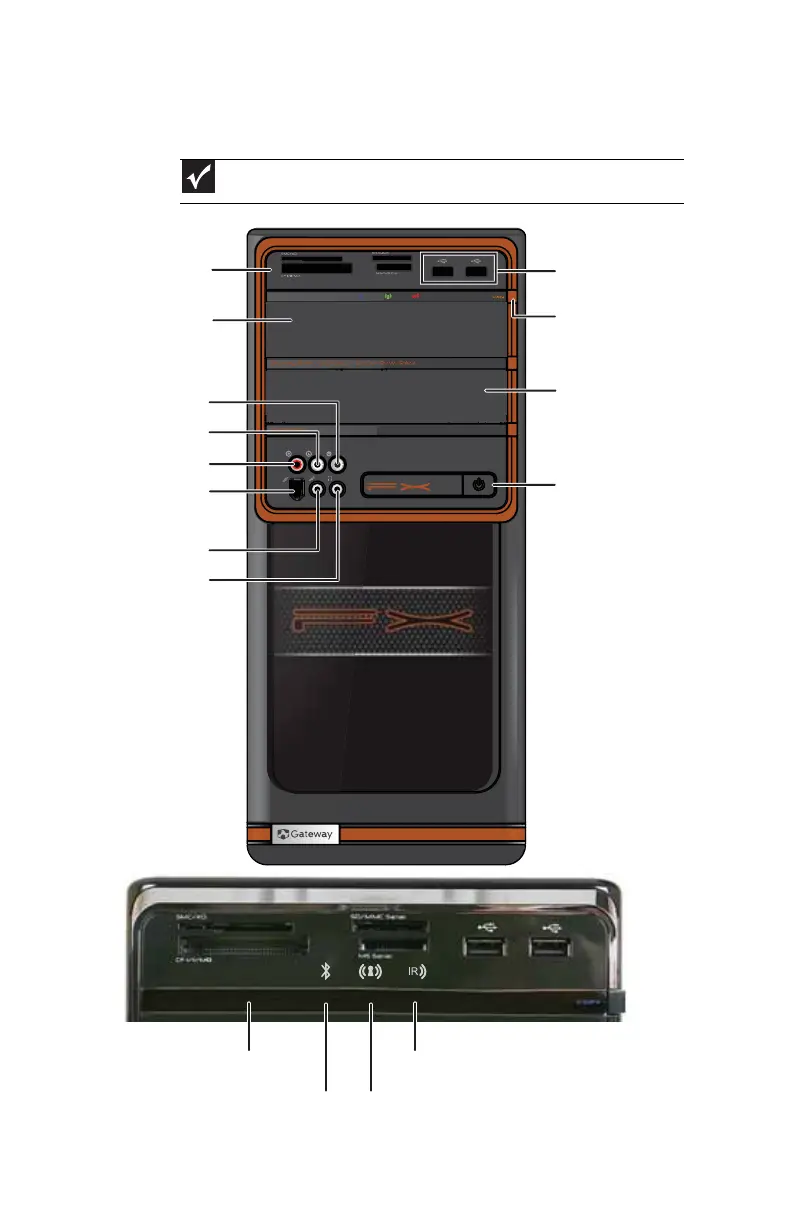
Front
Important
Your computer’s hardware options may vary from this illustration.
Memory card reader
Optical disc drive
Microphone jack
Copy button
Optical disc drive
(optional)
Video in jack (optional)
IEEE 1394/
FireWire™ port
USB ports
Power button
Audio left in jack
(optional)
Audio right in jack
(optional)
Headphone jack
Wireless network connection indicator (green)Bluetooth activity indicator (blue)
IR (remote control) activity indicator (red)IR sensor
8513057.book Page 6 Tuesday, May 6, 2008 9:35 AM



 To Next Page