www.gateway.com
89
Preparing for software and device driver recovery
You can usually recover your pre-installed software and drivers
from your hard drive. However, if you ever re-install Windows
from the Windows DVD or install a new hard drive, you need
to recover your pre-installed software and drivers using a set
of software and driver recovery discs. Because these discs do
not come with your computer, you should create your own set.
You should create a set of discs for recovering your
pre-installed software and device drivers, in case you need to
use them later for a complete system recovery. (Your computer
must have a recordable disc drive to perform this procedure.)
To create discs for recovering pre-installed software
and drivers:
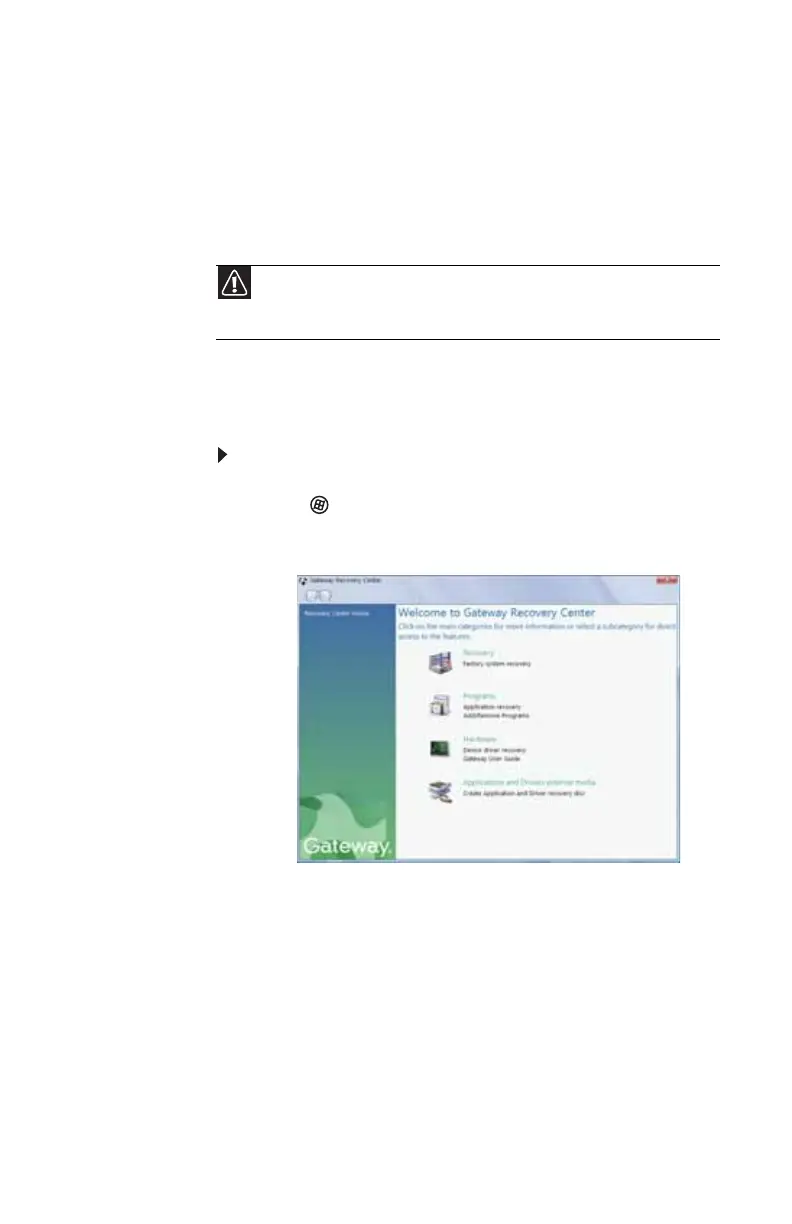
1 Click (Start), All Programs, Gateway Recovery
Center, then click Gateway Recovery Center. The
Gateway Recovery Center opens.
2 Click Applications and drivers external media, then
click Next. The What would you like to do? dialog box
opens.
3 Click Create system recovery discs, then click Next.
Caution
Although you may not be expecting to need recovery discs, we
recommend that you prepare for any eventuality and create a set of recovery
discs while you have the opportunity.
8513057.book Page 89 Tuesday, May 6, 2008 9:35 AM



 To Next Page