CHAPTER 4: Playing and Creating Media Files
38
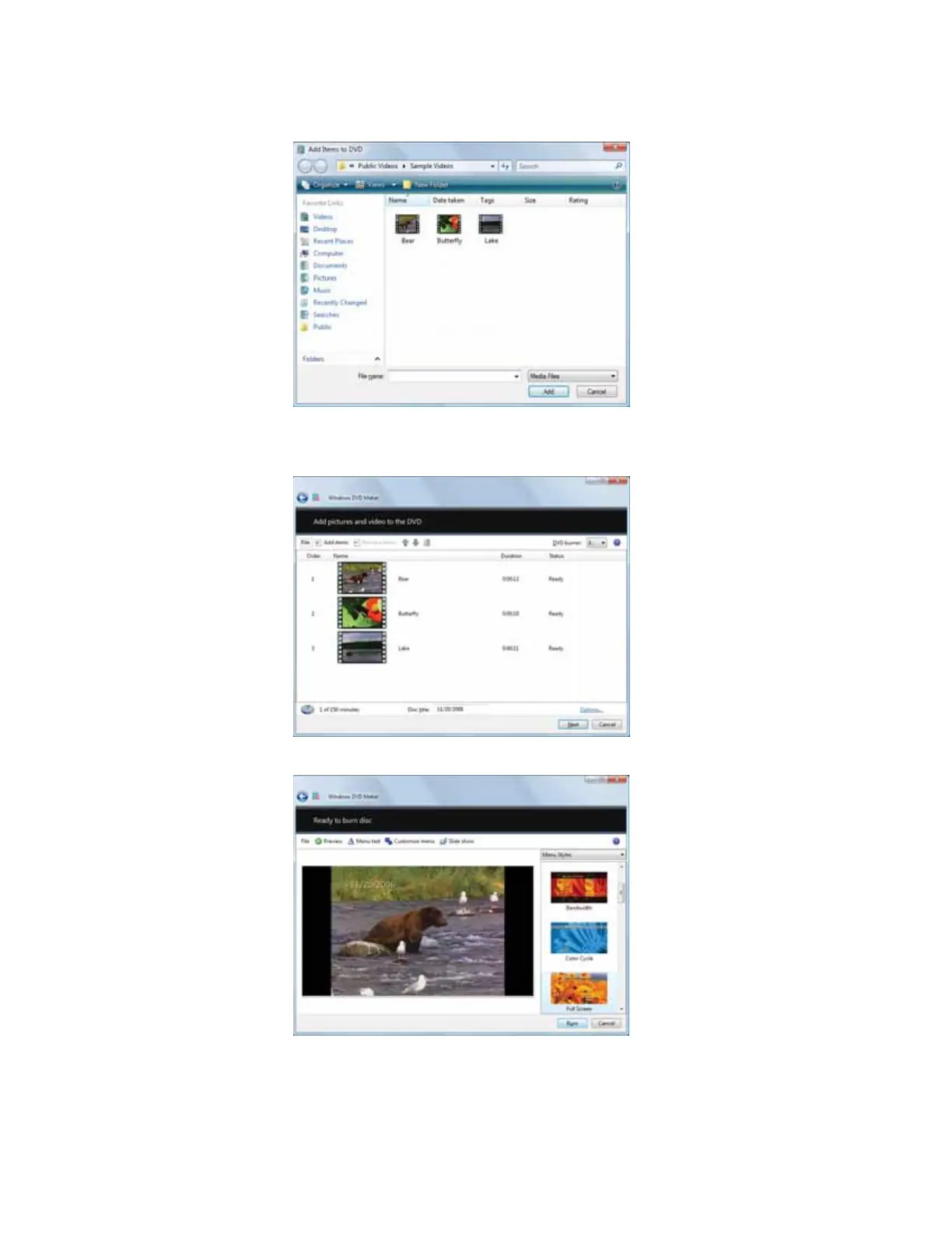
4 Click Add items. The Add Items to DVD dialog box opens.
5 Find and select the videos you want to add to the video DVD, then click Add. The videos
are added to the video list, and a graphic in the lower left corner of the window shows
you how much disc capacity will be used.
6 Click Next. The Ready to burn disc dialog box opens.
8512158.book Page 38 Tuesday, February 6, 2007 4:22 PM



 To Next Page