Getting to know your computer - 19
Note: The External display (VGA) port and the HDMI port cannot be
used at the same time.
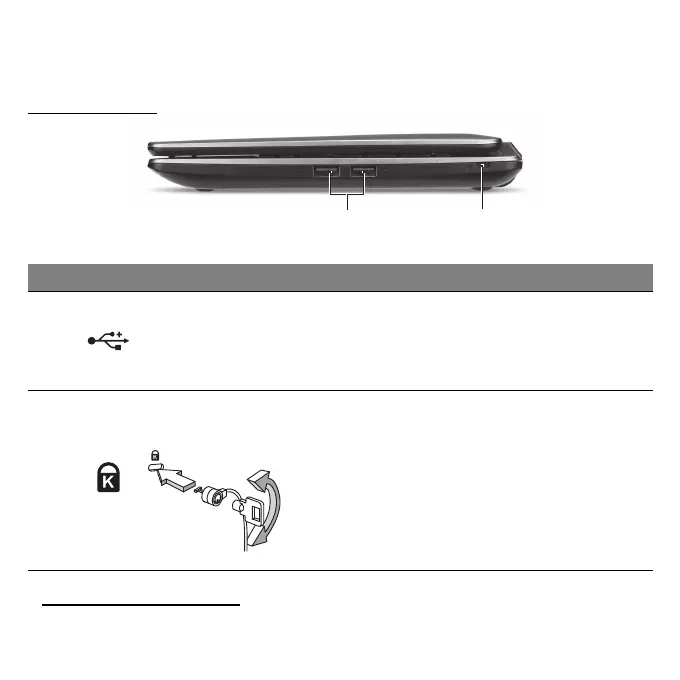
RIGHT VIEW
Information on USB 3.0
• Compatible with USB 3.0 and earlier devices.
# Icon Item Description
1 USB ports
Connects to USB devices.
- If a port is black, it is USB 2.0 compatible, if
it is blue it is also USB 3.0 compatible (see
below).
2
Kensington lock slot
Connects to a Kensington-compatible
computer security lock.
- Wrap the computer security lock cable
around an immovable object such as a table
or handle of a locked drawer.
Insert the lock into the notch and turn the key
to secure the lock.
Some keyless models are also available.


 To Next Page
 Loading...






