18 - Getting to know your computer
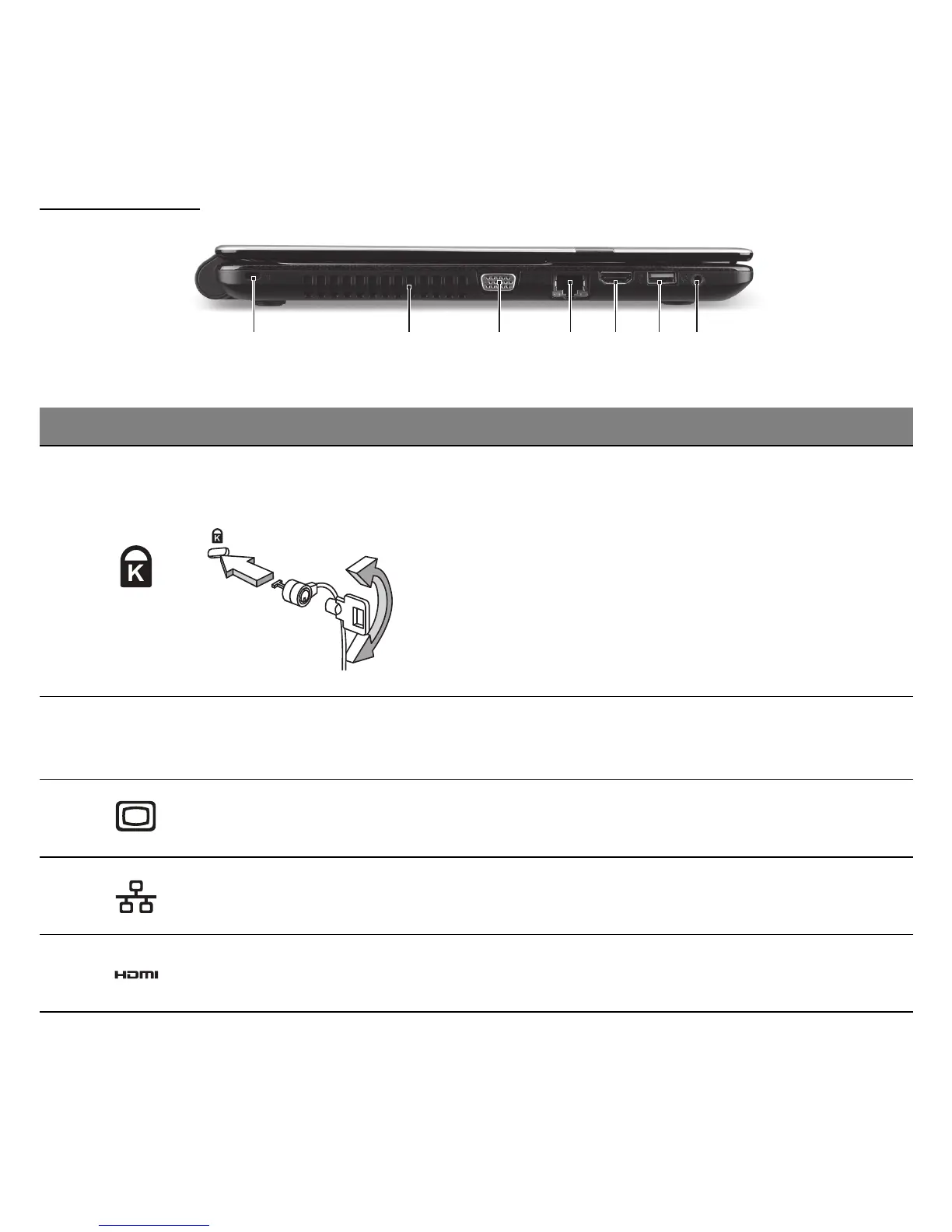
LEFT VIEW
21 3 754 6
# Icon Item Description
1
Kensington lock slot
Connects to a Kensington-compatible
computer security lock.
- Wrap the computer security lock cable
around an immovable object such as a table
or handle of a locked drawer.
Insert the lock into the notch and turn the key
to secure the lock.
Some keyless models are also available.
2
Ventilation and
cooling fan
Allows the computer to stay cool.
- Do not cover or obstruct the openings.
3
External display
(VGA) port
Connects to a display device (e.g., external
monitor, LCD projector).
4 Ethernet (RJ-45) port
Connects to an Ethernet 10/100/1000-based
network.
5 HDMI port
Supports high-definition digital video
connections.



 To Next Page
 Loading...








