30 - Touchpad
TOUCHPAD GESTURES
Windows 8 and many applications support touchpad gestures that use
one or more fingers.
Note: Support for touchpad gestures depends on the active
application.
These allow you to control applications with a few simple gestures, such
as:
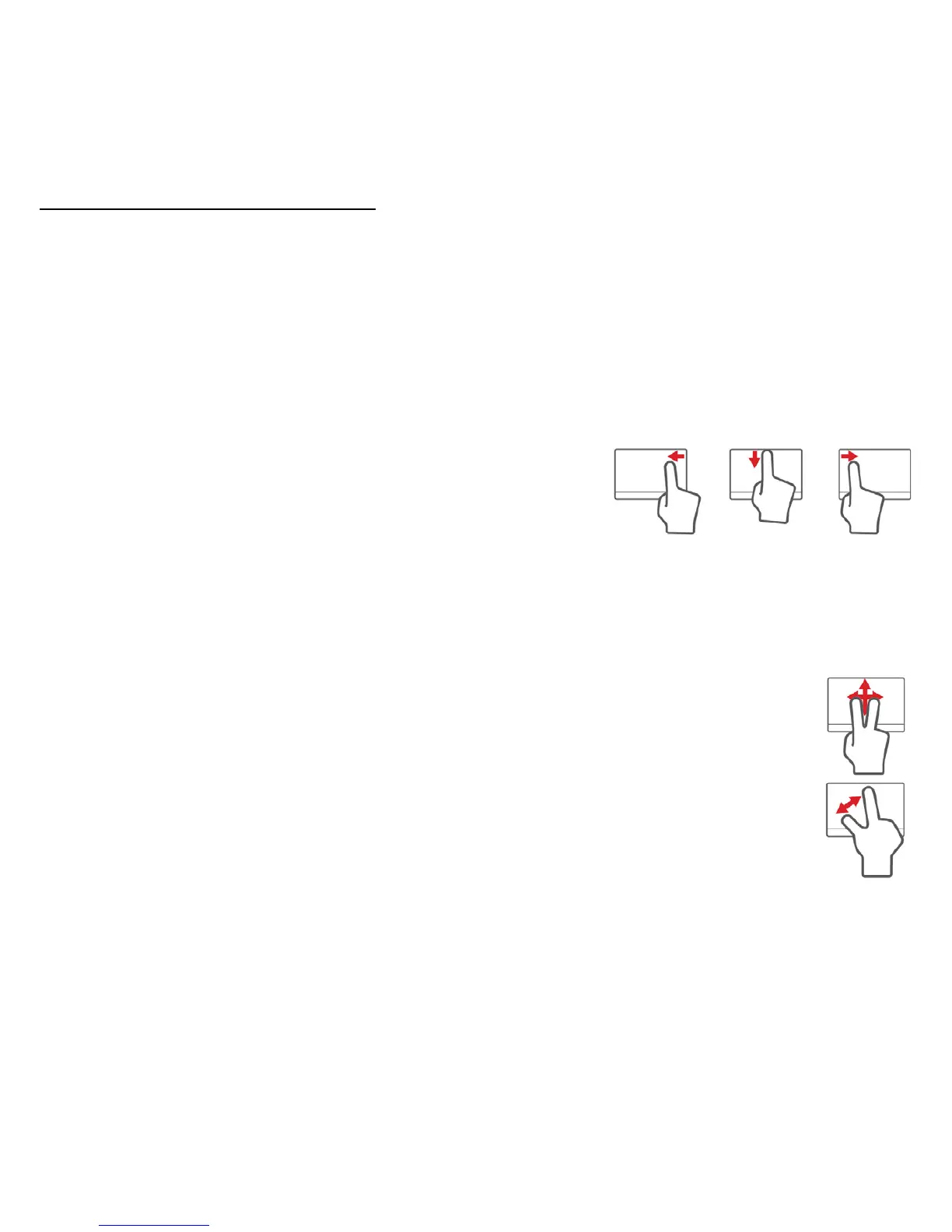
• Swipe in from edge: Access Windows tools
by swiping into the center of the touchpad
from the right, top or left.
• Swipe in from right edge: Toggle the charms.
• Swipe in from top edge: Toggle the app commands.
• Swipe in from left edge: Switch to the previous app.
• Two-finger slide: Swiftly scroll through web pages,
documents and playlists by placing two fingers on the
touchpad and moving both in any direction.
• Two-finger pinch: Zoom in and out of photos, maps and
documents with a simple finger-and-thumb gesture.



 To Next Page
 Loading...








