www.gateway.com
53
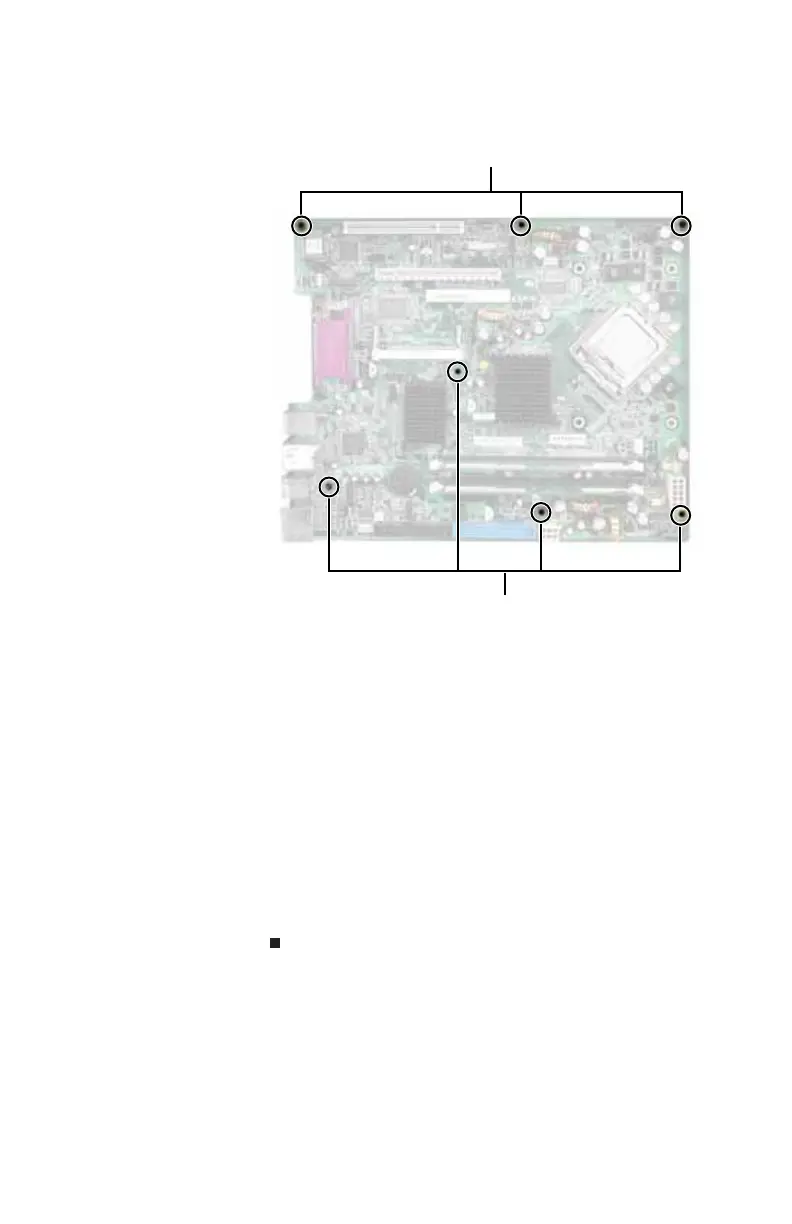
6 Remove the seven screws that secure the system board
to the case.
7 Slide the system board to the right until it slides free
from the case, then remove it completely from the case.
8 Slide the new system board into place, then replace the
seven screws you removed previously.
9 Replace the heat sink and tighten the four captive
screws.
10 Replace the processor fan by following the instructions
in “Replacing the processor fan” on page 37.
11 Replace the riser card assembly by following the
instructions in “Adding or replacing an expansion card”
on page 47.
12 Replace the back panel by following the instructions in
“Replacing the back panel” on page 36.
Screws
Screws
8512032.book Page 53 Tuesday, January 9, 2007 1:47 PM



 To Next Page