10
Right
123 4
view
Top and bottom
4
12
3
views
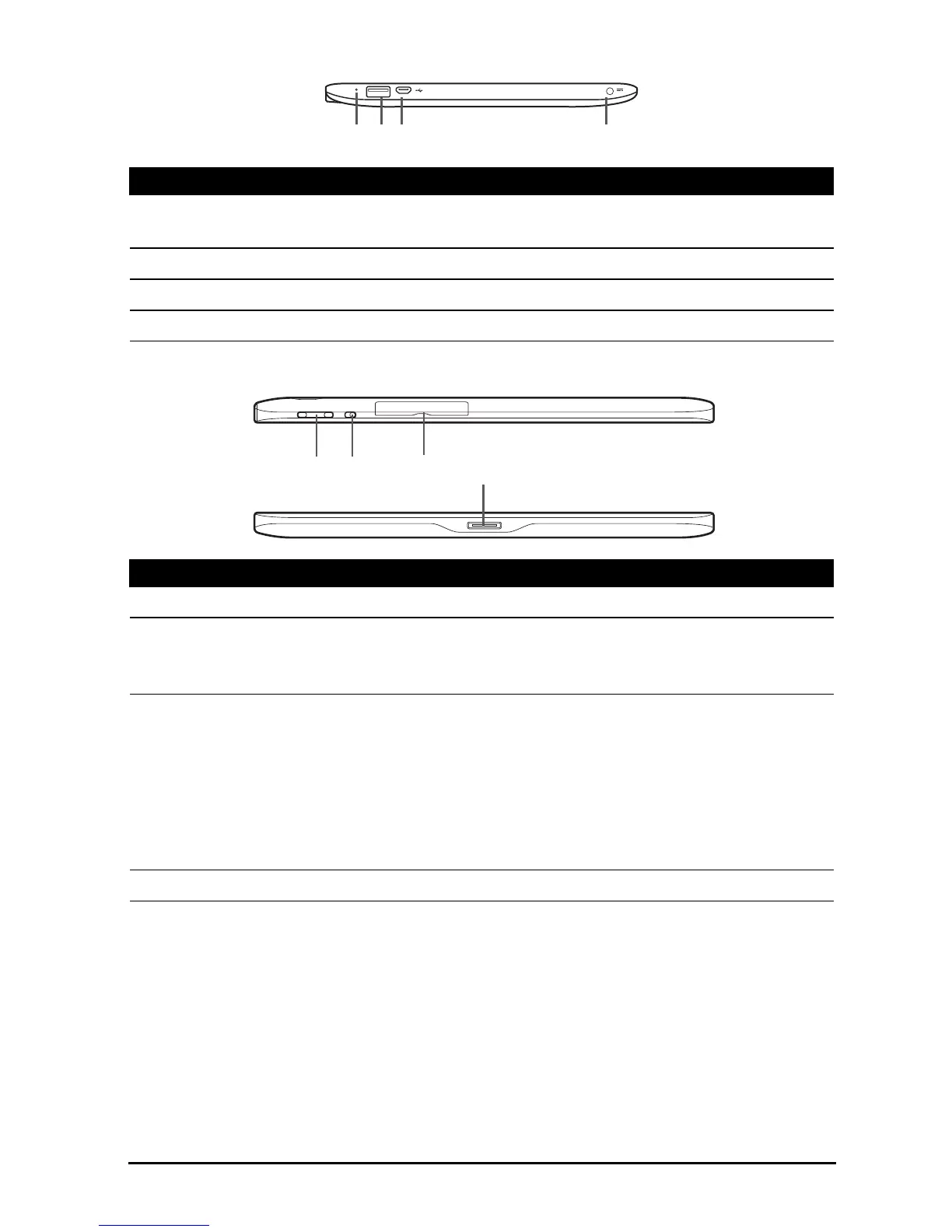
No. Item Description
1 Reset button Insert a small thin object (such as a paperclip) to
reset power to the tablet.
2 USB port (Host) Connects USB devices to your tablet.
3 Micro USB port (Slave) Connects to a computer with a USB cable.
4 DC-in jack Connects to the DC power supply.
No. Item Description
1 Volume control key Increases and decreases the tablet volume.
2 Screen rotation lock
switch
Use this switch to lock the screen rotation or
allow the screen to match the tablet’s
orientation.
3 Card slot cover Insert a microSD card into the slot under this
cover.
See “Inserting a microSD card (optional)” on
page 24.
The SIM card (only for Wi-Fi+3G models) slot
allows you to access the Internet if you have a
cellular data subscription.
4 Docking port Connects your tablet to the dock accessory.



 To Next Page