User Manual
Page 13
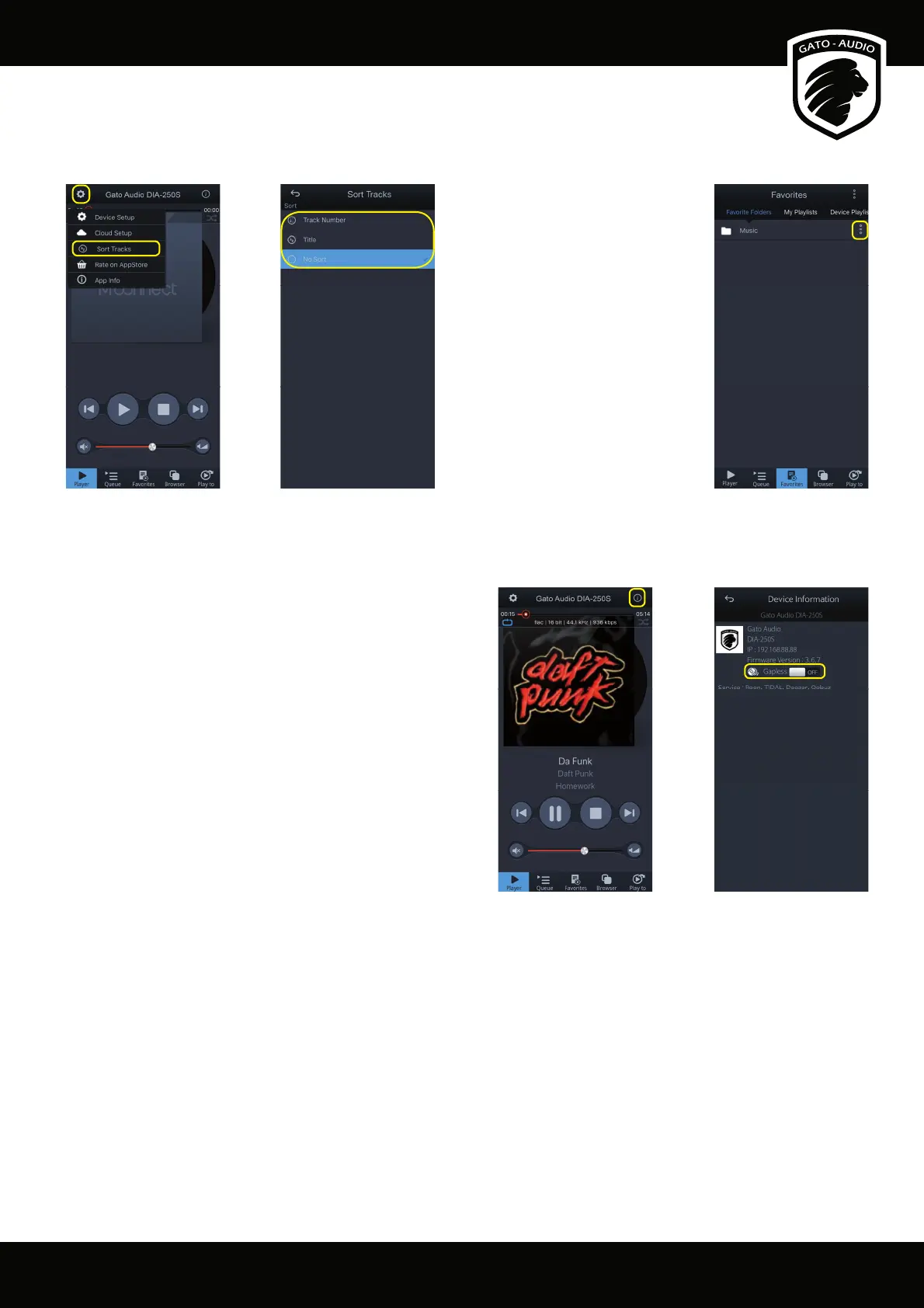
Sort Tracks
Music les in a folder can be sorted by track number and track name:
Track sorting option can
also be applied folder by
folder:
From the Player screen press the “Setup” icon on the to left corner and select “Sort Tracks”. In the “Favorite Folders” list in the “Favorite”
screen, there is sort option in the menu button.
Gapless Playback
The default setting for gapless playback is o . Turn it on from
the Player screen: Press the “Device Info” icon on the upper
right corner and turn it on.



 To Next Page