8
If the c onnected effects proc es s or receives no input s ignal. the F X S E ND control is probably too
low. T his als o goes for the built-in effects proc es s or.
Adjus t your ex ternal effec ts proc es s or to 100% wet (effec ts s ignal only), before the effects signal
is added to the main mix along with “ dry” channel s ignals .
In this ins tance, the F X control of the channel being us ed as an effects return s hould be turned
fully c ounterc lockwis e. otherwis e feedback problems can oc cur!
The stereo PHONES connector (at the top of the connector panel) is where you connect headphones.
The unbalanced CTRL ROOM OUT connector carry the summed effects and main mix signals, as well
as soloed channel signals. The PHONE/CONTROL ROOM control adjusts the level of both headphones
and main monitor outputs.
The MAIN OUT connectors are unbalanced mono . The main mix signal appears here at a level
of 0 dBu. The MAIN MIX fader adjusts the volume of these outputs. Depending on how you wish to use your
mixer and which gear you own, you can connect the following equipment.
connector
MA IN O U T
P HO NE S /C ON T R O L R O OM O U T
The CD/TAPE INPUTS are used to bring an external signal source (e.g. CD player, tape deck, etc.)
into the console. They can also be used as a standard stereo line input, so the output of a second ME.
C D/TA P E I N P U T
Alternatively the line or tape output of a hi-fi amplifier with source selection switch could also be hooked
up here, allowin
g you to easily listen to additional sources.
These connectors are laid out RCA connectors and are wired parallel with the MAIN OUT. Connect the
inputs of a computer sound card or a recorder here. The output signal level is setup using the highly accurate
MAIN MIX fader .
TA P E O U T P U T
A stereo dynamics processor (optional), stereo equalizer (optional) and the stereo power amplifier for
full-range loudspeakers with passive crossovers.
L IV E P A S Y S T E MS :
If you wish to use multi-way loudspeaker systems without an integrated crossovers. Active crossovers
are impiemented directly before the power amplifier, and they divide the frequency range into several
segments that are first amplified in the amplifiers and then passed on to the corresponding
For mastering using a stereo compressor can be recommended. Use it to custom-tailor the dynamic
characteristics of you signal to the dynamic range of the recording equipment you are using. The signal is
in the case passed on from the compressor into the recorder.
R E C OR D IN G
11
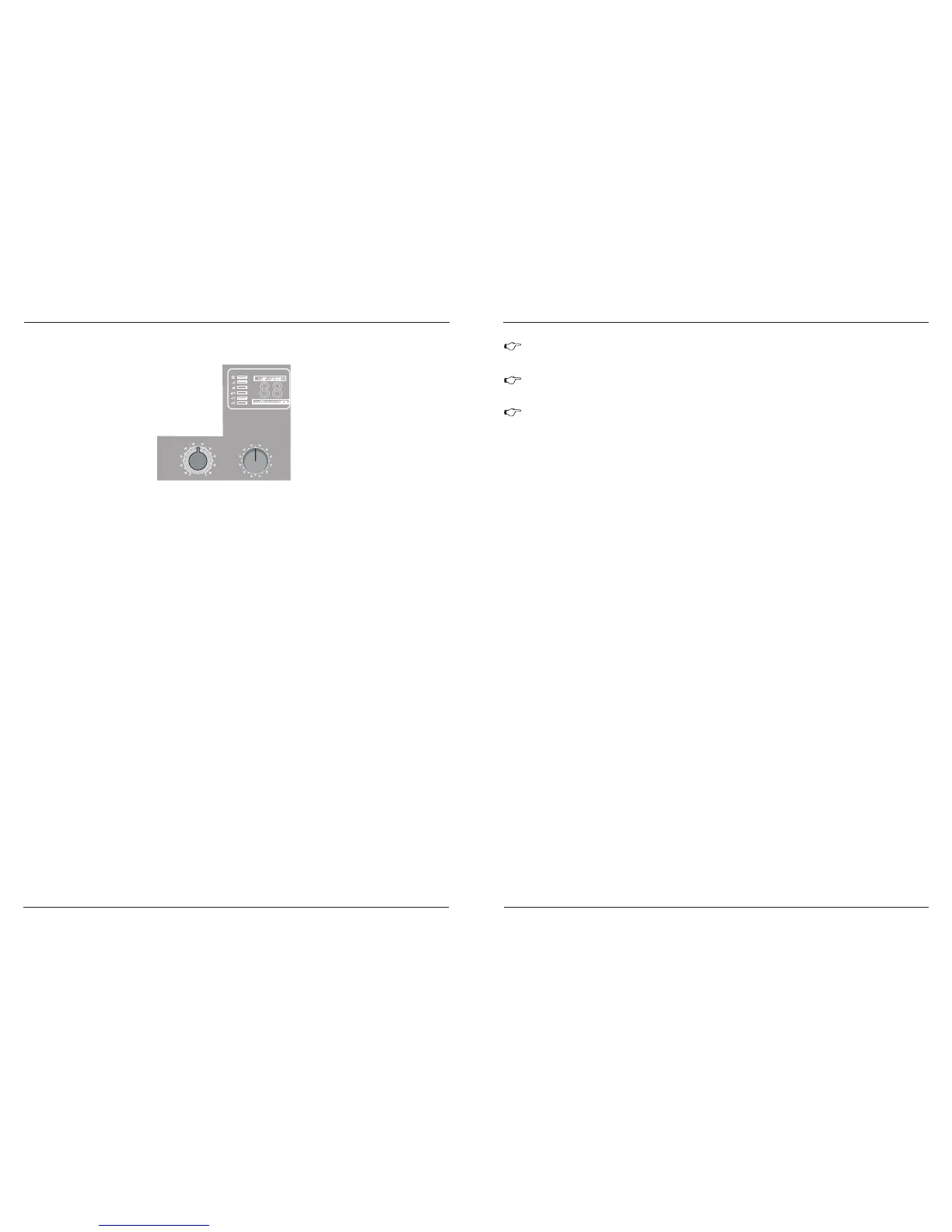
The SIGNAL LED on the effects module shows the presence of a signal whose level is high enough. This
LED should always be on. However, make sure that the CLIP LED lights up only sporadically.
If it is constantly, you are overdriving thr effects processor, which leads to unpleasant distortion.
If this occurs, turn the FX controls down somewhat.
S IG N A L a nd C L IP L E D
10 0 F IR S T- C L A S S E F F E C T S
The PROGRAM control has two functions: by turning the PROGRAM control, you dialed the number of
an effect. The number of the preset you just dialed up blinks in the display. To confirm your selection, press
the PROGRAM control; the blinking stops.
P R O G R A M
features a built-in digital stereo effects processor. This effects
processor offers a large number of standard effects such as Hall, Chorus, Flanger, Delay and various
combination effects. Using the FX control, you can feed signals into the effects processor. The integrated
effects module has the advantage of requiring no wiring. This way, the danger of creating ground loops or
uneven signal levels is eliminated at the output, completely simplifying the handing.
The MX-6-FX / MX-8-FX
The FX TO MAIN control feeds the effects signal into the main mix. If the control is turned all the way
counterclockwise, no effects signal is present in the signal of the mixing console.
F X T O M A IN
The appendix contains an overview of all presets of the multi effects processor.
2. 5 D ig ital e ff e c ts p r oc es s o r
0
- + 15
8
FX SEND S
PROGRAM
(PUSH)
REVERB 00-39
ER/DLY 40-59
MOD 60-73
PITCH 74-79
MULTI 80-99
-3
-6
-10
-15
-20
CLP
24-BIT DUAL ENGINE DSP
24-BIT A/D & D/A CONVERTER
88
F ig. 2 . 5: E ffe cts s e ction
MX-6-FX / MX-8-FX
MX-6-FXU / MX-8-FXU
MX-6-FX / MX-8-FX
MX-6-FXU / MX-8-FXU



 To Next Page