4
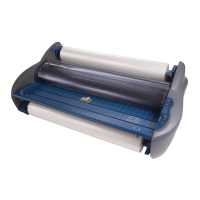
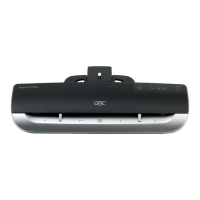
GBC Pro Series
™
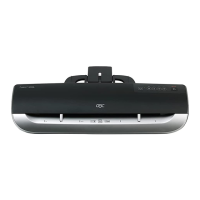
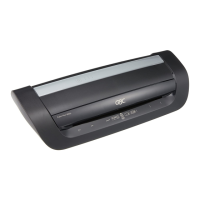
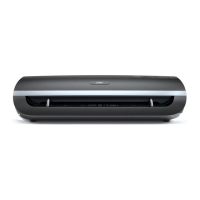
3600 GBC Pro Series
™
4600
Electrical
220-240V / 50~60Hz / 1050W / 6.0A 220-240V / 50~60Hz / 1050W / 6.0A
Machine Dimensions
540 x 271 x 112mm 691 x 271 x 112mm
Machine Weight
15.0kg 20.0kg
Maximum Pouch Width
330mm 480mm
Maximum Pouch Thickness 2 x 350mic (Total 700) 2 x 350mic (Total 700)
Maximum Thru-put Thickness 3.0mm 3.0mm
Warm-up Time 6 minutes 6 minutes
Description of
product parts
1
Pouch Insertion Slot
2
Pouch Exit Outlet
3
Control Panel
4
Main Power Switch
5
Cable Socket
6
Power Cord
TEMPERATURE - Indicate the temperature setting.
- Indicate that the machine is
ready to laminate.
HOT - Indicate that the HOT function
is selected.
COLD - Indicate that the COLD function
is selected.
MEAS - Indicate that measure roller temperature function is selected.
- Indicate that the heater is operating.
SPEED - Indicate the speed setting.
- Indicate that the roller is moving in reverse
revolution.
- Indicate that the roller is moving in forward
revolution.
- Indicate that the cooling fan is operating.
Switch Panel
Power ON/OFF the machine.
Preset mode for hot lamination.
Preset mode for cold lamination.
Display current roller temperature (approx. 3 seconds).
Reverse the revolution of the rollers to correct misfeeds.
Stop/start the revolution of the rollers.
Memory mode for saving frequent use
temperature and speed setting.
These keys are used to increase or decrease
temperature ( 0~140°C).
These keys are used to adjust the speed (1~9) of
the rollers. Speed 9 is the fastest speed.


 To Next Page