4–26 469 MOTOR MANAGEMENT RELAY – INSTRUCTION MANUAL
CHAPTER 4: INTERFACES
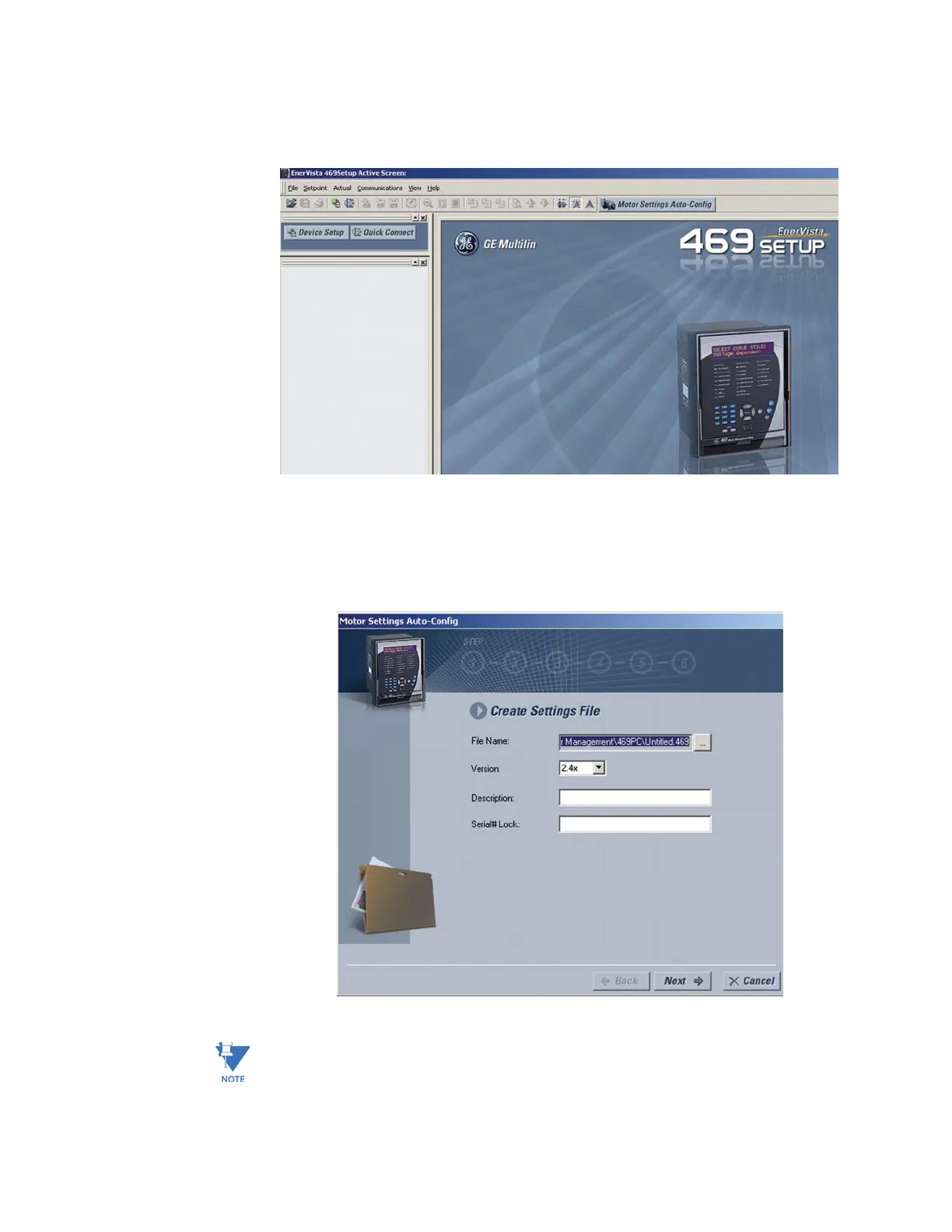
Z At the top of the screen, click on the Motor Settings Auto-Config
button.
OR
Z On the main menu, select File > Motor Settings Auto-Config
The EnerVista 469 Setup software displays the following box, allowing the
configuration of the Settings File as shown. .
Note
It is important to define the correct firmware version to ensure that settings not available
in a particular version are not downloaded into the relay
Z Select the Firmware Vers ion for the new Settings File.


 To Next Page