EasyManua.ls Logo

GE Multilin 565 - User Manual

GE Multilin 565
198 pages
Print Icon
To Next Page IconTo Next Page
Loading...
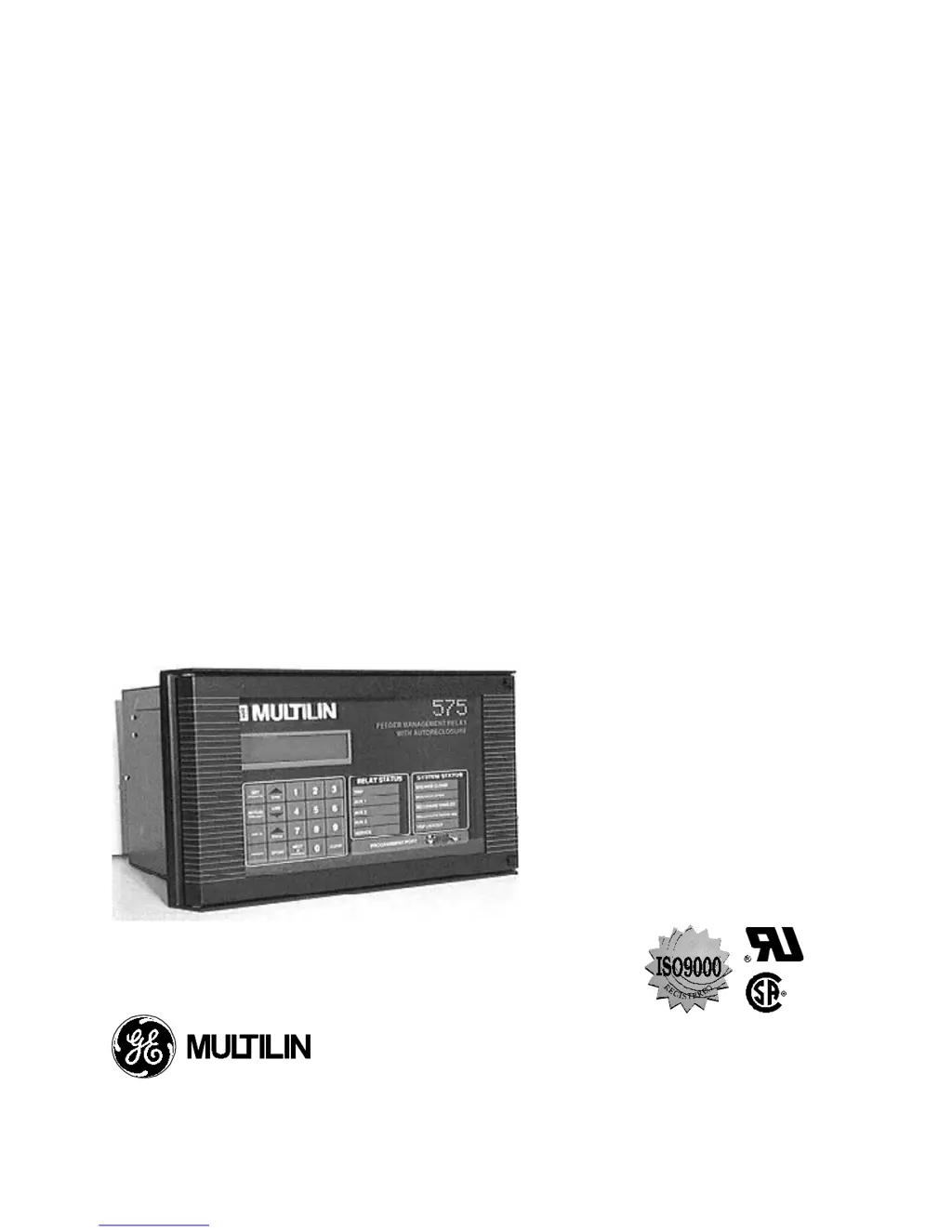
565/575
FEEDER MANAGEMENT RELAY
®
Instruction Manual
Software Rev: E2.73
Manual P/N: 1601-0017-E6
Copyright 1996 GE Multilin
CANADA USA
215 Anderson Avenue, Markham, Ontario, L6E 1B3 9746 Whithorn Dr., Houston, Texas, 77095
Tel: (905) 294-6222 Fax: (905) 294-8512 Tel: (713) 855-1000 Fax: (713) 859-1091

Table of Contents

Questions and Answers

  • C
    Christina MurphySep 10, 2025
    Why is there no display for analog in signal in actual values mode on GE Multilin Other?
    • P
      perrystephenSep 12, 2025
      If there is no display for the analog in signal in actual values mode on your GE Multilin Other: 1. Verify that the analog input feature is enabled. 2. Check that the analog input signal appears at relay terminals 23 and 24.
  • R
    Roger FarmerAug 23, 2025
    How to fix GE Multilin 565 Other display that does not light up?
    • J
      jacobthompsonAug 23, 2025
      If the display of your GE Multilin Other does not light up, you should: 1. Check the control power voltage and connections at terminals 62 to 64. 2. Verify that the control voltage is within the limits indicated on the serial number label found on the side of the relay chassis. 3. Check the control power fuses. 4. Ensure that the relay is fully inserted into the drawout case.
  • L
    Lori JenkinsAug 26, 2025
    How to fix phase instantaneous trips not operating in GE Multilin Other?
    • D
      Daniel TaylorAug 27, 2025
      If phase instantaneous trips are not operating on your GE Multilin Other, check that the phase instantaneous trips are enabled in setpoints. Also, check the phase instantaneous trip level setpoint and verify that the current is exceeding this level.
  • E
    Eric McintyreAug 27, 2025
    How to display phase current readings on GE Multilin 565 Other?
    • M
      mullinsdavidAug 28, 2025
      To resolve the issue of no phase current readings displayed on your GE Multilin Other: 1. Verify that the current readings are selected for display by pressing the ACTUAL VALUES key and the LINE DOWN key to view the messages in actual values page 1. 2. Verify that the phase current wiring is correct. 3. Perform the phase current input function check.
  • A
    Andrew StevensAug 29, 2025
    What to do if GE Multilin Other display lights but power up message doesn't appear?
    • D
      Danny CarterAug 29, 2025
      If the display lights up but the power up message does not appear on your GE Multilin Other, verify that the control voltage is within the limits indicated on the serial number found on the side of the relay chassis.
  • J
    johnaveryNov 23, 2025
    What to do if ground fault protection is not energizing trip relay(s) in GE Multilin Other?
    • L
      Larry JohnsonNov 24, 2025
      To troubleshoot ground fault protection not energizing trip relay(s) in your GE Multilin Other: 1. Verify that ground fault sensing is enabled in setpoints mode. 2. Check that the sensing system selected in setpoints (Residual or Zero sequence) corresponds to your system. 3. For Zero sequence systems, ensure the CT primary ratio entered in setpoints matches the installed CT. 4. Check that the correct ground fault overcurrent pickup has been entered in setpoints. 5. Verify the correct protection curve, pickup level, and curve number are selected for the ground fault level. 6. Ensure the fault current is present longer than the time needed to trip, according to the selected time/overcurrent curve. 7. Check all system wiring. 8. Perform a calibration mode relay test to verify the tr...
  • K
    Kristin SmithSep 18, 2025
    What to do if GE Multilin 565 shows 'Illegal Access,' even with the jumper installed?
    • S
      stanleynelsonSep 18, 2025
      If you are experiencing ‘Illegal Access,’ even with the jumper installed on your GE Multilin Other, check if access setpoint is disabled via communication with Relaycom®.
  • T
    Tiffany DavisSep 22, 2025
    How to troubleshoot no MTM communication on GE Multilin Other?
    • E
      elizabethnicholsSep 22, 2025
      To troubleshoot no MTM communication on your GE Multilin Other: 1. Check MTM communication setpoint. 2. Check MTM default power switch. The MTM can be powered from the PTs or line. The default is line; the switch must be toggled for PT.
  • S
    Samuel HansonSep 8, 2025
    Why is analog input alarm not operating on GE Multilin 565?
    • A
      Adam GarrisonSep 9, 2025
      To troubleshoot why the analog input alarm is not operating on your GE Multilin Other: 1. Verify that the analog input alarm is enabled. 2. Verify that the intended relay has been selected in the setpoints and that the selected relay is correctly wired to the alarm circuit. 3. Read the scaled value of the analog input in the actual values page 2, and ensure that it is above the alarm level setpoint entered in setpoints mode. 4. Read the analog input alarm time delay from the setpoints mode page 5, and ensure that the analog signal is above the trip level for longer than this time.
  • J
    Jonathan HansonSep 5, 2025
    How to fix ground fault instantaneous trips not operating on GE Multilin 565 Other?
    • R
      Richard PowellSep 5, 2025
      To address ground fault instantaneous trips not operating on your GE Multilin Other, check that the ground fault instantaneous trips are enabled in setpoints.

Summary

SECTION 1: INTRODUCTION

Setpoint Programming

Details local setpoint programming via keypad and LCD, with step-by-step instructions.

SECTION 2: INSTALLATION

Programming Port

Explains the front panel RS232 port for connecting a computer for setpoints and data retrieval.

SECTION 3: PROTECTION APPLICATION INFORMATION

Overcurrent Protection

Explains continuous monitoring of phase/ground currents and initiation of alarms or trips.

SECTION 4: DISPLAY AND KEYBOARD

Actual Values Mode

Explains viewing monitored parameters using LINE UP/DOWN and PAGE keys.

Setpoints Mode

Details viewing and entering relay setpoints, including user levels.

SECTION 7: FEATURE INFORMATION

Event Recording Information

Explains the event recording feature, definitions, types, storage, and format.

SECTION 8: RELAY TESTING

Primary Injection Testing

Describes checking system operation by injecting current and providing potential source.

Secondary Injection Testing

Details single-phase injection testing applicable to the relay and its setpoints.

Phase Current Input Function Check

Verifies the relay reads phase current signals correctly from CTs using a test setup.

Phase Instantaneous Pickup and Trip Check

Guides on testing phase A instantaneous overcurrent pickup and trip functionality.

Phase Overcurrent Curve Verification

Explains how to verify the selected overcurrent curve shape and number against theoretical trip times.

Ground Current Input Function Check

Determines if the relay correctly reads ground current values using the test setup.

Ground Instantaneous Pickup and Trip Check

Details testing ground current conditions by injecting current and checking relay activation.

Ground Curve Verification

Guides on verifying the ground protection curve and its measured time against specifications.

Voltage Input Function Check

Checks if the relay correctly reads VT nominal secondary voltage and feeder primary volts.

Undervoltage Trip and Alarm Check

Details enabling and testing undervoltage trip and alarm functions by adjusting phase voltage.

Overvoltage Trip and Alarm Check

Explains enabling and testing overvoltage trip and alarm functions by increasing phase voltage.

Power Loss Check

Verifies that fault indication and setpoints remain unaffected after power interruption.

SECTION 9: TECHNICAL SPECIFICATIONS

Phase Overcurrent Protection

Specifies ranges and selections for timed and instantaneous overcurrent pickup and delay.

Ground Overcurrent Protection

Details ranges and selections for timed and instantaneous ground overcurrent pickup and delay.

Phase Current Inputs

Lists CT secondary/primary ratings, saturation, burden, and ratings.

Ground Current Input

Details CT secondary/primary ratings, saturation, burden, and ratings for ground current.

Voltage Inputs

Covers input configurations, burden, display accuracy, and RMS values for voltages.

Overvoltage Alarm and Trip

Specifies pickup and delay ranges for overvoltage alarms and trips.

Undervoltage Alarm and Trip

Details pickup and delay ranges for undervoltage alarms and trips.

APPENDIX B

Troubleshooting guide.

Lists common malfunctions with actions and references for diagnosis and resolution.

GE Multilin 565 Specifications

General IconGeneral
Frequency50/60 Hz
Current Inputs3
DisplayLCD
Communication ProtocolsModbus RTU, Modbus TCP/IP
WeightApprox. 2.5 kg
Protection FunctionsThermal Overload
MountingPanel Mount
CertificationsUL, IEC
Operating Temperature-20°C to +60°C

Related product manuals