5
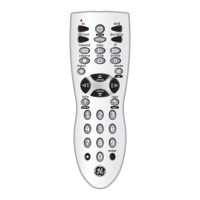
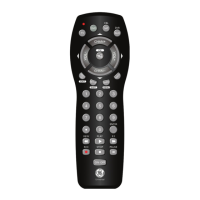
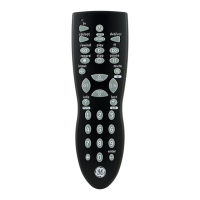
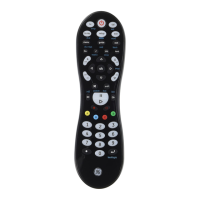
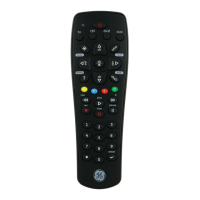
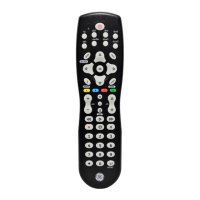
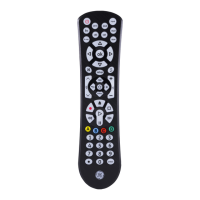
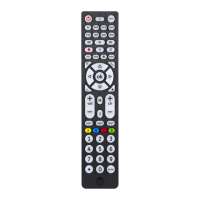
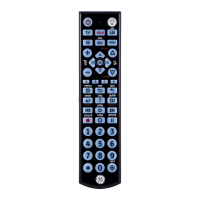
1. ON-OFF: Turns device On or Off.
2. Red Indicator: Lights when any button is pressed.
3. TV, DVD, CBL/SAT, DVR/AUX: Selects product to
be operated.
4. MUTE: Turns off the TV sound while the picture
remains.
5. VOLUME UP/DOWN: Changes the volume level of
the product, normally the TV.
6. UP, DOWN, LEFT & RIGHT: Navigation buttons.
7. MENU: brings up the DVD disc Menu screen. Use
with the UP, DOWN, LEFT & RIGHT navigation
buttons.
8. ENTER: Used after direct channel number entry to
immediately change to the selected channel.
9. NUMBERS: Enter numbers for direct channel
selection. Some products require Enter to be
pressed after channel selection.
10. ( ) Used for digital channels, e.g., 2.3.
11. RECORD, PLAY, STOP, REW, FF, PAUSE: Control
buttons that operate your DVR even when the
remote is set to operate the TV. Also operates
DVD Scan -/+.
12. INPUT/TV/VCR: Selects the video inputs of your
TV if equipped with that feature. Operates the
same as the TV/VCR button on your original re-
mote.
13. INFO: Displays on-screen channel information,
etc.
14. GUIDE: Displays satellite or cable on-screen pro-
gram guide.
15. EXIT: Exits On-Screen Menus and/or Returns to
previous On-Screen selection.
16. LAST: Returns to the previously selected channel,
or DVD repeat toggle.
17. OK: Selects menu items for the device you are
controlling.
18. CHANNEL UP/DOWN: Changes the channels. Also
controls DVD/CD CHAPTER +/- track selection,
i.e., DVD/CD Track Skip Up/Down. Note the DVR
buttons also control the DVD when in DVD Mode.
19. SETUP: Used for setting up your remote.
20. BACKLIGHT: Backlighting On/Off.
Button Functions, cont.
•


 To Next Page