EasyManua.ls Logo

GE 25982 - Installing the Phone; Installing the Handset Battery

GE 25982
100 pages
Print Icon
To Next Page IconTo Next Page
To Previous Page IconTo Previous Page
Loading...
9








1. Locate battery and battery door which are packaged together inside a plastic bag
and are separate from the handset.
. Locate the battery compartment on the back of the handset.
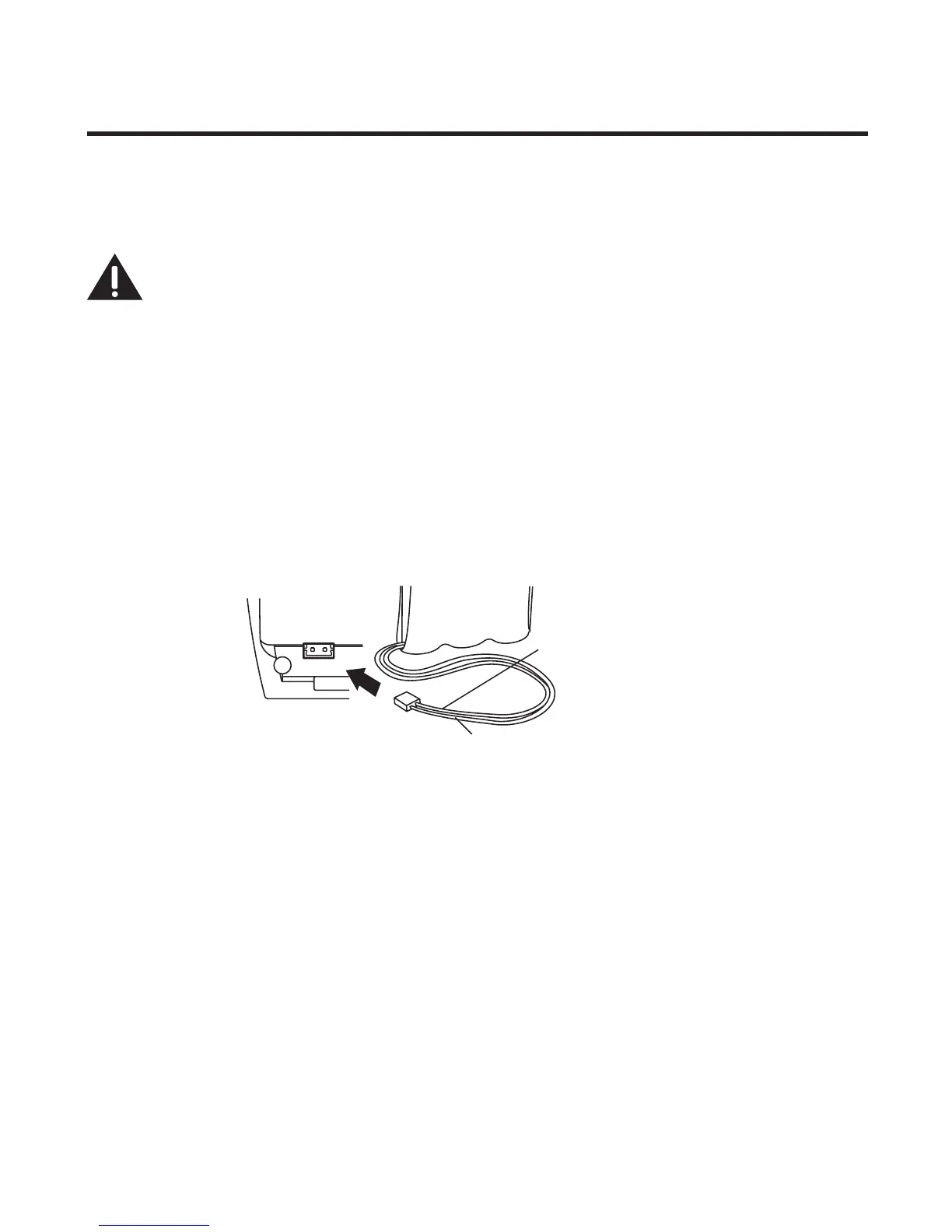
3. Plug the battery pack cord into the jack inside the compartment.



4. Insert the battery pack.
5. Close the battery compartment by pushing the door up until it snaps into place.
6. Place the handsets in the charging cradles.
Allow handsets to charge for 16 hours prior to rst use. If you don’t properly charge
the handsets, battery performance is compromised.

black wire
red wire
battery
pack
PRESS DOWN
FIRMLY

Table of Contents

Related product manuals