EasyManua.ls Logo

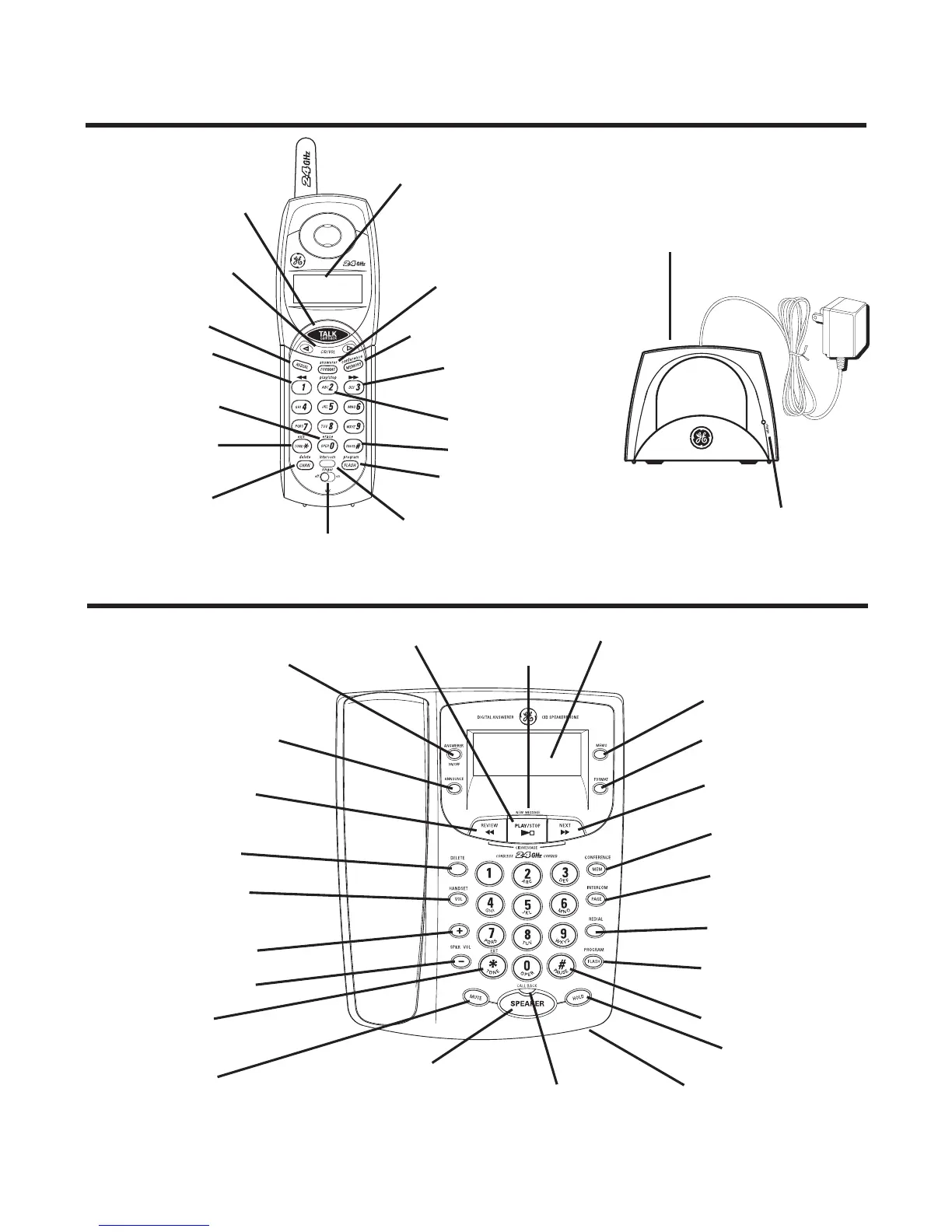
GE 27957 - Handset and Charge Cradle Layout; Base Layout

GE 27957
100 pages
Print Icon
To Next Page IconTo Next Page
To Previous Page IconTo Previous Page
Loading...
7
Handset and Charge Cradle Layout
Base Layout
Display
CID/VOL
(caller ID/volume
button)
FORMAT/
answerer (button)
play/stop
(button)
PAUSE# (button)
FLASH/program
(button)
intercom
(button)
ringer
(switch)
MEMORY/
conference (button)
CHAN/delete
(button)
erase (button)
REDIAL (button)
TALK/call back
(button)
charge cradle with
power supply
charge indicator
NEW MESSAGE
(indicator)
display
memo (button)
PLAY/STOP
(button)
MEM/CONFERENCE
(button)
FLASH/PROGRAM
(button)
REDIAL (button)
PAGE/INTERCOM
(button)
HOLD
(button and indicator)
SPEAKER (indicator)
SPEAKER/CALL BACK
(button)
MUTE
(button and indicator)
+ / SPKR VOL (button)
HANDSET VOL
(button)
DELETE (button)
ANNOUNCE (button)
ANSWERER ON/OFF
(button)
FORMAT (button)
TONE */exit
(button)
*TONE/EXIT
(button)
Microphone
(review button)
(skip button)
NEXT (button)
REVIEW (button)
– / SPKR VOL (button)
# PAUSE (button)

Table of Contents

Related product manuals