5
BATTERY BACKUP
Installation of an optional 9V battery
enables the phone to work normally in the
event of a power loss. Without the battery
backup:
• The phone will not operate for incoming
calls.
• You must use the handset; the phone
automatically defaults to Line 1.
With or without the battery backup, phone
numbers stored in memory are not lost
during a power outage.
NOTE: In order to maximize battery
operation, we recommend that you use the
handset rather than the speakerphone
during a loss of power.
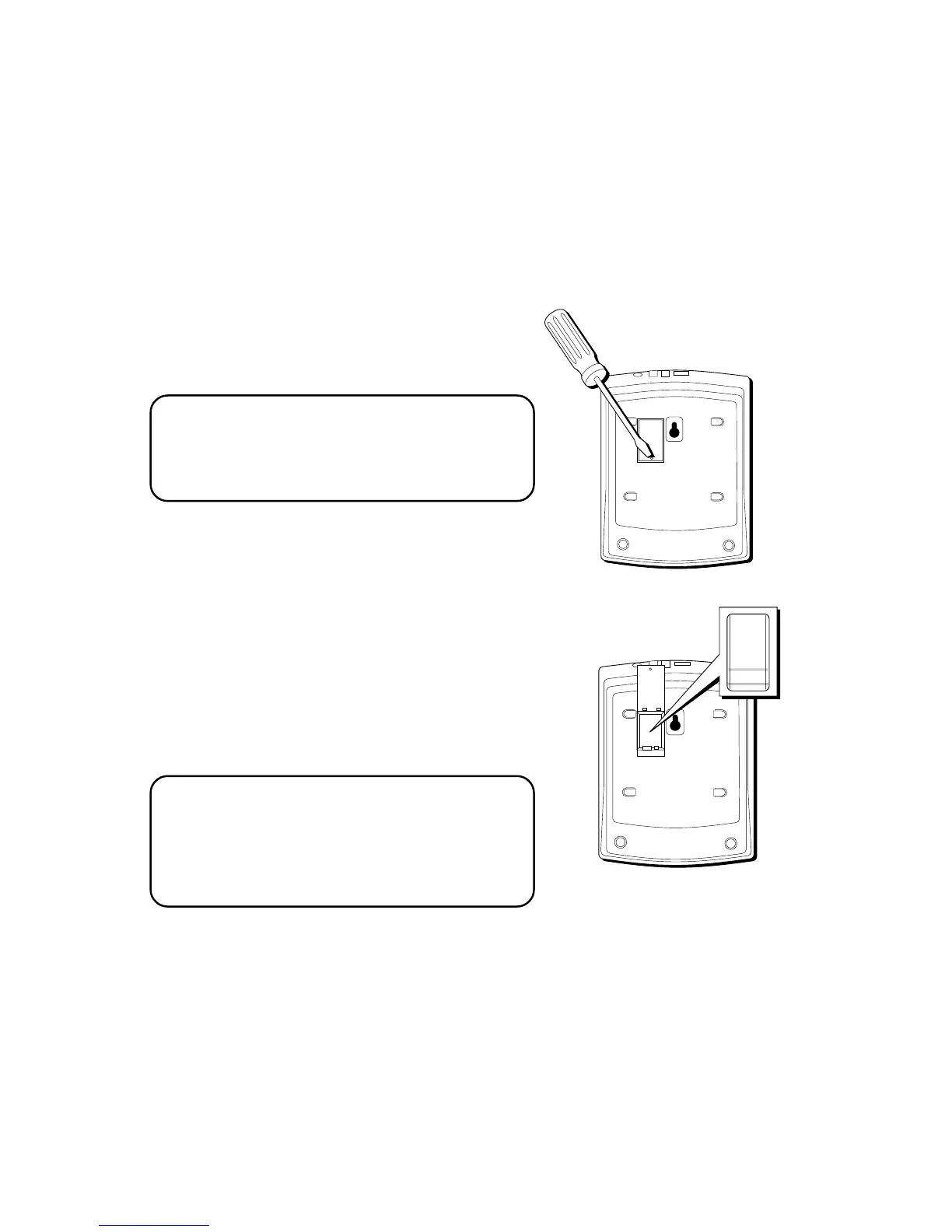
BATTERY INSTALLATION
1. Remove the base plate by pressing down
the tabs and lifting it from the base.
2. Loosen the screw on the battery
compartment door and open the door.
3. Insert the battery as shown in the
diagram inside the battery compartment.
4. Close the battery door, tighten the screw,
and then replace the base plate.
TIP: If the battery is not installed or is
completely drained of power, the LOW
battery symbol appears in the display. If the
battery becomes weak and needs to be
replaced, the icon blinks in the display.



 To Next Page