17
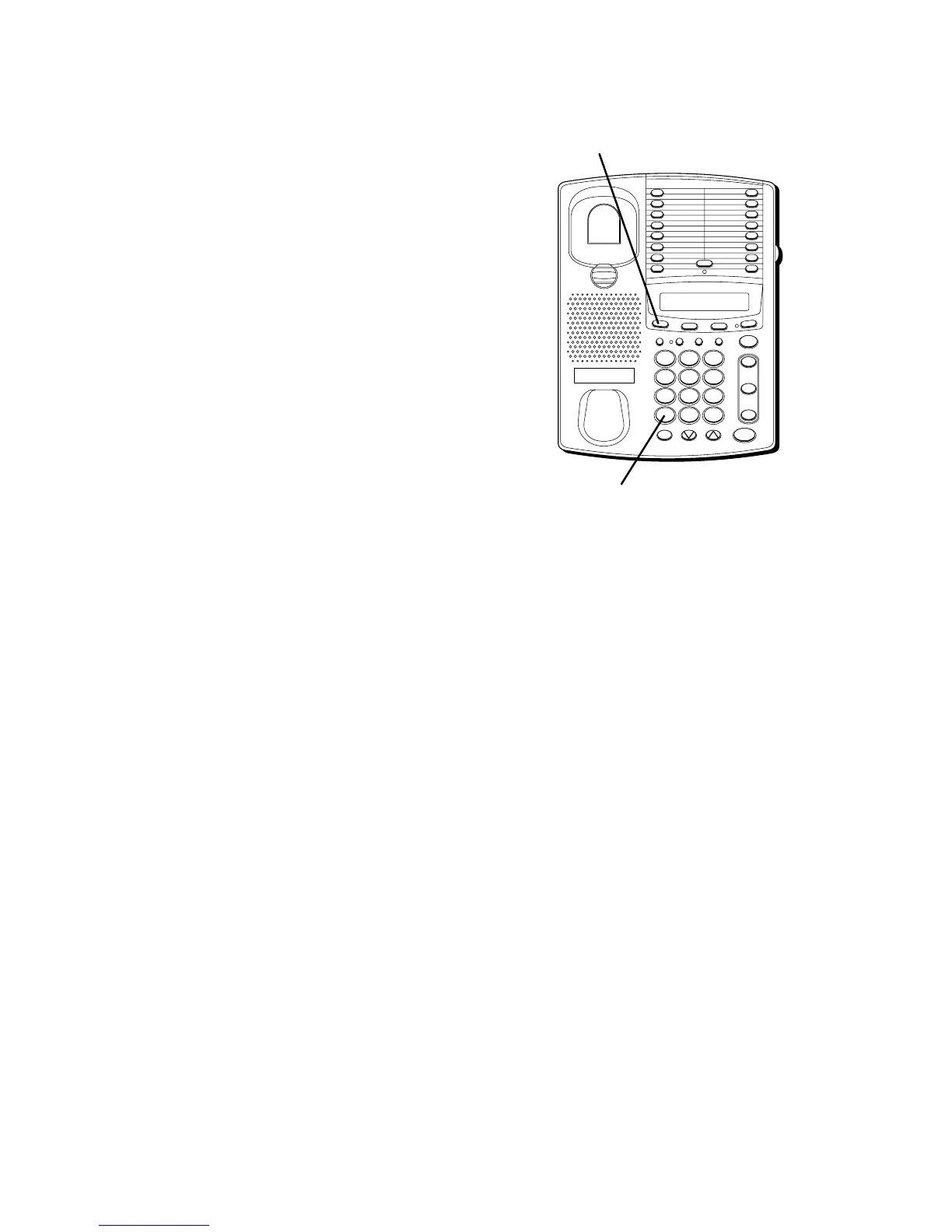
TEMPORARY TONE
If you have Pulse (rotary) service, and want
to access customer calling services that
require Tone dialing (such as getting
information from a local bank), you can use
this feature.
1. Press the TONE button ( * ) after you have
connected to the customer calling service
to enable Tone dialing.
2. When you hang up, the phone
automatically resumes Pulse dialing.
TIP: Temporary Tone can also be used while
storing numbers in memory by pressing
TONE at the necessary point in storage
sequence.
TIMER
Whenever you make a call, the elapsed time
appears in the display to show you the
duration of the call. You can use the TIMER
button to:
• Reset the timer for the active line during
a call.
• Review the total elapsed time of the last
call for each line.
— Press TIMER once for call duration on
Line 1.
— Press TIMER twice for call duration on
Line 2.
— Press TIMER a third time to go back to
the clock.
TIP: You can also use the Timer while not
using the phone itself.
FLASH BUSY REDIAL PAUSE REDIAL
CONF
MEMOSET
T
I
M
E
R
S
T
O
R
E
/IN
TWO LINE DATAPHONE
LOWER
1
2
3
4
5
6
7
8
9
10
11
12
13
14
15
16
MUTE
VOL
SPEAKER
WX
YZ
9
MNO
6
DEF
3
#
TUV
8
JKL
5
ABC
2
OPER
0
PQ
RS
7
GHI
4
1
TONE
*
line
2
line
1
HOLD
TIMER button
TONE button



 To Next Page