10
ANSWERING AND PLACING CALLS
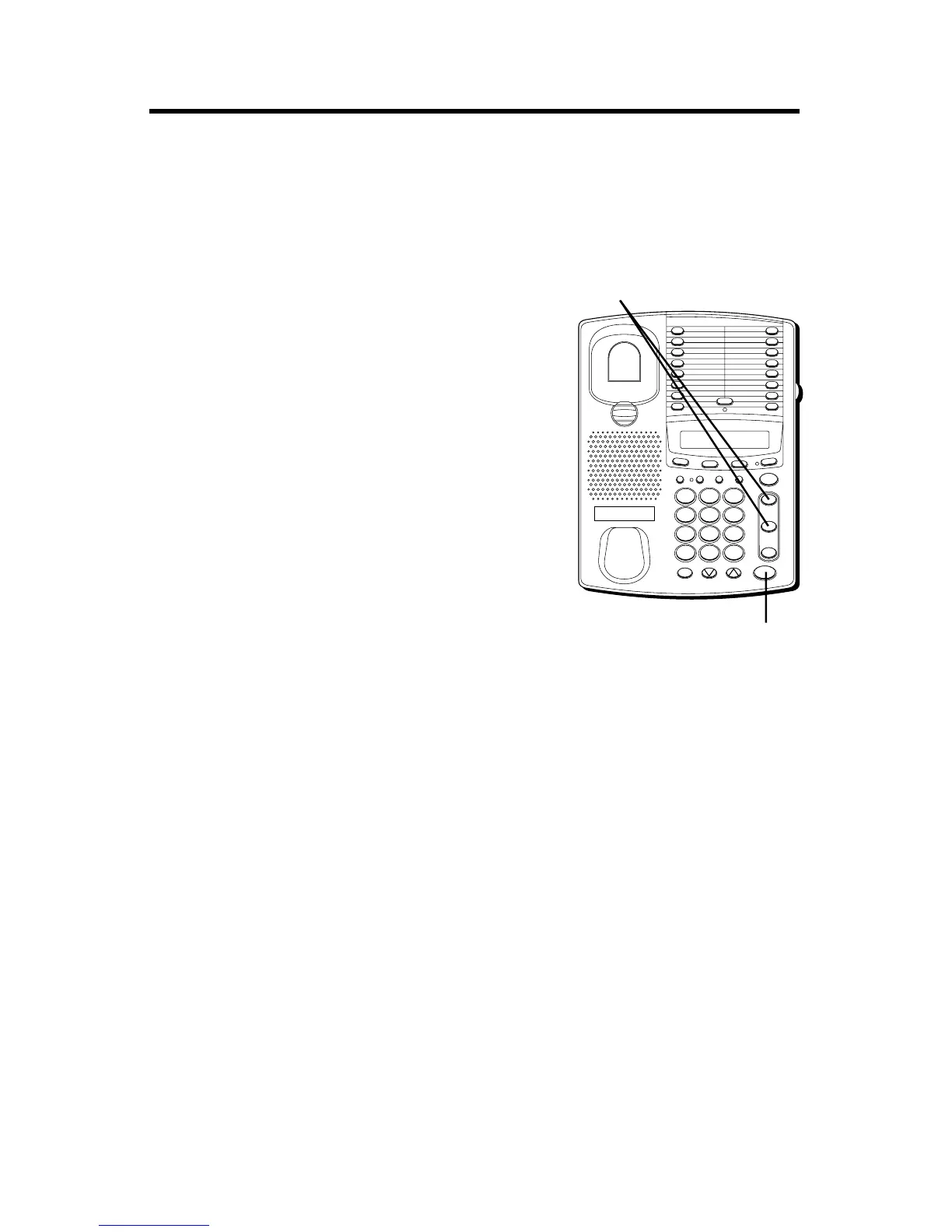
Because this phone has two lines, you must choose a line by pressing the
corresponding button in order to place an outgoing call or to answer an
incoming call.
USING THE HANDSET
The only difference between using the
handset with this phone and other corded
phones is that you must press a line number
button after picking up the handset in order to
access that line.
USING THE SPEAKERPHONE
To use the speakerphone feature, press a line
button and the phone automatically goes into
speakerphone mode.
PLACING A CALL
1. Press the line number (1 or 2).
2. Dial the phone number you want to call.
3. Press SPEAKER to hang up.
RECEIVING A CALL
1. Press the line number button next to the
indicator that is flashing red to answer an
incoming call.
2. Press SPEAKER to hang up the phone.
FLASH BUSY REDIAL PAUSE REDIAL
CONF
MEMOSET
T
I
M
E
R
ST
O
R
E/IN
TWO LINE DATAPHONE
LOWER
1
2
3
4
5
6
7
8
9
10
11
12
13
14
15
16
MUTE
VOL
SPEAKER
WX
YZ
9
MNO
6
DEF
3
#
TUV
8
JKL
5
ABC
2
OPER
0
PQ
RS
7
GHI
4
1
TONE
*
line
2
line
1
HOLD
LINE buttons
SPEAKER button



 To Next Page