9
ADJUSTING THE DISPLAY CONTRAST
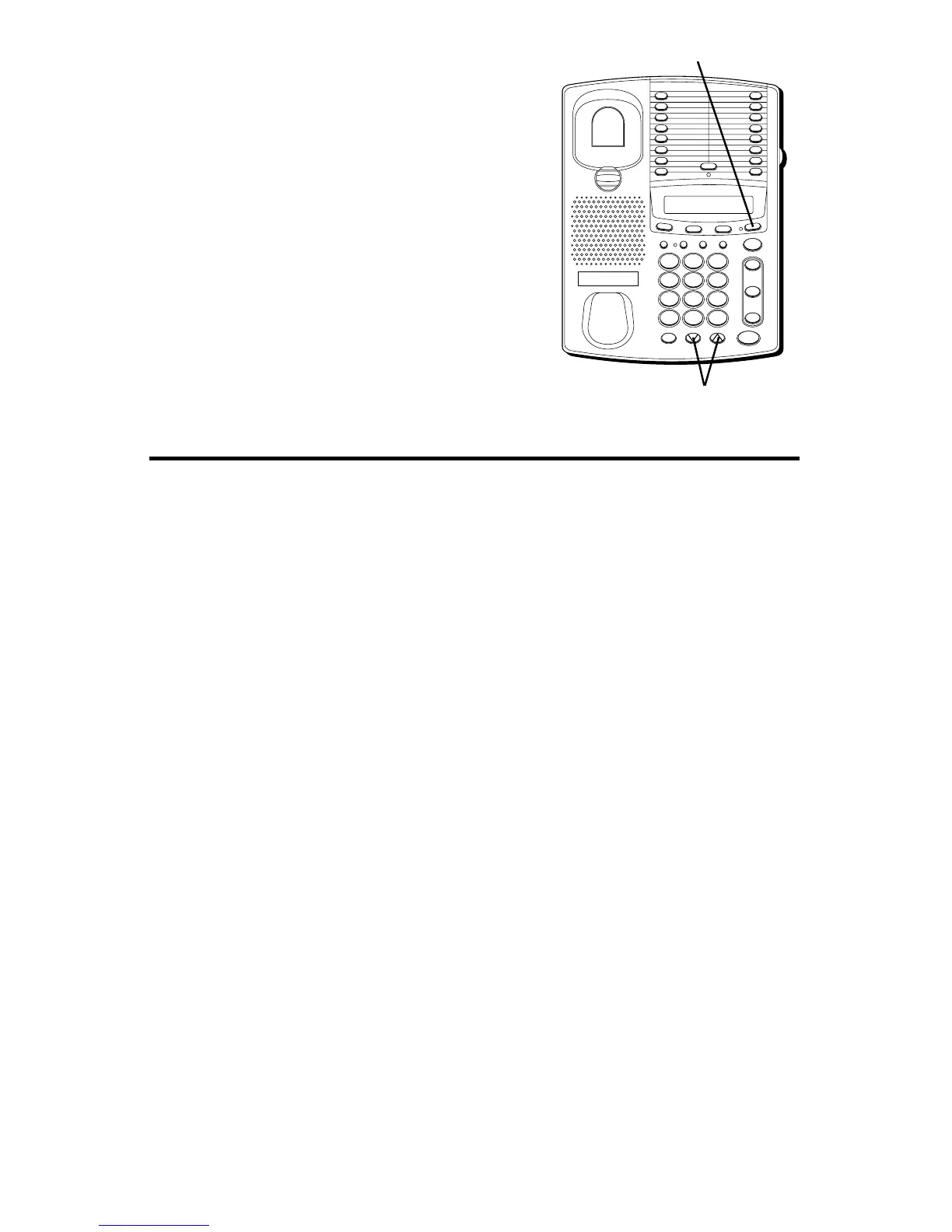
To adjust the contrast level of the display:
1. Press STORE/IN.
2. Press the VOLUME arrows located at the
bottom of the keypad to adjust the
contrast (there are four setting from
which to choose).
3. Press STORE/IN.
FLASH BUSY REDIAL PAUSE REDIAL
CONF
MEMOSET
T
I
M
E
R
S
TO
R
E
/IN
TWO LINE DATAPHONE
LOWER
1
2
3
4
5
6
7
8
9
10
11
12
13
14
15
16
MUTE
VOL
SPEAKER
WX
YZ
9
MNO
6
DEF
3
#
TUV
8
JKL
5
ABC
2
OPER
0
PQ
RS
7
GHI
4
1
TONE
*
line
2
line
1
HOLD
STORE/IN button
VOLUME arrow buttons
SPEAKERPHONE
For best speakerphone performance, avoid the following:
• Areas with high background noise. (The microphone might pick up
these sounds and prevent the speakerphone from going into the
receiving mode when you finish talking.)
• Surfaces affected by vibration.
• Recessed areas such as in a corner, under a cupboard, or next to a
cabinet, which can generate an echo effect.
Note the following guidelines when you use the speakerphone:
• The speakerphone works similar to a two-way radio in that you can only
listen or talk at one time.
• Stay reasonably close to the phone so that you can be clearly heard by
the person to whom you are talking.
• The speakerphone indicator light is on when the speakerphone is in use.



 To Next Page