EasyManua.ls Logo

GE 400 Series - User Manual

GE 400 Series
68 pages
Print Icon
To Next Page IconTo Next Page
Loading...
Write the model and serial
numbers here:
Model # _________________
Serial # _________________
You can find them on a label
behind the door or drawer.
OWNER’S MANUAL
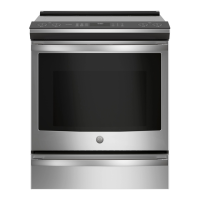
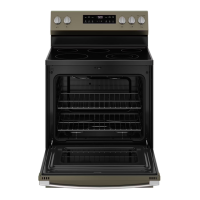
RANGES
Electric
49-2001186 Rev. 0 12-23
400 Series
500 Series
GE is a trademark of the General Electric Company. Manufactured under trademark license.
SAFETY INFORMATION ........... 3
USING YOUR APPLIANCE
Connecting to WiFi ...................... 8
Oven Controls ........................... 8
Settings ............................... 10
Sabbath Mode ...........................12
Radiant Glass Cooktop ...................14
Cookware for Radiant Glass Cooktop. . . . . . .14
Oven Cooking Modes ....................16
Oven Cookware .........................17
Oven Cooking Guide .....................18
Crisp Cooking Guide .....................19
Aluminum Foil and Oven Liners ...........20
Oven Racks ............................20
Oven Air Vents .........................20
CARE AND CLEANING
Cooktop Surfaces - Radiant Glass ..........21
Exterior Surfaces .......................23
Storage Drawer. . . . . . . . . . . . . . . . . . . . . . . . . 24
Interior Surfaces ....................... 25
Oven Door .............................26
Oven Light ............................. 27
TROUBLESHOOTING TIPS ........28
LIMITED WARRANTY ............. 32
ACCESSORIES ..................... 33
CONSUMER SUPPORT ............34
ENGLISH/ESPAÑOL

Other manuals for GE 400 Series

Questions and Answers

  • M
    Matthew BenderSep 12, 2025
    Why is there no conditioned water after regeneration in my GE Water System?
    • L
      Linda BarberSep 12, 2025
      If your GE Water System is not providing conditioned water after regeneration, it could be due to a lack of salt in the brine tank, so add salt to the brine tank. Another cause could be a plugged injector, so clean the injector and screen. The air check valve might also be closing prematurely, so put the control momentarily into brine/slow rinse.
  • J
    Joseph WilkinsAug 25, 2025
    Why is my GE Ranges smoking so much when broiling?
    • S
      Shannon BaileyAug 25, 2025
      If your GE Ranges is producing excessive smoke during broiling, the food might be too close to the broil element. Try lowering the rack position.
  • S
    Samuel ClarkAug 25, 2025
    Why is the display flashing on my GE 400?
    • A
      Angela CastroAug 26, 2025
      If your GE Ranges display is flashing, it likely indicates a power outage or surge. Reset the clock. If the oven was in use, press the Cancel pad, set the clock, and reset any cooking functions.
  • M
    michael59Sep 23, 2025
    Why is my GE Water System experiencing intermittent or irregular brine draw?
    • J
      jacobsmichaelSep 23, 2025
      If you're experiencing intermittent or irregular brine draw with your GE Water System, it might be due to low water pressure, so set the pump to maintain 20 psi at the softener. Another potential cause is a defective injector.
  • C
    Christine WoodsSep 12, 2025
    Why is there steam from my GE 400 vent?
    • S
      Sara KingSep 12, 2025
      For steam from the vent of your GE Ranges, this is normal.
  • S
    sarah46Sep 16, 2025
    Why does my GE Ranges oven glass look tinted?
    • M
      marthahansenSep 17, 2025
      If the inner oven glass of your GE Ranges appears tinted or has a rainbow color, it is normal. The glass is coated with a heat barrier to reflect heat back into the oven, preventing heat loss and keeping the outer door cool.
  • M
    Monica GallegosSep 5, 2025
    Why do my GE Ranges racks slide out on their own?
    • V
      vnelsonSep 5, 2025
      If your GE Ranges racks slide in or out on their own, the unit might not have been properly leveled during installation. Level the oven by referring to the Installation Instructions.
  • B
    blacklauraSep 6, 2025
    Why does my GE 400 flash during self-clean?
    • S
      stephanie92Sep 6, 2025
      If you see flashes in the display of your GE Ranges, it means the self-clean cycle has been selected, but the door isn't closed. Close the oven door.
  • K
    Kevin TrujilloSep 18, 2025
    What to do with water after GE 400 Ranges steam clean?
    • P
      perezshawnSep 18, 2025
      To address the issue of water remaining on the oven floor after a Steam Clean cycle in GE Ranges, remove any remaining water with a dry cloth or sponge.
  • S
    Stephanie SuarezAug 30, 2025
    Why isn't my GE 400 Ranges oven clean after self-clean?
    • M
      martintylerAug 30, 2025
      If your GE Ranges oven is not clean after a self-clean cycle, it may be because the oven was heavily soiled. Clean up heavy spillovers before starting the cleaning cycle. For heavily soiled ovens, you may need to run the self-clean cycle again or for a longer period. Also, ensure that the oven controls are properly set; refer to the Care and Cleaning – Interior Surfaces section.

Summary

SAFETY INFORMATION

General Safety Warnings

Essential safety guidelines, anti-tip device, flammable materials, and fire prevention.

Cooktop and Oven Safety

Specific safety precautions for cooktop, glass cooktop, oven, and self-cleaning modes.

Remote Operation and Disposal

Safety for wireless features and appliance disposal guidelines.

USING YOUR APPLIANCE

WiFi Connectivity

Steps to connect the oven to a wireless network using the SmartHQ app.

Oven Controls Overview

Explanation of the control panel buttons and their functions.

Oven Settings Configuration

How to access and adjust various operational settings of the oven.

Special Cooking Modes

Instructions for Sabbath Mode, Radiant Glass Cooktop, and Oven Cooking Modes.

Cookware and Oven Usage Tips

Guidance on suitable cookware, warming zones, foil, racks, and air vents.

Cooking Guides and Tips

Recommendations for rack positions, modes, and guides for various food types.

CARE AND CLEANING

Cooktop Cleaning Procedures

Detailed instructions for cleaning the radiant glass cooktop surface.

Exterior Surface Care

Instructions for cleaning exterior surfaces, controls, and finishes.

Interior Oven Cleaning

Methods for cleaning oven interior, racks, elements, and door.

Oven Light Maintenance

Guidance on safely removing and replacing the oven light bulb.

TROUBLESHOOTING TIPS

Troubleshooting Common Issues

Solutions for common problems like cooking, controls, and display errors.

LIMITED WARRANTY

Warranty Details and Exclusions

Information on warranty coverage, exclusions, and implied warranty limitations.

ACCESSORIES

Available Accessories and Parts

List of optional accessories, replacement parts, and cleaning supplies.

CONSUMER SUPPORT

Customer Support Resources

Contact information, website, service scheduling, and warranty registration.

GE 400 Series Specifications

General IconGeneral
Self-CleaningYes
Number of Burners4
Width30 inches
Oven TypeConventional
Cooktop MaterialGlass
ColorBlack

Related product manuals