12
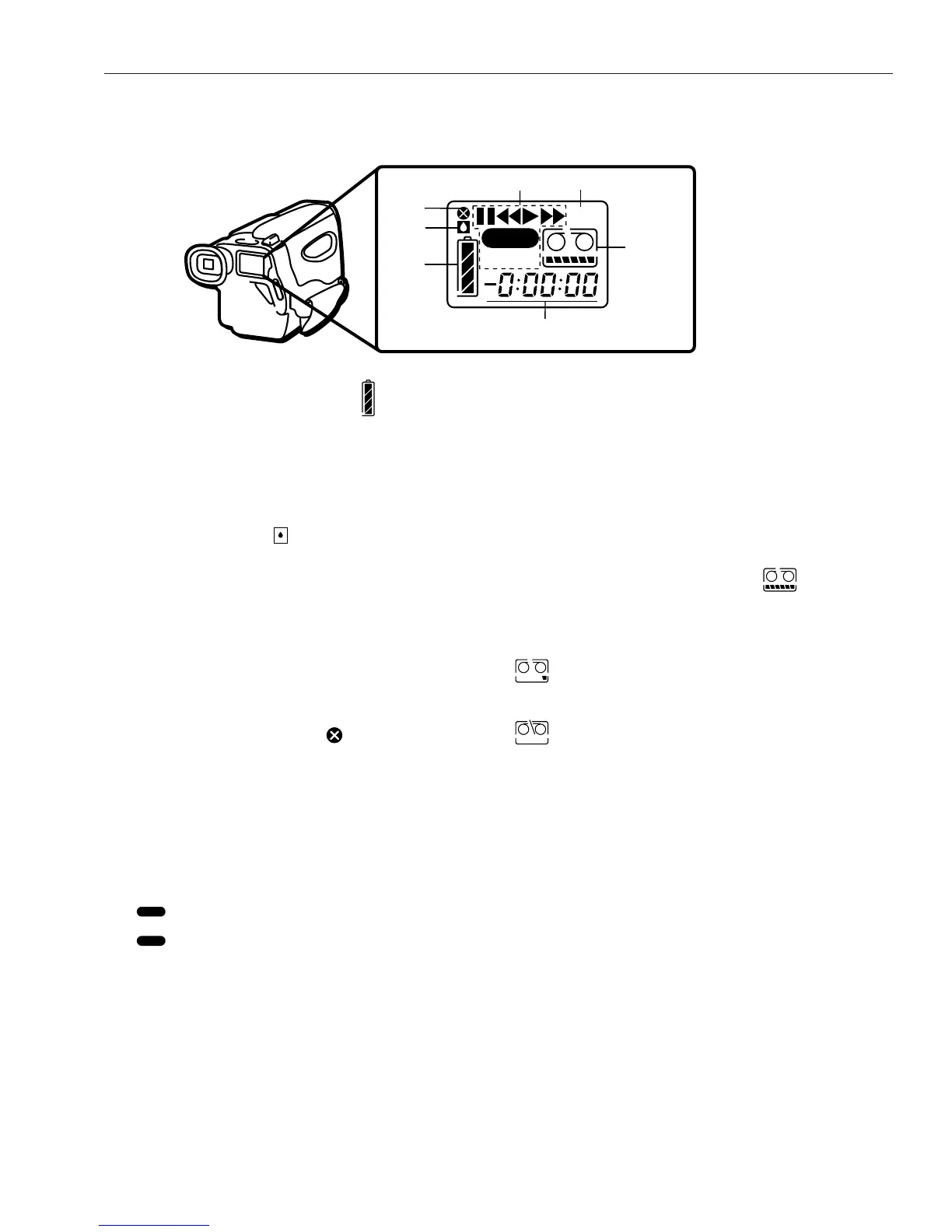
1. Battery Level Indicator ( )
Indicates the amount of power
remaining in the battery. Details are
on page 15.
2. Dew Warning ( )
Flashes when excessive moisture
(condensation) has entered the
camcorder. The camcorder will not
operate when this warning appears;
wait until the warning disappears
before you operate.
3. Head Clog Warning ( )
Flashes when the video head is
clogged or dirty. Contact an
Authorized GE Camcorder
Servicenter.
4. Status Displays
: Recording
❙❙ Flashing : Record-Pause
E : Playback
❙❙ Flashing E : Play-Pause
F : Rewind
EE : Fast Forward
F E : Rewind Search
6 66: Fast Forward Search
PLAY : Playback Mode
5. BLANK Indicator
Displayed when the Blank Search
feature is used during recording or
playback mode. BLANK flashes when
searching a recorded portion of the
tape and lights for a blank portion.
6. Tape Remaining Indicator ( )
Indicates the amount of tape
remaining.
Tape is five minutes from the
end.
Flashes when:
• Tape is at end
• Moisture in the camcorder or
cassette
• No cassette in camcorder
• You try to record on a
cassette that has the safety
closed
7. Elapsed Time-Counter (-0:00:00)
The counter appears during recording
and playback. It is not recorded onto
the tape. Inserting or removing a tape
resets it to “0:00:00”.
Review LCD Window Displays



 To Next Page