13
Powering Your Camcorder
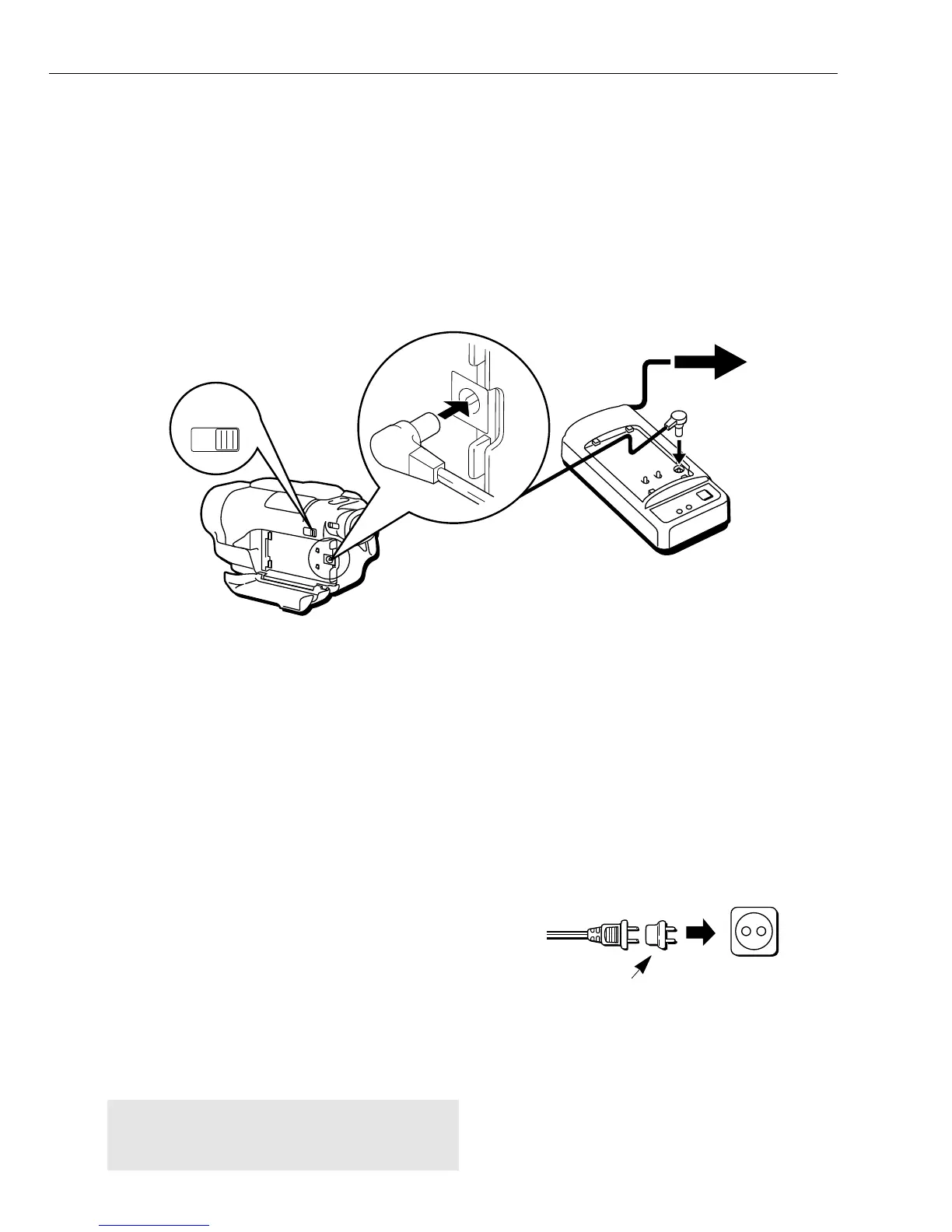
To Attach Adapter/Charger:
1. Slide the OPEN-BATT button to open
the battery compartment. Carefully
open the compartment fully.
2. Plug one end of the DC power cord
into the DC OUT jack on the adapter/
charger and the other end into the DC
IN 6.5V jack on the side of the
camcorder.
3. Close the battery compartment.
4. Plug the AC adapter/charger power
cord into an AC operating outlet. The
adapter/charger’s POWER indicator
lights.
Tip: The battery level indicator has no
meaning when you power the camcorder with
the adapter/charger.
To Remove the Adapter/Charger:
1. Unplug the adapter/charger from the
wall outlet.
2. Disconnect the DC power cord from
the camcorder and adapter/charger.
Using Optional AC Plug Adapter
An optional plug adapter may be
required in some countries.
1. Plug the adapter/charger’s plug into
the AC plug adapter.
2. Plug the AC plug adapter into the
AC outlet.
Optional AC
Plug Adapter
AC 100-240V
Caution: Do not use this adapter/charger for
any purpose other than charging recommended
battery or supplying power to the camcorder.
Using the Adapter/Charger
The adapter/charger lets you power your camcorder directly from standard household
power. It operates on 100-240 volts, 50/60 Hz, so it can be used virtually anywhere in
the world to power the camcorder or recharge the battery. You may need a plug
adapter in some countries. Consult your dealer.
This section describes three ways to supply power to your camcorder:
■ AC Adapter/Charger ■ Battery ■ Car Cord Adapter (Optional)



 To Next Page